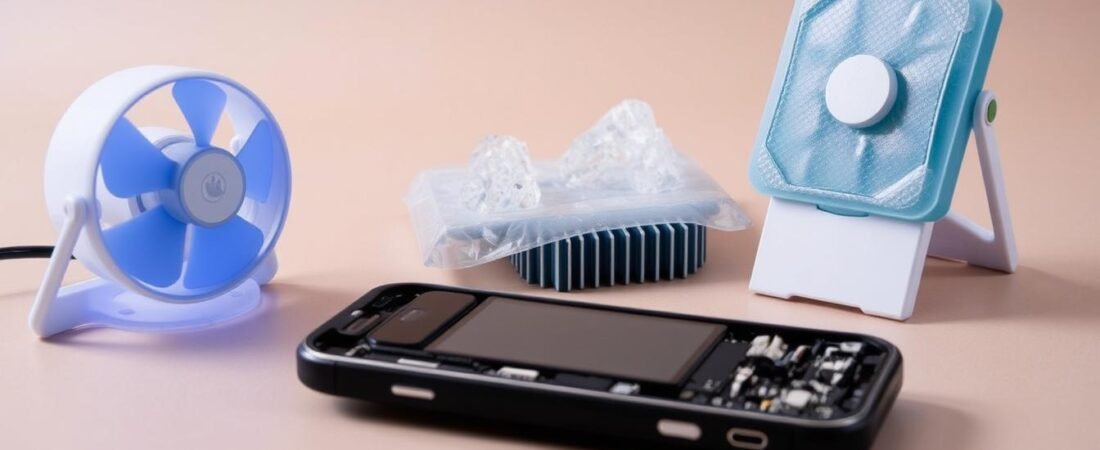
Ever feel your device getting uncomfortably warm while streaming videos in Lagos traffic or during a long video call? That heat isn’t just annoying—it’s a sign your gadget needs attention.
Many of us ignore this warning, but continued overheating can lead to serious problems. Your battery life shortens, performance drops, and permanent damage becomes a real risk.
We understand how frustrating this can be, especially in Nigeria’s hot climate. That’s why we’ve created this simple guide with proven solutions that actually work.
Whether you use iPhone, Samsung, Infinix, or Redmi, our tips will help you cool things down quickly. We’ll also show you how to prevent future heating issues.
Key Takeaways
- Overheating can cause permanent damage to your device if ignored
- Environmental factors and usage patterns are common causes
- Immediate cooling techniques can prevent serious problems
- Long-term prevention strategies extend your smartphone’s lifespan
- Solutions work for all major brands including iPhone and Samsung
- Simple steps can maintain optimal performance in hot climates
- Proper handling prevents battery degradation and performance issues
Understanding Phone Overheating: Why It Happens
Ever noticed your gadget feeling unusually warm during daily use? That warmth isn’t random—it’s your device telling you something needs attention. We’ll explore the main reasons behind this common issue.
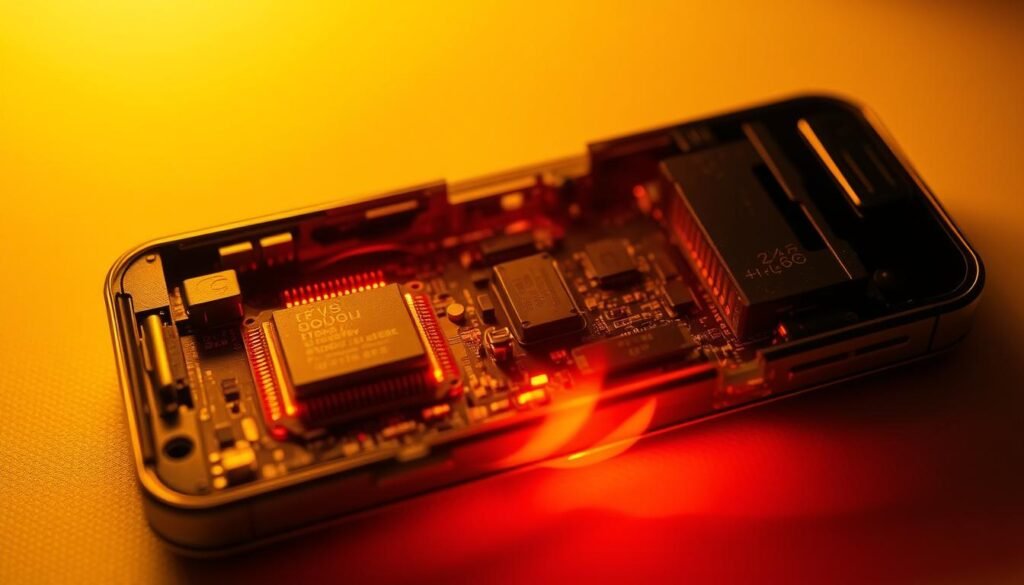
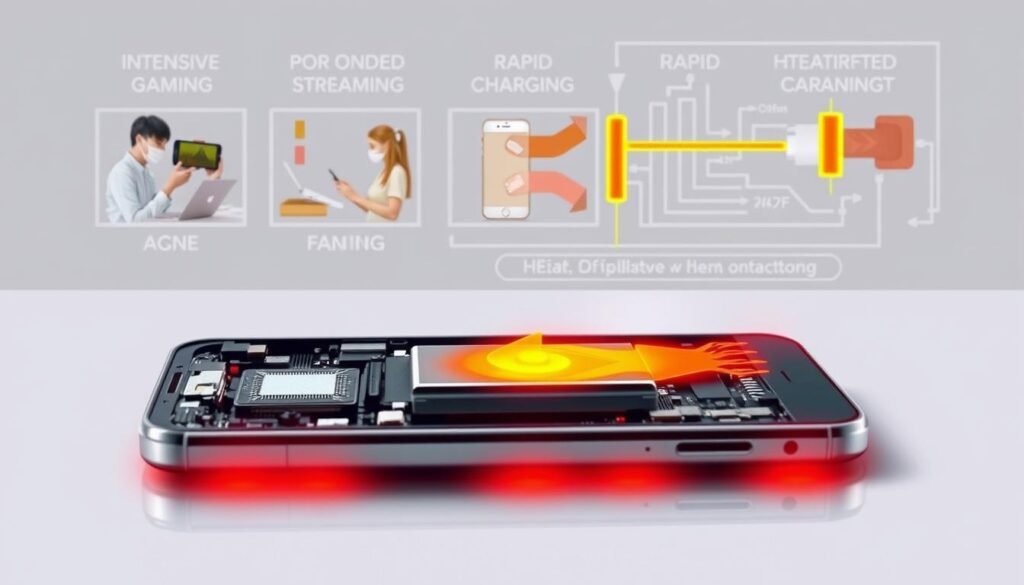
Three primary factors contribute to excessive heat: environmental conditions, how you use your device, and charging practices. Recognizing these helps you prevent problems before they start.
Environmental Factors
Leaving your device in direct sunlight or inside a hot car can quickly raise its temperature. The Nigerian sun can turn these spaces into ovens that bake internal components.
Most gadgets operate best between 0-35°C. Exceeding this range forces your battery and processor to work harder, generating more heat.
Usage Patterns
Running multiple apps simultaneously strains your device’s resources. Each open application consumes power, making your processor work overtime.
Intensive tasks like gaming or video streaming push your gadget to its limits. This increased usage generates significant warmth, especially during long sessions.
Charging Issues
Overcharging after reaching 100% battery creates unnecessary stress. Using faulty or non-approved chargers compounds this problem, generating excess heat that can damage components.
Many users charge devices on soft surfaces like beds or couches. This traps heat instead of allowing proper dissipation, creating ideal conditions for overheating.
“Heat management is crucial for device longevity—understanding sources is the first step toward prevention.”
Now that we understand why overheating occurs, we can explore practical solutions. The next sections will show you how to keep your device cool and performing optimally.
Common Causes of Phone Overheating
Have you ever picked up your gadget and felt that uncomfortable warmth spreading through your palm? That’s your device signaling it’s working too hard. We’ll explore the everyday habits that make your equipment heat up unexpectedly.
Many users don’t realize how their daily routines contribute to temperature spikes. Understanding these patterns helps prevent damage before it occurs.
Extended Gaming and Streaming Sessions
Playing graphics-intensive games or streaming videos for hours pushes your device’s limits. The processor and graphics unit work overtime, generating significant warmth.
This intense usage drains your battery quickly while producing heat. Many students and professionals experience this during leisure time.
Running Too Many Background Apps
Multiple apps running secretly consume power and memory. Each application adds to the workload, making your gadget struggle silently.
This running background activity often goes unnoticed until your device gets hot. Regular app management prevents this hidden drain.
Outdated Software and Apps
Older versions of software often contain bugs that reduce efficiency. Your gadget works harder to perform simple tasks, using more energy.
Keeping your app collection updated ensures optimal performance. Current versions run smoother and generate less warmth.
Navigation and GPS Usage
Navigation apps constantly track location while processing map data. This dual task strains both connectivity and processing components.
Long trips with active GPS significantly impact your device’s temperature. This is particularly relevant in Nigeria’s busy urban areas.
Large File Transfers and Downloads
Downloading movies or syncing large photo collections taxes your system. The processor manages the data transfer while maintaining other functions.
This overload creates perfect conditions for excessive heat generation. Scheduling large transfers during cooler periods helps manage this issue.
| Activity | Heat Impact | Prevention Tip |
|---|---|---|
| Gaming/Streaming | High | Take breaks every hour |
| Background Apps | Medium | Close unused apps regularly |
| Outdated Software | Medium | Enable auto-updates |
| GPS Navigation | High | Use offline maps when possible |
| Large Downloads | Medium-High | Schedule during cooler hours |
Recognizing these common habits helps you adjust your usage patterns. Simple changes in how you use your device can prevent most overheating issues.
“Smart usage habits are the first defense against device overheating. What you do daily determines your gadget’s long-term health.”
Now that we understand what causes excessive warmth, we can explore practical prevention strategies. The next section will show you how to keep your device cool and performing optimally.
Preventive Measures to Avoid Phone Overheating
Have you ever experienced that moment when your gadget feels warmer than usual during normal use? This warmth signals it’s time for some simple preventive care. We’ll share practical strategies that anyone can implement to keep their device running cool.
These methods require minimal effort but deliver maximum protection. They work for all major brands and are especially valuable in Nigeria’s climate.
Smart Sunlight Management
Direct sunlight quickly raises your device’s temperature. Always keep your gadget in shaded areas or inside bags when outdoors.
This simple habit prevents unnecessary heat buildup. It’s particularly important during Nigerian outdoor activities and daily commutes.
Optimize Screen Brightness Settings
Lowering your screen brightness reduces battery strain significantly. Enable auto-brightness settings for automatic adjustment.
Consider using anti-glare screen protectors. They improve visibility without increasing brightness levels.
This adjustment preserves battery life while keeping your device cooler during extended use.
Use Approved Charging Equipment
Always choose manufacturer-approved chargers and cables. They meet safety standards and prevent overheating issues.
Faulty equipment can cause serious damage to your battery and internal components. Investing in quality charging gear saves money long-term.
Regular App Management
Close unused applications to free up system resources. Background apps consume power and generate heat unnecessarily.
Make this a daily habit for consistent protection. Your device will run smoother and stay cooler throughout the day.
Timely Software Updates
Keep your software and apps updated regularly. Updates often include bug fixes that improve efficiency.
Current versions run smoother and generate less heat during operation. Enable automatic updates for consistent performance.
| Prevention Method | Effectiveness | Implementation Difficulty | Cost Impact |
|---|---|---|---|
| Sunlight Avoidance | High | Easy | Free |
| Brightness Control | Medium-High | Easy | Free |
| Approved Chargers | High | Medium | Low |
| App Management | Medium | Easy | Free |
| Software Updates | Medium-High | Easy | Free |
“Prevention beats cure every time. Simple daily habits protect your investment and ensure optimal performance.”
These preventive measures are affordable and accessible to everyone. They represent the smartest way to extend your device’s life and avoid costly repairs.
In hot climates like Nigeria, these practices become essential rather than optional. Make them part of your routine for consistent protection against heat damage.
Immediate Steps to Cool Down an Overheated Phone
Has your gadget suddenly become uncomfortably warm during normal activities? That unexpected warmth means it’s time for quick action. We’ll show you simple yet effective ways to cool things down fast.
These immediate steps work for all major brands and require no special tools. They’re particularly useful during Nigeria’s hot seasons or outdoor events.
Remove Your Phone Case Immediately
Protective cases trap heat around your device. Removing the case allows better air circulation and faster cooling.
This simple action helps dissipate built-up warmth quickly. It’s your first defense when your gadget gets hot during use.
Enable Airplane Mode Instantly
Switching to airplane mode stops all wireless connections. This reduces power consumption significantly.
Your device stops searching for signal and running background scans. This immediate relief helps lower temperatures fast.
Move to a Cooler Location
Find a shaded area away from direct sunlight. Avoid extreme cooling methods like refrigerators or freezers.
Sudden temperature changes can cause internal damage. Gentle cooling in a breezy spot works best for your device.
Disable Unnecessary Connections
Turn off Bluetooth and Wi-Fi when not needed. These features constantly drain energy and generate extra heat.
Adjust your settings to minimize background activity. This reduces workload and helps your phone recover faster.
“Quick, calm action prevents minor heating from becoming major damage. These simple steps protect your investment during critical moments.”
Light fanning or blowing air can provide temporary relief. Always handle your warm gadget carefully to avoid accidents.
Remember these techniques during Nigerian heatwaves or outdoor activities. They help maintain your device’s performance when it matters most.
Acting quickly but calmly makes all the difference. These proven methods restore normal function while preventing further issues.
Proper Charging Practices to Prevent Overheating
Have you ever plugged in your gadget only to notice it getting warmer than expected? That extra warmth during charging signals potential issues with your setup. We’ll explore smart charging habits that keep your device cool and performing optimally.
Many users don’t realize how their charging routines affect device temperature. Simple adjustments can prevent heat buildup and extend your gadget’s lifespan significantly.
Choose the Right Charger for Your Device
Always use manufacturer-approved chargers designed for your specific model. Compatible equipment delivers the correct power levels without straining components.
Generic or counterfeit chargers often provide inconsistent power flow. This inconsistency forces your battery to work harder, generating unnecessary heat during charging cycles.
Charge on Hard, Flat Surfaces
Hard surfaces like desks or tables allow proper heat dissipation. They provide better airflow around your device during power transfer.
This simple practice prevents heat from building up around critical components. Your gadget stays cooler throughout the charging process.
Avoid Soft Surfaces Like Beds
Soft materials trap heat around your device instead of releasing it. This common Nigerian habit creates perfect conditions for overheating.
Charging on beds or pillows blocks ventilation ports. The trapped warmth can damage internal parts over time.
Don’t Use Your Device While Charging
Using your gadget during charging combines two heat-generating activities. This double strain pushes temperatures higher than normal.
Let your device rest during power transfers. This separation prevents combined heat from usage and charging processes.
“Smart charging habits are like good nutrition for your device—they ensure long-term health and prevent unnecessary wear.”
| Charging Practice | Heat Impact | Battery Benefit | Common in Nigeria |
|---|---|---|---|
| Manufacturer Charger | Low | High | Medium |
| Hard Surface Charging | Low | Medium | Low |
| Bed Charging | High | Low | High |
| Usage During Charging | High | Low | High |
| Overnight Charging | Medium | Medium | High |
Modern devices include overcharge protection for overnight charging. This safety feature works best when using proper charging surfaces.
Regularly inspect your charging ports and cables for damage. Worn equipment can cause power delivery issues that generate excess heat.
These practices seem simple but make a significant difference. They protect your investment and maintain optimal performance in Nigeria’s climate.
Proper charging extends battery life and prevents long-term damage. Make these habits part of your daily routine for consistent results.
Environmental Considerations for Nigerian Users
Do you notice your gadget struggling more during Nigeria’s hottest months? Our tropical climate presents unique challenges that require special attention. We’ll share practical strategies tailored for Nigerian conditions.
Environmental factors significantly impact your device’s performance and longevity. Understanding these helps you protect your investment throughout the year.
Managing Device Temperature in Hot Climates
Nigeria’s intense heat demands smart handling of your equipment. Always keep your gadget in shaded areas or inside bags when outdoors.
Direct sunlight can raise internal temperatures dangerously fast. This is particularly important during midday hours when the sun is strongest.
High environmental temperature accelerates battery drain significantly. It also reduces touchscreen responsiveness during outdoor use.
Protecting Devices During Outdoor Activities
Beach trips and outdoor events require extra precautions. Tuck your device in pockets or wrap it in a dry towel for protection.
At the beach, folding a towel around your equipment prevents both sand and heat damage. This simple way maintains functionality while enjoying outdoor activities.
Environmental heat combined with usage can quickly overwhelm your gadget. Being proactive about placement prevents most issues before they start.
Storage Tips for High-Temperature Environments
Never leave your device in a parked car, even for short periods. Vehicle interiors can reach dangerous temperatures quickly.
Avoid placing gadgets near windows where sunlight exposure is constant. Choose cool, dark storage areas instead.
Consider using cases that allow better airflow if necessary. Some protective covers trap heat while others promote better dissipation.
“Adapting to local weather patterns isn’t just convenient—it’s essential for preserving your technology investment in tropical conditions.”
| Situation | Risk Level | Protection Method | Common Nigerian Scenario |
|---|---|---|---|
| Beach Outing | High | Towel wrapping | Weekend beach visits |
| Outdoor Event | Medium-High | Shaded pocket storage | Weddings, festivals |
| Car Storage | Very High | Never leave in vehicle | Market parking |
| Direct Sunlight | High | Bag storage | Daily commute |
| Window Exposure | Medium | Relocate device | Home/office settings |
These considerations become second nature with practice. They represent the smartest way to extend your device’s life in challenging conditions.
During travel or outdoor events, being mindful of placement prevents most temperature-related issues. Your gadget will thank you with better performance and longer lifespan.
Make these habits part of your routine for consistent protection. They ensure your equipment remains functional and cool despite Nigeria’s climate challenges.
Identifying When Overheating Indicates Serious Problems
Does your gadget remain warm even when you’re not actively using it? This persistent warmth could signal deeper issues that need immediate attention. We’ll help you recognize when ordinary warmth becomes a serious warning sign.
Sometimes overheating points to problems beyond normal usage. Identifying these red flags early prevents costly repairs and protects your personal information.
Your device might be trying to tell you something important. Learning to interpret these signals keeps your technology safe and functional.
Signs of Battery Failure
Persistent warmth combined with quick power drainage often indicates battery issues. If your gadget loses charge unusually fast, your battery might need replacement.
Slow charging despite using proper equipment suggests internal battery damage. Unexpected shutdowns at medium charge levels confirm battery deterioration.
These symptoms frequently appear together. Recognizing this pattern helps you address battery problems before they cause permanent damage.
When Overheating Persists Without Apparent Cause
Does your device get hot during light usage or while idle? This unexplained warmth might indicate software conflicts or hardware malfunctions.
Malware infections can max out your processor silently. Programs like Loapi force your gadget to work constantly, generating excessive heat.
This unnecessary strain causes batteries to bulge and components to overheat. Addressing these issues quickly prevents further damage.
Symptoms of Potential Malware Infection
Android users should watch for unexplained resource usage. Malicious software often runs hidden processes that consume memory and processing power.
iPhone users experience fewer malware issues due to stricter app controls. Android devices benefit from regular antivirus scans for protection.
Unexpected data usage spikes often accompany malware infections. These programs might send your information to external servers without permission.
“Persistent overheating without heavy usage demands immediate investigation. What seems like minor warmth could signal serious security or hardware issues.”
| Symptom | Possible Cause | Immediate Action | Risk Level |
|---|---|---|---|
| Constant warmth during idle periods | Battery failure/Malware | Run antivirus scan | High |
| Rapid battery drainage | Battery degradation | Check battery health | Medium-High |
| Slow charging speed | Battery/Charging issue | Use different charger | Medium |
| Unexpected shutdowns | Battery failure | Backup data immediately | High |
| Unexplained data usage | Malware infection | Install antivirus software | High |
Nigerian users particularly benefit from early problem detection. Our high usage patterns make quick identification crucial for preventing major issues.
Regular monitoring saves money on repairs and protects your personal information. Simple observation helps you catch problems before they escalate.
Consider using trusted antivirus applications for added protection. These tools scan for and remove malicious software that causes overheating.
Professional help becomes necessary when problems persist despite your efforts. Technicians can diagnose and resolve underlying hardware issues effectively.
Maintenance Tips for Long-Term Phone Health
Do you find your gadget slowing down or getting warm even during simple tasks? Regular maintenance keeps your equipment running smoothly for years. We’ll share simple routines that protect your investment and prevent performance issues.
These habits take just minutes but deliver lasting benefits. They’re especially valuable for Nigerian students and professionals who rely on their devices daily.
Regular App Cleanup and Management
Unused applications consume valuable storage space and system resources. Delete apps you haven’t used in months to free up memory and processing power.
Organize remaining apps into folders for easy access. This reduces clutter and helps you manage your digital workspace efficiently.
Using Junk-Cleaning Software Effectively
Tools like AVG Cleaner identify performance-draining files and applications. They remove temporary files that accumulate during normal usage.
These applications provide one-touch optimization for busy users. Regular cleaning maintains your device’s speed and responsiveness.
Monitoring Background App Activity
Check your settings regularly to see which apps run in the background. Many applications continue working even when you’re not actively using them.
Disable background refresh for non-essential applications. This simple adjustment preserves battery life and reduces unnecessary power consumption.
“Consistent maintenance is the secret to long device life. Small weekly habits prevent major monthly problems.”
Keep your software updated to ensure optimal performance and security. Current versions run more efficiently and generate less heat during operation.
Set monthly reminders for comprehensive cleanups. This routine becomes second nature and keeps your gadget running like new.
These practices extend your battery life and overall device longevity. They’re particularly important in Nigeria’s high-usage environment where reliability matters most.
What Not to Do With an Overheated Phone
Ever panic when your gadget feels like it’s burning up? That moment of alarm can lead to quick decisions that cause more harm than good. We’ll show you the common mistakes to avoid when your equipment gets too warm.
These errors seem logical in the moment but often worsen the situation. Understanding what not to do protects your investment and prevents costly repairs.
Never Use Refrigerators or Freezers
Placing a warm device in extreme cold causes immediate condensation. Moisture forms inside your gadget, potentially damaging internal circuits and components.
This temperature shock can crack screens and damage batteries. Your equipment works best between 0-35°C—sudden changes outside this range cause stress.
Instead, move your device to a shaded, breezy area. Gentle air circulation provides safe cooling without risking moisture damage.
Don’t Ignore Persistent Overheating
If your gadget stays warm during light usage or idle periods, investigate immediately. Persistent warmth often signals deeper issues needing professional attention.
Ignoring these warnings might lead to battery swelling or component failure. Early detection prevents more serious problems down the line.
Monitor your device’s behavior patterns regularly. Consistent overheating without heavy usage demands technical inspection.
Avoid Sudden Temperature Changes
Rapid cooling or heating strains your device’s internal components. Materials expand and contract at different rates, potentially loosening connections.
This thermal stress reduces your equipment’s lifespan significantly. Gradual temperature adjustments protect sensitive electronics.
Resist the urge to use cooling gadgets or ice packs. These quick fixes often create bigger problems than they solve.
“Panic responses often cause more damage than the original overheating. Calm, informed actions protect your device effectively.”
Instead of drastic measures, follow proven cooling steps. Move to shade, remove cases, and close unnecessary applications.
If problems continue, seek professional help immediately. Technicians can diagnose underlying issues before they cause permanent damage.
Remember that prevention remains your best defense. Proper charging, regular maintenance, and smart usage prevent most overheating situations.
Conclusion: Maintaining Your Phone’s Optimal Temperature
Keeping your gadget cool is simpler than you think. We’ve shared practical ways to protect your device from heat damage.
Remember to avoid direct sunlight and update your apps regularly. These small habits make a big difference in hot climates like Nigeria.
Use proper charging methods and stay alert to warning signs. Your device will thank you with better performance and longer life.
Share these tips with friends who might benefit. Together, we can keep our gadgets running smoothly without worries.
You now have the knowledge to take control. Stay cool and enjoy your technology with confidence!
FAQ
Why does my phone get hot even when I’m not using it?
Your device may be running background apps, performing updates, or struggling with poor signal. It could also be in a warm environment. Check for unnecessary apps running and move your device to a cooler location.
Can overheating damage my phone’s battery?
Yes, prolonged exposure to high temperatures can reduce battery life and performance over time. It’s best to keep your device within recommended temperature ranges to maintain its health.
Is it safe to charge my phone if it’s already warm?
We recommend letting your device cool down before charging. Charging while hot can increase temperature further and strain the battery. Always use approved chargers and avoid soft surfaces.
How can I prevent overheating during hot weather in Nigeria?
Keep your device out of direct sunlight, reduce screen brightness, and avoid intensive tasks during peak heat. Store it in a shaded, ventilated area when outdoors.
Should I put my overheated phone in the refrigerator to cool it down?
No, sudden temperature changes can cause internal damage. Instead, move it to a cooler room, remove the case, and turn off unused features like Wi-Fi or Bluetooth.
What apps cause the most overheating issues?
Games, navigation apps, and video streaming services often use more processor power, leading to increased heat. Closing unused apps and keeping software updated can help manage this.
When should I be concerned about my phone overheating?
If your device gets hot frequently without obvious cause, shows swelling, or restarts unexpectedly, it may indicate a deeper issue like battery failure or malware. Seek professional help if problems persist.