
Did you know the average person spends 2.5 hours daily just recovering from distractions? That’s over 15 hours every week lost to poor time management!
We understand how challenging it can be to balance school, work, and personal life. That’s why we’ve created this carefully selected list of digital tools that can transform your daily routine.
Our team tested numerous options to find the most effective solutions for Nigerian users. We focused on affordability, offline capabilities, and reliability in our local connectivity conditions.
These tools help you organize tasks, maintain focus, and track your progress. Whether you’re a student or young professional, you’ll discover practical ways to boost your productivity.
We’ll guide you through various categories including work hours tracking, project organization, and communication platforms. Each recommendation comes from hands-on testing and real-world use.
Key Takeaways
- Discover tools that work reliably even with Nigeria’s internet challenges
- Learn about both free and affordable paid options for different budgets
- Find apps that help track time and organize academic projects effectively
- Get recommendations tested specifically for student and professional needs
- Learn how to build better work habits and improve focus skills
- Discover planning tools that sync across devices for seamless scheduling
Why Time Management Matters for Nigerian Students and Professionals
Have you ever felt like there just aren’t enough hours in the day? You’re not alone. In Nigeria’s fast-paced environment, mastering your schedule becomes crucial for success.
Research shows that 87% of students believe better time organization would improve their grades. Meanwhile, 88% actively want to enhance their scheduling abilities.
“Effective time management is the cornerstone of academic and professional achievement in today’s demanding world.”
Nearly half of college learners report insufficient time for school assignments due to overloaded calendars. This challenge affects both academic performance and personal well-being.
The Nigerian Digital Landscape for Productivity Apps
Our digital environment presents unique opportunities and challenges. While technology adoption grows rapidly, infrastructure limitations require smart solutions.
Internet stability and power supply remain significant concerns across many regions. These factors directly impact which tools prove most effective for daily use.
We prioritize recommendations that function reliably despite connectivity issues. Offline capabilities become essential rather than optional features.
| Challenge | Impact on Productivity | Recommended Solution |
|---|---|---|
| Unstable Internet | Disrupted workflow | Offline-first applications |
| Power Outages | Lost work time | Cloud synchronization |
| Data Costs | Limited usage | Low-bandwidth options |
| Multiple Devices | Inconsistent experience | Cross-platform tools |
Balancing Academic and Professional Demands
Juggling studies with work commitments requires strategic planning. The right approach reduces stress while maximizing output.
Smart tools help prioritize tasks and minimize procrastination. They create structure where chaos might otherwise prevail.
Students with strong organizational skills typically perform better academically. They also report feeling less overwhelmed by their responsibilities.
Effective planning ensures both educational and personal life receive proper attention. This balance is crucial for long-term success and well-being.
By understanding these challenges, you can select solutions that truly fit Nigerian lifestyles. The right choices lead to improved daily efficiency and confidence.
Our Selection Criteria for Digital Productivity Tools
Ever wonder how we choose which digital tools to recommend? Our process ensures every suggestion meets real Nigerian needs.
We believe transparency builds trust. That’s why we’re sharing exactly how we evaluate each option.
Our team follows strict testing guidelines. Every tool undergoes practical evaluation before making our list.
Testing Methodology and Review Process
Human reviewers test each application thoroughly. They focus on real-world performance rather than just advertised features.
We examine ease of use and learning curve. Complex tools rarely get used consistently.
Pricing justification is crucial. We ask: “Does the value match the cost for Nigerian budgets?”
Real-world testing includes Nigerian connectivity conditions. We simulate poor internet and power outages.
“Trust comes from transparency – we show our work so you understand our recommendations.”
Integration capabilities matter greatly. We check compatibility with popular services like Google Calendar.
Customization options receive special attention. Color-coding and templates help adapt to individual workflows.
Considering Nigerian User Needs and Connectivity
Our primary focus remains local relevance. We prioritize tools that work despite infrastructure challenges.
Offline functionality isn’t optional – it’s essential. We test synchronization after connection restoration.
Low data consumption becomes a deciding factor. Expensive data plans shouldn’t limit productivity.
Mobile optimization is non-negotiable. Most users access tools primarily through smartphones.
We assess collaboration features for group projects. Teamwork capabilities must function with intermittent connectivity.
Budget-friendly options always get preference. Free plans with substantial features rank highest.
Our final selection balances features with practicality. The most powerful tool isn’t always the most useful.
Every recommended application has proven itself in Nigerian conditions. We test so you don’t have to experiment.
Clockify: Ultimate Time Tracking for Nigerian Users
What if you could measure every productive minute without worrying about internet disruptions? Clockify delivers exactly that experience for Nigerian users seeking reliable time management solutions.
We found this tool particularly valuable for students tracking study sessions and professionals monitoring billable hours. Its robust design handles our unique connectivity challenges gracefully.
Time Tracking Features That Work in Nigeria
Clockify operates through two primary modes: timer-based and manual entry. The timer starts counting with one click, while manual mode lets you add hours after completion.
Color-coded projects create visual organization at a glance. This system helps distinguish between academic assignments, personal tasks, and professional work.
Detailed reporting transforms raw data into actionable insights. Export functionality supports PDF, CSV, and Excel formats for sharing with teams or professors.
Pricing Structure: Free vs Paid Plans
The free version surprises with unlimited tracking capabilities. Users enjoy calendar views, basic invoicing, and project budgeting without cost.
Premium plans begin at $3.99 monthly per user. This tier introduces advanced features like locked timesheets and enhanced reporting options.
Compared to similar tools, Clockify offers exceptional value. Nigerian users appreciate the low-cost access to professional-grade features.
| Plan Type | Key Features | Ideal For |
|---|---|---|
| Free Version | Unlimited tracking, calendar view, basic reports | Individual students and freelancers |
| Premium Plan | Locked timesheets, advanced reporting, invoicing | Teams and professionals needing detailed analytics |
Offline Capabilities for Unstable Internet
Clockify’s standout feature remains its offline functionality. The app continues tracking time during internet outages without losing data.
Automatic synchronization occurs when connectivity returns. This seamless process ensures no productive minutes go unrecorded.
Mobile applications maintain full functionality without constant data connection. This proves crucial for areas with unreliable network coverage.
Cross-platform availability covers web browsers, desktop systems, and mobile devices. Nigerian users access Clockify across their preferred gadgets.
Recent updates introduced financial planning tools and enhanced auto-tracking. These improvements help users managing multiple projects simultaneously.
By implementing Clockify, you gain valuable insights into daily routines. Understanding time expenditure patterns leads to better planning and increased productivity.
Plaky: Simple Project Management for Student Projects
How many group assignments have slipped through the cracks because coordinating teammates felt impossible? Plaky solves this common academic challenge with intuitive project organization that works beautifully for Nigerian learners.
We discovered this platform while testing solutions for collaborative academic work. Its simplicity stood out immediately compared to more complex alternatives.

Plaky operates through colorful boards that visualize your progress. You can switch between Kanban, table, or list views depending on your preference.
Each board supports unlimited columns for different project stages. This flexibility adapts to various assignment types and research requirements.
Collaboration Features for Group Work
Team projects become significantly easier with Plaky’s sharing capabilities. You can invite classmates through email or shareable links.
Private board views ensure sensitive information remains secure. This feature proves valuable for research projects or competitive assignments.
Real-time updates keep everyone synchronized despite connectivity challenges. Changes appear instantly across all devices when internet access resumes.
File sharing integrates directly into task cards. Team members can upload documents, images, or reference materials without switching applications.
Template Library for Academic Use
Plaky’s template gallery saves countless setup hours. Academic-specific options include research paper trackers and thesis progress monitors.
Content calendar templates help plan blog posts or social media campaigns for marketing courses. These ready-made structures adapt quickly to specific needs.
Custom templates can be saved for recurring project types. This reuse capability makes semester-long organization more efficient.
| Feature Category | Academic Application | Nigerian Advantage |
|---|---|---|
| Timeline Fields | Assignment deadlines | Offline deadline tracking |
| Color Coding | Subject differentiation | Visual organization without text |
| Subitems | Task breakdown | Detailed offline planning |
| Mobile Access | On-the-go updates | Low-data functionality |
Recent updates introduced subtasks for breaking complex assignments into manageable pieces. This feature perfectly suits detailed research projects or group presentations.
Drag-and-drop interfaces make reorganizing priorities effortless. Visual progress indicators show exactly how much work remains.
The platform works seamlessly across web browsers, Android, and iOS devices. This cross-platform availability ensures access regardless of your primary device.
Offline functionality maintains full operation during internet outages. Your changes sync automatically when connectivity returns.
“Plaky turns chaotic group projects into structured, manageable processes without overwhelming users with complexity.”
Pricing structure remains exceptionally student-friendly. The free version offers unlimited boards and users with essential features.
Paid plans begin at $3.99 monthly per user. These introduce automation rules and advanced admin controls for larger teams.
For Nigerian academic needs, the free version typically provides sufficient functionality. Most student groups find everything they require without upgrading.
By implementing Plaky, you gain clarity on project progress and team responsibilities. This visibility reduces stress and improves final outcomes.
Coordination becomes straightforward rather than frustrating. Meeting deadlines transforms from stressful to systematic.
We recommend Plaky for its balance of power and simplicity. It delivers professional-grade organization without the learning curve.
Pumble: Team Communication for Nigerian Study Groups
Ever struggled to coordinate group projects across different campuses or cities? Pumble solves this common challenge with reliable messaging that works beautifully despite Nigeria’s connectivity issues.
We tested this platform specifically for academic collaboration needs. Its balance of features and affordability makes it ideal for student groups working on tight budgets.
The platform offers seamless communication through organized channels. You can create separate spaces for different subjects or project teams.
Message history remains accessible even after temporary disconnections. This feature proves crucial during network instability.
Free Plan Benefits for Student Budgets
Pumble’s free tier delivers exceptional value for academic use. Unlimited messaging ensures no important discussions get cut off.
Video and voice calls support up to 10 participants simultaneously. This capacity handles most study group sizes perfectly.
10GB of file storage accommodates lecture notes, research papers, and presentation materials. Team members can access shared resources anytime.
“Pumble demonstrates how effective team communication shouldn’t require financial investment – especially for students managing limited resources.”
Custom status settings help manage availability during study sessions. You can show when you’re focusing or available for quick questions.
Scheduled messages allow coordinating across different time zones. This feature respects varying class schedules and personal commitments.
Low Data Usage for Nigerian Networks
Data optimization stands as Pumble’s most valuable feature for Nigerian users. The platform consumes significantly less bandwidth than alternatives.
Message synchronization occurs efficiently when connections resume. This design prevents data wastage during repeated reconnection attempts.
| Feature | Data Efficiency | Academic Application |
|---|---|---|
| Text Messaging | Minimal data use | Quick questions and updates |
| File Sharing | Compressed transfers | Lecture notes and assignments |
| Voice Calls | Adaptive bitrate | Group discussion sessions |
| Video Calls | Quality adjustment | Project presentations |
Cross-platform availability ensures access from any device. Web, desktop, and mobile applications maintain consistent functionality.
Recent updates introduced work-appropriate GIFs and themes. These additions enhance engagement without compromising professionalism.
Integration with Calendly simplifies meeting scheduling. You can coordinate study sessions without leaving the application.
Paid plans begin at $2.49 monthly per user. These offer enhanced admin controls and unlimited message history.
For most student groups, the free version provides everything needed. The affordable upgrade path makes scaling possible when requirements grow.
By implementing Pumble, study teams maintain clear communication channels. Project coordination becomes smoother and more efficient.
Reduced data consumption means longer usage within budget constraints. This practicality makes Pumble particularly valuable for Nigerian academic environments.
Forest: Focus App to Combat Smartphone Distraction
Have you ever opened your phone for a quick check and suddenly lost thirty minutes? Forest transforms this common struggle into an engaging game that builds concentration skills while supporting environmental causes.
We discovered this unique approach during our testing of focus enhancement tools. Its combination of personal benefit and global impact makes it particularly appealing for Nigerian users.
The application operates on a simple but powerful principle. You set a timer representing your intended focus period.
During this time, a virtual tree begins growing on your screen. If you exit the application prematurely, the tree withers away.
Successful sessions earn coins that unlock additional tree varieties. This reward system creates positive reinforcement for maintained attention.
Gamified Approach to Productivity
Forest turns self-discipline into an enjoyable challenge rather than a chore. The visual representation of your focus time makes abstract concepts tangible.
Earned coins provide access to exotic tree species within the application. This collection aspect encourages consistent usage over time.
Personal forests grow more impressive with each completed session. Watching your digital woodland expand provides visible proof of progress.
Friends can join your focus sessions for collaborative productivity. This social dimension adds accountability to personal goals.
Real Tree Planting Impact
Beyond virtual rewards, Forest partners with actual reforestation organizations. Your in-app achievements contribute to real-world environmental efforts.
The application developers have planted over 1.5 million real trees through user participation. This tangible impact adds deeper meaning to your productivity efforts.
Nigerian users particularly appreciate this dual benefit approach. You improve personal habits while supporting global ecological balance.
“Seeing my focus time directly contribute to environmental restoration makes every study session feel more meaningful.”
Transparency reports show exactly where new trees get planted. Recent projects include areas in Africa needing reforestation.
| Platform | Cost Structure | Key Advantage |
|---|---|---|
| Android | Completely free | No financial barrier |
| iOS | $1.99 one-time payment | Lifetime access |
| Chrome Extension | Free with app | Computer distraction blocking |
The Chrome extension extends focus protection to your computer browsing. It blocks distracting websites during designated work periods.
This cross-device functionality ensures comprehensive distraction management. Nigerian students can maintain concentration across all their digital tools.
Recent updates introduced special edition trees like the Cloud Moon variety. These limited-time options keep the experience fresh and engaging.
For exam preparation periods, Forest proves exceptionally valuable. It helps create distraction-free study environments despite digital temptations.
The application’s simplicity makes it accessible to all users. You can begin improving your focus habits within minutes of installation.
By incorporating Forest into your daily routine, you develop stronger concentration abilities. These skills transfer to academic performance and professional tasks.
Environmental contributions provide additional motivation beyond personal gain. This unique combination makes Forest stand out among focus enhancement tools.
Notion: All-in-One Workspace for Comprehensive Organization
Imagine having one digital space that handles your lecture notes, assignment deadlines, and group projects seamlessly. Notion delivers this unified experience through its remarkably flexible platform that adapts to your unique academic needs.
We found this tool particularly valuable for Nigerian learners seeking to consolidate their academic life. Its customizable nature makes it perfect for various learning styles and subject requirements.
Notion operates as a blank canvas waiting for your personal touch. You can build exactly what you need without being constrained by pre-set structures.
The platform combines note-taking capabilities with powerful database features. This combination creates a dynamic environment for both individual study and collaborative work.
Note-taking and Database Capabilities
Notion’s core strength lies in its versatile content blocks. You can create simple notes or complex databases with equal ease.
Database views include table, board, gallery, list, calendar, and timeline formats. Each view serves different academic purposes effectively.
Chemistry formulas might work best in a table view. History timelines naturally fit the timeline visualization.
Content blocks support text, images, files, and embedded content. This flexibility accommodates various learning materials and reference types.
Student Templates and Academic Use Cases
Notion’s template gallery accelerates your setup process. Academic-specific options save hours of configuration time.
Class schedule templates help visualize your weekly commitments. Project trackers maintain clarity on assignment progress.
Lecture note systems organize course materials by subject and date. Research management templates streamline thesis preparation.
Exam preparation trackers break down revision into manageable sections. These ready-made structures adapt quickly to your specific needs.
“Notion’s flexibility means it grows with your academic journey – from freshman year to postgraduate research.”
Collaboration features support seamless group work. You can share pages with study partners and assign tasks within documents.
Commenting functionality allows feedback directly on shared materials. This real-time interaction enhances team coordination.
| Academic Need | Notion Solution | Nigerian Advantage |
|---|---|---|
| Lecture Organization | Database with tags and filters | Offline note accessibility |
| Group Projects | Shared pages with task assignment | Low-bandwidth collaboration |
| Exam Preparation | Progress tracking databases | Mobile revision access |
| Research Management | Reference organization systems | Offline literature review |
Offline functionality ensures continuous access during connectivity challenges. Your work syncs automatically when internet access resumes.
Cross-device synchronization covers web, iOS, Android, and desktop applications. This ensures accessibility regardless of your primary device.
The platform offers free access for students and educators. This makes it particularly attractive for budget-conscious Nigerian users.
Paid plans begin at $4 monthly for advanced features. These include unlimited file uploads and version history.
By implementing Notion, you create a personalized academic command center. Everything from lecture notes to assignment deadlines finds its place.
This consolidation reduces digital clutter and improves information retrieval. You spend less time searching and more time actually studying.
The platform’s adaptability means it evolves with your changing needs. What works for undergraduate courses also supports postgraduate research.
We recommend Notion for its unparalleled flexibility and comprehensive feature set. It truly serves as an all-in-one workspace for academic organization.
Google Calendar: Central Scheduling for Busy Schedules
What if your entire weekly plan could live in one reliable place that syncs across all your devices? Google Calendar delivers this centralized scheduling solution that Nigerian users can depend on despite connectivity challenges.
We found this tool particularly valuable for organizing academic commitments alongside personal events. Its seamless integration with popular Google services creates a cohesive digital ecosystem.

Google Calendar operates through an intuitive monthly, weekly, and daily view system. You can quickly see your entire schedule at a glance or focus on specific time blocks.
The platform handles everything from class timetables to assignment deadlines. Color-coding options help visually distinguish between different types of activities.
Integration with Other Google Services
Gmail integration automatically adds event invitations to your calendar. This feature ensures you never miss important meetings or study group sessions.
Google Drive connectivity allows attaching relevant files directly to calendar events. Lecture notes or assignment briefs become accessible with one click.
Mobile synchronization works seamlessly across Android and iOS devices. Your schedule updates automatically across all platforms.
“Google Calendar’s ecosystem integration transforms scattered commitments into a unified action plan that actually works in real Nigerian conditions.”
Email reminders provide advance notifications for upcoming events. Customizable alert times ensure adequate preparation for important activities.
Shared calendar functionality supports collaborative planning with study groups. Team members can see availability and coordinate meeting times efficiently.
Time Blocking Implementation
Time blocking involves dedicating specific periods to particular tasks or subjects. This method creates structure within your daily routine.
Research indicates this approach can boost personal efficiency by up to 80%. The visual nature of calendar blocks makes commitment concrete rather than abstract.
Color-coded blocks help distinguish between study sessions, classes, and personal time. This visual system provides immediate understanding of your daily balance.
| Time Block Type | Recommended Duration | Academic Application |
|---|---|---|
| Focused Study | 45-90 minutes | Complex subject mastery |
| Administrative Tasks | 15-30 minutes | Email responses and planning |
| Break Periods | 10-15 minutes | Mental refresh between sessions |
| Group Collaboration | 60-120 minutes | Project meetings and discussions |
Offline functionality maintains full access during internet disruptions. You can view and edit your schedule without connectivity.
Automatic synchronization occurs when service resumes. This ensures no changes get lost during temporary outages.
The platform remains completely free for personal use. This affordability makes it accessible to all Nigerian users regardless of budget.
By implementing Google Calendar, you create a single source of truth for your time management. This consolidation reduces mental clutter and improves follow-through.
Visual scheduling helps identify potential conflicts before they become problems. You can adjust plans proactively rather than reactively.
We recommend starting with broad time blocks for major categories. Gradually refine your system as you understand your natural rhythms better.
Regular review of your calendar helps identify patterns in your productivity. This awareness leads to continuous improvement in your scheduling approach.
For Nigerian users, the combination of reliability and zero cost makes Google Calendar an essential tool. It delivers professional-grade organization without financial investment.
Todoist: Digital To-Do Lists for Task Management
How often do you find yourself overwhelmed by multiple assignments and deadlines? Todoist transforms this common challenge into an organized system that brings clarity to your academic responsibilities.
We discovered this platform while testing solutions for Nigerian learners seeking better organization. Its clean interface and powerful features make it ideal for managing academic workloads.
Todoist operates through a simple yet effective task creation system. You can quickly add items with due dates and priority levels.
The platform automatically organizes your entries into intuitive categories. Today, upcoming, and custom views help you focus on what matters most.
Priority Management and Due Dates
Priority levels create visual urgency for your tasks. Color-coded labels help you identify critical assignments instantly.
Due dates ensure nothing slips through the cracks. You receive reminders before deadlines approach.
Recurring tasks automate habit formation. Daily study sessions reset automatically without manual input.
“Todoist’s priority system eliminates decision paralysis by clearly showing what needs immediate attention.”
Subtasks break complex projects into manageable steps. This feature proves invaluable for large assignments or research papers.
Labels and filters create custom organization systems. You can sort tasks by subject, project type, or energy level required.
Collaboration Features for Group Projects
Shared projects enable seamless team coordination. You can invite classmates through email or shareable links.
Task assignment clarifies individual responsibilities. Each team member knows exactly what they need to complete.
Comment sections facilitate discussion within tasks. Team members can ask questions and provide updates without switching platforms.
File attachments keep relevant materials accessible. Lecture notes and reference documents stay connected to specific tasks.
Progress tracking shows how much work remains. This visibility helps teams stay on schedule for project deadlines.
| Feature | Academic Benefit | Nigerian Advantage |
|---|---|---|
| Offline Functionality | Continuous access during outages | Works without stable internet |
| Mobile Optimization | On-the-go task management | Low data consumption |
| Cross-Device Sync | Seamless transition between devices | Adapts to multiple gadget usage |
| Recurring Tasks | Habit formation support | Reduces manual setup time |
Integration capabilities streamline your workflow. Connections with Gmail and calendar services reduce app switching.
Productivity trends provide insights into your work patterns. You can identify your most productive times and days.
The free version offers substantial functionality for individual users. It includes 80 active projects and 5 collaborators per project.
Premium plans begin at $4 monthly per user. This tier introduces reminders, comments, and unlimited activity history.
For Nigerian students, the free version typically meets most academic needs. The affordable upgrade path makes scaling possible when requirements grow.
By implementing Todoist, you create a centralized system for all your responsibilities. This consolidation reduces mental clutter and improves follow-through.
The platform’s simplicity makes it accessible to all users. You can start organizing your academic life within minutes of installation.
Pomofocus: Focus Timer Using Pomodoro Technique
What if you could transform overwhelming study sessions into manageable, focused blocks of productivity? Pomofocus delivers this powerful approach through a free web-based timer that applies the proven Pomodoro Method.

We discovered this tool while testing concentration solutions for Nigerian learners. Its simplicity and effectiveness make it ideal for students seeking better focus during study hours.
Customizable Work-Break Cycles
The standard Pomodoro rhythm uses 25-minute work periods followed by 5-minute breaks. Pomofocus lets you adjust these intervals to match your personal concentration span.
You can extend work sessions for complex subjects requiring deeper focus. Shorter intervals work well for quick revision or administrative tasks.
This flexibility adapts to your natural rhythm and energy levels throughout the day. The customization ensures the technique works for your specific needs.
“The ability to personalize work-break cycles makes Pomofocus particularly valuable for students with varying attention spans and subject requirements.”
Minimalist Design for Maximum Focus
Pomofocus features an intentionally clean interface that eliminates distractions. The simple design keeps your attention on the timer and your current task.
No advertisements or unnecessary elements compete for your attention. This purity of design supports deeper concentration during study sessions.
The visual countdown provides clear feedback on your progress. Watching the timer creates positive pressure to maintain focus until the break.
For Nigerian users, the web-based nature means no downloads or accounts are required. It works directly in browsers on any device, even with limited internet connectivity.
| Feature | Academic Benefit | Nigerian Advantage |
|---|---|---|
| Browser-Based | Instant access without installation | Works with intermittent connectivity |
| Customizable Timers | Adapts to different subject needs | Functions without constant internet |
| Minimal Interface | Reduces digital distractions | Low bandwidth consumption |
| No Registration | Immediate use without setup | Accessible without email verification |
The technique itself, created by a student, proves particularly effective for academic work. It limits context switching and reduces procrastination by making tasks feel more achievable.
You can integrate Pomofocus sessions into your existing planning system. Time block focus periods in your calendar to create structured study routines.
The complete absence of cost makes this tool accessible to all Nigerian students. Budget constraints never limit your access to improved concentration.
We recommend combining Pomofocus with task management tools like Todoist. This combination creates a comprehensive productivity system for academic success.
Start with personalized cycles that match your natural attention span. Gradually integrate Pomodoro sessions into your daily routine for maximum effectiveness.
By implementing this approach, you develop stronger focus habits that transfer to all areas of your academic life. The technique builds discipline while making study sessions more productive.
Specialized Study Apps for Nigerian Students
Ever wish your study materials could adapt to your learning style while handling Nigeria’s connectivity challenges? We’ve discovered specialized digital tools that transform how you memorize, organize, and research academic content.
These solutions address the unique needs of Nigerian learners. They work reliably despite internet fluctuations and power issues.
Flashcard Apps for Memorization
Digital flashcards revolutionize how we retain information. They use spaced repetition algorithms to present material at optimal intervals.
This technique significantly improves long-term memory retention. Studies show it can boost recall by up to 50% compared to traditional methods.
Quizlet offers millions of pre-made card sets covering various subjects. Its offline mode ensures continuous access during connectivity issues.
Anki provides more advanced customization for serious learners. Medical students particularly benefit from its detailed scheduling options.
“Spaced repetition transforms overwhelming information into manageable, memorable chunks that stick with you long-term.”
Both platforms support image and audio integration. This multimedia approach enhances engagement and understanding.
Progress tracking features show exactly what you’ve mastered. This visibility motivates continued learning and improvement.
Note-taking Apps for Lectures
Digital note-taking captures lecture content more effectively than traditional methods. These tools organize information for easy retrieval later.
GoodNotes excels at handwritten note recognition. Its search functionality finds text within your handwritten pages.
Notability combines writing, typing, and audio recording seamlessly. You can tap anywhere in your notes to hear what was said at that moment.
PDF annotation capabilities let you mark up lecture slides directly. This creates integrated study materials without switching between apps.
Cloud synchronization ensures your notes remain safe across devices. Automatic backups prevent data loss during unexpected outages.
| App Feature | Academic Benefit | Nigerian Advantage |
|---|---|---|
| Handwriting Search | Quick information retrieval | Works without internet |
| Audio Sync | Complete lecture capture | Low storage requirements |
| PDF Annotation | Integrated study materials | Reduces printing costs |
| Cloud Backup | Data security | Access from any device |
Research and Reference Management
Academic research demands careful organization of sources and materials. Reference management tools streamline this complex process.
These applications help collect, organize, and cite research materials efficiently. They save countless hours during paper writing and thesis preparation.
Office Lens transforms your smartphone into a document scanner. It captures textbook pages and research papers with optical character recognition.
This technology converts images into searchable, editable text. You can quickly find specific information within scanned documents.
Citation generators automatically format references in various styles. This ensures academic integrity while reducing formatting errors.
Cross-device synchronization maintains your research library everywhere. Your materials remain accessible regardless of your primary device.
Group project features enable shared reference collections. Team members can contribute sources and annotations collaboratively.
By implementing these specialized tools, you create a comprehensive academic ecosystem. Each component works together to enhance your learning experience.
These solutions address Nigeria’s specific challenges while delivering global-quality features. They transform how you engage with educational content daily.
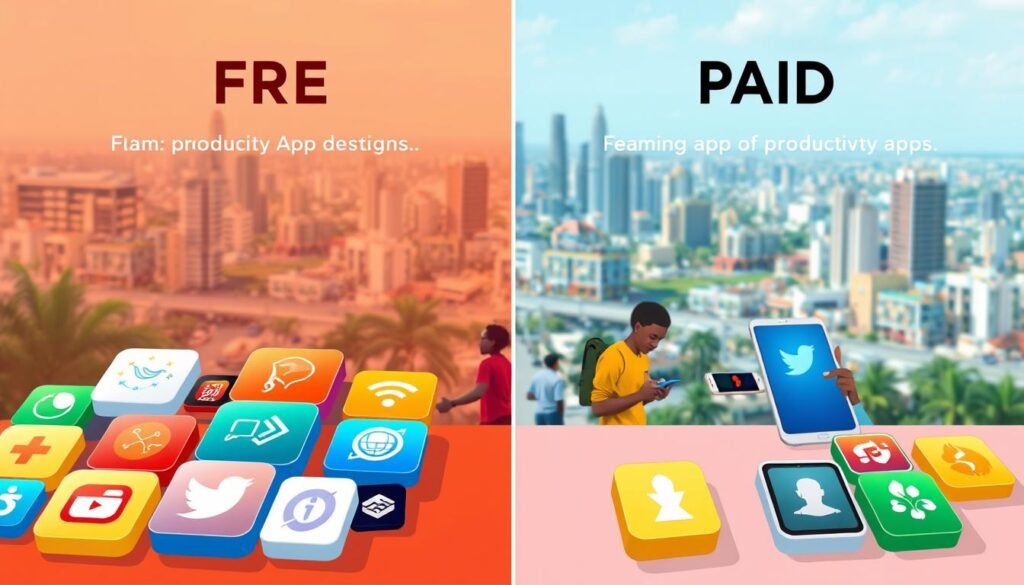
Free vs Paid Apps: Value Analysis for Nigerian Users
Have you ever wondered if premium features are truly worth your hard-earned money? We’ve analyzed the real value behind both free and paid versions to help Nigerian users make smart financial decisions.
Our testing reveals that many free versions offer impressive functionality. The key lies in understanding when upgrades deliver genuine benefits versus unnecessary expenses.
When Free Versions Are Sufficient
Individual students often find free plans perfectly adequate. These versions typically include core features for personal organization.
Basic time tracking, simple collaboration, and essential note-taking capabilities come standard. Most individual users won’t need more advanced options.
Many free tools handle personal task management effectively. They help organize your day without financial investment.
For Nigerian students, free versions work well with limited budgets. They provide solid foundation for developing better work habits.
Single-user scenarios rarely require premium features. Free plans support individual learning and personal productivity effectively.
Premium Features Worth Investing In
Team collaboration often justifies upgrading to paid plans. Group projects benefit from advanced sharing and management features.
Automation capabilities save significant time for heavy users. Recurring tasks and smart reminders streamline your workflow.
Enhanced reporting provides deeper insights into your productivity patterns. These analytics help optimize your schedule and work methods.
Unlimited storage becomes valuable for research-intensive projects. Large files and extensive notes require more space than free plans offer.
Ad-free experiences create cleaner, more focused working environments. Removing distractions enhances concentration during study sessions.
Priority support ensures quick resolution of technical issues. This reliability matters during critical academic periods.
“The right upgrade decision balances your specific needs against the actual value delivered. Nigerian users should prioritize features that address local challenges like connectivity issues.”
| Feature Category | Free Version Capability | Premium Upgrade Benefit |
|---|---|---|
| Time Tracking | Basic timer functionality | Detailed analytics and reporting |
| Collaboration | Limited team members | Unlimited participants and advanced controls |
| Storage Space | Restricted file uploads | Unlimited cloud storage |
| Offline Access | Basic synchronization | Enhanced offline functionality |
| Customer Support | Community forums | Priority assistance and faster responses |
Clockify’s free plan handles individual time tracking beautifully. The paid version adds invoicing and advanced reporting for professionals.
Pumble’s communication features work excellently in free mode. Storage upgrades benefit teams sharing large files regularly.
Consider upgrading when group project complexity increases. Advanced features justify their cost through time savings and reduced frustration.
Data security needs might also warrant investment. Paid plans often offer better protection for sensitive academic work.
Nigerian users should evaluate internet reliability requirements. Enhanced offline capabilities can be worth the investment in areas with poor connectivity.
Most premium plans cost between $2-8 monthly. Student discounts frequently make these upgrades more affordable.
Many tools offer educational pricing upon verification. Always check for special offers before purchasing any plan.
By understanding these differences, you can maximize value without overspending. Smart choices lead to better productivity within your budget.
Implementation Strategy: Building Your Productivity System
How can you transform scattered digital tools into a cohesive productivity system that works in Nigerian conditions? We’ve discovered the perfect approach to combine your favorite applications into a powerful workflow.
Creating an effective system involves more than just downloading multiple tools. It requires strategic integration that addresses your specific needs while working within local constraints.
Combining Multiple Apps Effectively
Smart integration transforms individual tools into a coordinated ecosystem. The right combinations create seamless workflows that save time and reduce friction.
Google Calendar pairs beautifully with Todoist for comprehensive scheduling. Your calendar blocks show available time slots while task lists detail what needs completion.
Notion integrates with Pumble for team project coordination. Shared workspaces connect directly with communication channels for smooth collaboration.
Clockify works alongside Pomofocus for detailed time analysis. Focus sessions become measurable data points in your productivity tracking.
“The most effective systems combine specialized tools that each excel at their specific function while communicating seamlessly.”
Integration features vary by platform but typically include:
- Calendar synchronization across applications
- Task import/export capabilities
- Notification systems that work together
- Shared file access between platforms
Creating a Personalized Workflow
Your ideal system should reflect your unique academic load and personal preferences. Nigerian conditions require special consideration for offline functionality and data efficiency.
Start with one or two core applications that address your biggest challenges. Gradually add complementary tools as you become comfortable with the basics.
Experiment with different combinations to find what works best for your routine. The perfect system evolves as your needs change throughout the academic year.
Consider these factors for Nigerian users:
| Consideration | Application Impact | Recommended Approach |
|---|---|---|
| Internet Reliability | Tool functionality during outages | Prioritize offline capabilities |
| Data Consumption | Monthly budget limitations | Choose low-bandwidth options |
| Power Availability | Device charging opportunities | Select energy-efficient apps |
| Multiple Devices | Consistent experience needed | Use cross-platform solutions |
Time blocking in Google Calendar creates structure for your day. Designate specific hours for focused study, classes, and personal activities.
Pomofocus sessions help maintain concentration during study periods. These focused blocks become more effective when scheduled in advance.
Notion serves as your central information hub for lecture materials and assignment details. Organize everything in one accessible location.
Forest app sessions protect your focus time from digital distractions. Schedule these during your most productive hours.
By building this personalized system, you create a streamlined routine that reduces decision fatigue. Everything works together rather than competing for your attention.
Regular review helps optimize your workflow over time. Adjust your system based on what’s working and what needs improvement.
The right combination of tools transforms your academic experience from chaotic to controlled. You gain clarity on priorities and progress.
Overcoming Common Productivity Challenges in Nigeria
Have you ever faced days when nothing seems to work despite your best planning efforts? We understand how frustrating this can feel when local conditions disrupt your workflow. This section addresses those specific Nigerian challenges with practical, tested solutions.
Our team has gathered strategies that actually work in real Nigerian environments. These approaches help you maintain momentum even when external factors try to slow you down.
We focus on three major areas that affect most users here. Each comes with actionable advice you can implement immediately.
Managing Limited Internet Connectivity
Connectivity issues don’t have to derail your progress. Smart app selection and usage patterns keep you productive during outages.
Choose tools with robust offline functionality. Applications like Notion and Clockify continue working without internet access.
Schedule downloads during peak connectivity hours. This ensures you have necessary materials when networks become unstable.
Low-data options like Pumble minimize bandwidth consumption. They maintain communication without draining your data plan.
“Planning for connectivity issues transforms them from productivity killers into manageable inconveniences.”
Cloud services with smart synchronization protect your work. They automatically update when connections restore.
Adapting to Power Supply Issues
Power fluctuations require different strategies than connectivity problems. The right approach keeps you working through outages.
Mobile-first applications typically consume less battery power. They extend your working time during electricity shortages.
Power banks become essential tools rather than luxuries. Keep them charged and ready for unexpected outages.
Frequent saving prevents work loss during sudden power cuts. Develop the habit of saving after every significant change.
Energy-efficient devices help maximize available power. They ensure longer usage between charging opportunities.
| Challenge | Immediate Solution | Long-Term Strategy |
|---|---|---|
| Sudden Outages | Auto-save features | Uninterruptible power supply |
| Limited Charging | Low-power apps | Multiple power banks |
| Voltage Fluctuations | Voltage regulators | Quality power strips |
Balancing Cultural and Social Expectations
Productivity isn’t just about tools and techniques. It’s also about navigating social obligations gracefully.
Flexible scheduling allows for unexpected family needs. Applications with adjustable timelines accommodate last-minute changes.
Communication tools help manage expectations with loved ones. They show your availability without constant interruptions.
Time blocking creates protected periods for focused work. It also designates specific times for social commitments.
Shared calendars keep family members informed about your availability. This reduces conflicts between personal and professional time.
Setting clear boundaries respects both your needs and community values. It creates sustainable work-life integration.
These strategies transform challenges into manageable aspects of your routine. They help you maintain productivity despite local conditions.
Remember that consistency matters more than perfection. Small, regular adjustments create significant long-term improvements.
Your productivity system should work for Nigerian reality, not against it. The right approach turns limitations into advantages.
Mobile vs Desktop: Choosing the Right Platform
Ever found yourself wondering whether your phone or computer works better for getting things done in Nigeria’s unique digital environment? We’ve tested both platforms extensively to help you make the smartest choice for your productivity needs.
The decision often comes down to your daily routine and local conditions. Each platform offers distinct advantages that suit different situations.
Mobile devices provide unmatched flexibility for on-the-go access. Desktop systems deliver superior power for intensive work sessions.
Your ideal setup might combine both platforms strategically. This hybrid approach maximizes benefits while minimizing limitations.
App Performance on Nigerian Networks
Mobile applications typically outperform desktop versions in our connectivity tests. They’re designed to work efficiently with limited bandwidth and intermittent service.
Applications like Forest and Todoist mobile editions consume significantly less data. Their lightweight designs load quickly even during network congestion.
Offline capabilities prove more reliable on mobile platforms. You can continue working through extended internet outages without losing progress.
Battery optimization matters greatly during power challenges. Mobile apps generally use less energy than desktop counterparts.
“Mobile-first design isn’t just a trend – it’s a practical necessity for Nigerian users facing regular connectivity and power challenges.”
Data saving features help stretch your monthly budget further. These optimizations make mobile platforms particularly valuable for students.
Performance varies significantly between applications. We recommend testing your preferred tools on both platforms.
Cross-Device Synchronization
Seamless synchronization transforms multiple devices into a unified productivity system. Your work remains accessible regardless of which gadget you’re using.
Applications like Notion and Google Calendar excel at cross-platform consistency. Changes made on your phone appear instantly on your computer.
This reliability proves crucial during unexpected connectivity issues. Your information stays current across all access points.
Automatic backups prevent data loss during power outages. Cloud services ensure nothing gets lost between devices.
| Sync Feature | Mobile Advantage | Desktop Benefit |
|---|---|---|
| Real-time Updates | Instant notification | Full-screen management |
| Offline Access | Portable productivity | Extended work sessions |
| File Sharing | Quick photo capture | Large file handling |
| Battery Efficiency | Low power consumption | Unlimited power access |
We recommend prioritizing tools with proven sync reliability. Test synchronization during simulated network disruptions.
Your perfect productivity system might use mobile for quick tasks and desktop for deep work. This combination leverages the strengths of both platforms.
Regular synchronization checks ensure your system remains reliable. Verify that changes propagate correctly across all devices.
By understanding these platform differences, you can create a workflow that works despite local challenges. The right choices lead to smoother daily operations.
Conclusion: Building Your Perfect Productivity Toolkit
Creating your ideal organization system doesn’t need complexity or high costs. We’ve shown how combining the right digital solutions transforms your daily routine.
Focus on tools that handle Nigeria’s unique challenges. Prioritize offline access, low data usage, and budget-friendly options.
Start with complimentary versions to test what works for your workflow. Upgrade only when advanced features match your specific goals.
Experiment with different combinations until you find your perfect mix. Personal productivity systems evolve with your changing needs.
Begin today by trying one or two recommendations. Gradually build a toolkit that reduces stress and boosts your success.
We’re here to help you make technology work for Nigerian conditions. Explore our other guides for more tailored advice.
Thank you for trusting our recommendations. We wish you tremendous progress in your academic and professional journey!
FAQ
Are these apps accessible with limited internet connectivity in Nigeria?
Yes, many of the recommended apps like Clockify, Forest, and Pomofocus offer offline capabilities, allowing you to work effectively even with unstable internet connections common in some Nigerian regions.
Which free apps provide the best value for Nigerian students on a tight budget?
Google Calendar, Pumble, and Pomofocus offer robust free plans that are particularly valuable for students. These tools provide essential scheduling, communication, and focus features without requiring any financial investment.
How can I manage power supply issues while using these productivity apps?
Focus on apps with low battery consumption like Forest and Pomofocus, and consider using mobile versions that typically use less power than desktop applications. Also, utilize offline modes to work during power outages.
Can these apps help with group projects and collaborative work?
Absolutely! Plaky and Pumble are specifically designed for collaboration, offering features like task assignment, real-time communication, and file sharing that make group projects more manageable for Nigerian student teams.
Which app is best for comprehensive organization of both academic and personal tasks?
Notion stands out as the most versatile option, allowing you to create customized workspaces for notes, task management, databases, and schedule tracking all in one platform, making it ideal for holistic organization.
Are there any apps that help with the unique cultural and social expectations Nigerian students face?
A> While no app specifically addresses cultural aspects, Google Calendar’s scheduling features and Todoist’s priority management can help you balance academic demands with social and family commitments more effectively.
How do I choose between mobile and desktop versions of these apps?
Consider your internet connectivity and device availability. Mobile apps often work better with intermittent connectivity, while desktop versions typically offer more features. Most apps like Clockify and Notion offer seamless synchronization across devices.