
We start by asking one simple question: what will you use this device for? We focus on tasks and budget first so you avoid overspending on specs you won’t need.
For Nigerian students and professionals, real-world choices matter more than tiny benchmark gains. Around $1,000 you get premium feel and fewer compromises. Under $700 Windows options can be hit-or-miss, while sub-$500 Chromebooks often feel faster for web work.
Battery life and efficiency have jumped forward. The MacBook Air M4 starts at $999 with long endurance, while ARM Windows models like the Microsoft Surface Laptop 7 and the Asus Zenbook A14 have shown remarkable runtime in tests.
Performance is a system story: CPU, GPU, RAM, storage, and cooling all shape daily speed. We’ll walk you through operating system choices, key specs, screen and build trade-offs, and Nigeria-specific tips so you can shortlist reliable, value-packed options.
Key Takeaways
- Start with your tasks and a clear budget before looking at specs.
- Expect the $1,000 tier to offer the best balance of value and polish.
- Consider battery-tested models if you work on the go.
- Performance relies on the whole system, not one spec alone.
- Factor in local availability, price swings, and after-sales service in Nigeria.
Start with your tasks and budget: define use, performance, and price
First, map out what you actually do on a computer each day. List core tasks—web research, Office docs, Zoom classes, and light content editing—then match a performance tier so the laptop feels fast without overspending.
Typical workloads in Nigeria: web, Office, light editing, remote classes
For basic web and Office work, prioritize long battery life, a comfy keyboard, and a speedy SSD. Sub-$500 Chromebooks often feel faster for browser-first work. Sub-$700 Windows options can require patience; they may need compromise on thermals or screen quality.
When to spend more: gaming, video editing, coding, design, data work
Move up the price ladder if you do gaming, video editing, or heavy coding. Those tasks need stronger CPUs, discrete graphics, and extra RAM. Aim for 16 GB+ RAM for light editing and more for serious video editing or 3D work.
What “premium” feels like today at midrange prices
Around $1,000, many models deliver brighter screens, quieter cooling, and better build quality. The MacBook Air M4 starts near that mark and ARM Windows options like Surface Laptop 7 or the Asus Zenbook A14 give class-leading battery life and portability.
“Choose a device that covers your needs for the next 2–4 years and check warranty, charger quality, and local service.”
- Pick a 13–14 inch for lighter carry; 15–16 inch for multitasking.
- Value is more than sticker price—consider service and accessories.
Pick your operating system: Windows, macOS, ChromeOS, or Linux
Your choice of operating system decides which apps, services, and features work best for you. We recommend starting with the software you must run, then matching that to the system that supports it cleanly.
Windows 11: widest device options
Windows 11 covers the largest range of devices in Nigeria — from affordable clamshells to premium 2‑in‑1s with touch and pen support. Many machines now ship as Copilot+ PCs with on-device AI thanks to powerful NPUs; early Snapdragon X models led this trend, and Intel and AMD chips are catching up.
macOS on Apple Silicon
macOS on Apple Silicon offers tight integration with iPhone and iPad via AirDrop and Universal Control. MacBook Air and Pro models with the M4 chip deliver strong performance and long battery life, but the system ties you to Apple’s hardware and ecosystem.
ChromeOS and Chromebook Plus
ChromeOS is ideal when your work is web‑centric. Chromebook Plus models add more RAM, storage, and better webcams, giving snappy performance for documents, browsing, and video calls at lower price points.
Linux on laptops
Linux empowers power users and developers who want open‑source control. It runs well on many Intel/AMD devices today. Note that some Adobe and Microsoft apps have limited support, and ARM Linux (Snapdragon X) remains experimental.
“Consider software availability first — pick the system where your mission‑critical apps run smoothly.”
- Balance performance, design, and price with your preferred system’s ecosystem benefits.
- Pick Windows for the broadest hardware options, macOS for Apple continuity, ChromeOS for web speed, and Linux for flexibility.
Processors explained: Intel Core Ultra, Qualcomm Snapdragon X, AMD Ryzen AI, and Apple M4
Choosing the right processor shapes how a device feels every day. We break down the modern families so you can match performance and battery life to your work.
Intel Core Ultra Series 2 — what V, U, H, HX mean
V-series is Lunar Lake at ~17W for thin-and-light designs with the best integrated graphics on Windows. U is entry-level; H and HX target higher power and more cores (Arrow Lake up to 55W). Those letters tell you the expected power envelope and cooling needs.
Qualcomm Snapdragon X family
Snapdragon X, X Plus, and X Elite focus on efficiency and quiet operation. Their 45 TOPS NPU enables on-device AI and Copilot+ features while delivering long real‑world runtime.
AMD Ryzen AI and Apple M4
AMD’s U/H/HX chips balance CPU and creator-focused iGPU work; HX 370 appears in premium and gaming designs. Apple’s M4, plus Pro and Max variants, scale GPU throughput for video and 3D work, making them a top pick for creators.
“Check the exact SKU — the suffix reveals intended power and real-world behaviour.”
| Family | Target | Key strength | When to pick |
|---|---|---|---|
| Intel Core Ultra (V/U/H/HX) | Thin to high power | Wide Windows options, strong iGPU (V) | Balanced mobility or high-core workloads |
| Qualcomm Snapdragon X | Ultra‑mobile | 45 TOPS NPU, long battery | All‑day use, light creative work |
| AMD Ryzen AI (U/H/HX) | Entry to high performance | Creator graphics, HX for gaming | Content creators who want Windows alternatives |
| Apple M4 (base/Pro/Max) | MacBook line | Efficient CPU + scaled GPU for creatives | Video editing, 3D, and app-optimized workflows |
How much CPU power you need for your work
The right CPU keeps your workflow smooth without draining battery or budget. Start by listing the tasks you run daily and how long you need sustained speed. That will tell you whether to prioritise efficiency or raw cores.
Everyday use: thin-and-light V-series or Snapdragon X value picks
For web, Office, and light photo editing, Intel Core Ultra V-series or Snapdragon X configs hit the sweet spot. They balance performance with long battery life and quiet fans.
Snapdragon X options often appear under $1,000 and suit students and remote workers who need endurance and snappy responsiveness.
Heavy tasks: H/HX-class Intel or AMD plus ample RAM
If you do video editing, large code compiles, CAD, or data work, choose H or HX class chips. Pair them with 32 GB or more of RAM and a discrete GPU for reliable exports and builds.
“Choose sustained power over peak numbers if your timelines and exports matter.”
ChromeOS performance tiers: Core i3 and Ryzen 4000 sweet spots
ChromeOS users should aim for Core i3 or Ryzen 4000 class chips. They give the best responsiveness for Android and Linux apps. Avoid Celeron unless you only browse and write.
| Use case | Recommended chip class | Why |
|---|---|---|
| Web, Office, study | Core Ultra V / Snapdragon X | Battery life, quiet cooling, good value |
| Heavy editing, gaming, compiles | H / HX (Intel/AMD) | Sustained cores, higher TDP, discrete GPU |
| Chromebook work | Core i3 / Ryzen 4000 | Best balance of price and responsiveness |
- Match chip class to tasks, not to status.
- Check thermal design—same chip can behave differently across models.
- Put extra budget into RAM or SSD rather than an oversized chip if mobility is key.
Graphics: integrated vs discrete for gaming and video editing
Choosing the right graphics setup means balancing frame rates, battery, and thermals. That decision shapes how well your machine handles modern games and heavy video workflows.
Best integrated graphics today and who they suit
Integrated graphics are fine for productivity, 4K streaming, casual games, and light creative work.
Intel’s V‑series iGPU currently leads Windows options for everyday performance and battery life. A thin design with a strong iGPU suits students and remote workers who need long runtime.
Nvidia RTX 50‑series in laptops: 5060 to 5090 highlights
For serious gaming or faster exports, discrete GPUs matter. The RTX 50‑series (5060–5090) powers top gaming laptops today.
Multi‑Frame Generation is a key 50‑series feature and improves real‑world frame rates. If you target high settings and longevity, aim for an RTX 5070 Ti or above for 12 GB VRAM.
Picking VRAM and features for AAA gaming and creator apps
VRAM affects high‑res textures and complex timelines. Eight GB can be tight in new titles; 12 GB gives better headroom for games and video editing.
“Balance GPU choice with RAM and fast storage — exports and frame rates depend on the whole system.”
| Option | Best for | Trade-offs |
|---|---|---|
| Integrated iGPU (Intel V) | Everyday use, casual games | Excellent battery, light frames |
| RTX 5060–5070 | High‑quality gaming, creator work | More heat, shorter battery |
| RTX 5080–5090 | AAA high settings, pro creators | Higher power draw, heavier chassis |
- Match screen (120 Hz or OLED) to your GPU for best results.
- In Nigeria, weigh battery life and thermal design against raw performance.
Memory (RAM): capacity and speed that actually matter
Picking the right RAM size is one of the simplest ways to make a laptop feel faster today. In 2025, 16 GB is the new baseline for smooth multitasking and to meet Copilot+ PC requirements.
We recommend 16 GB for everyday work: dozens of browser tabs, chat apps, and video calls run without stutter. That amount also keeps Office and light editing responsive.
Who needs 32 GB or more?
Choose 32 GB+ if you edit large video projects, handle massive RAW files, run containers or VMs, or keep many creative apps open. Heavy creators and gamers will see real gains here.
LPDDR5X vs DDR5: speed, efficiency, and upgrade limits
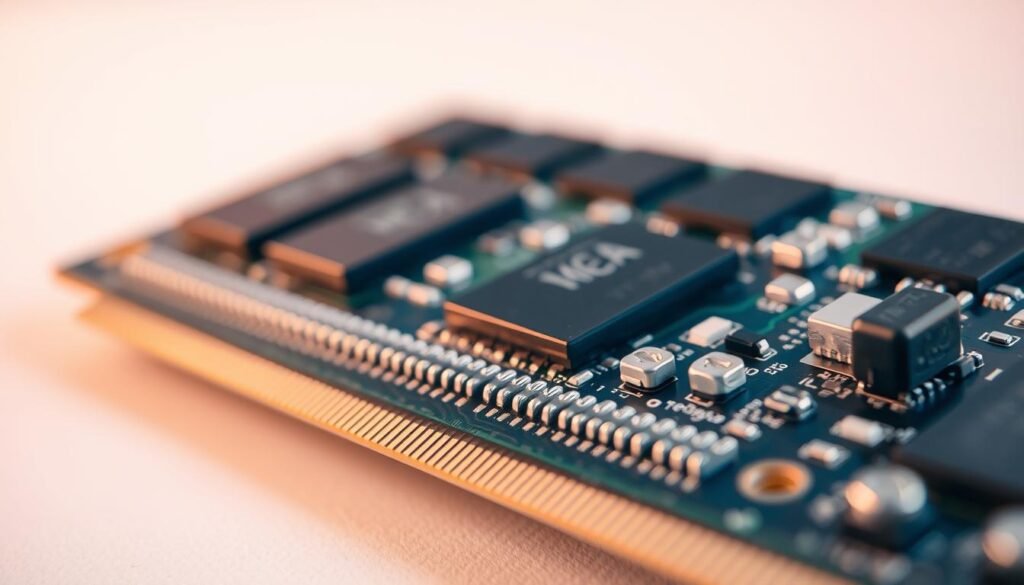
LPDDR5X is fast and energy-efficient but is usually soldered. Buy the capacity you expect to use for the laptop’s lifetime.
DDR5 SO‑DIMMs allow future upgrades and are common on bigger, performance-focused models.
Practical upgradability tips
- More RAM reduces disk swapping and helps the cpu sustain steady performance during exports.
- Dual-channel memory and faster RAM improve integrated graphics and light gaming smoothness.
- If two similar laptops cost nearly the same, pick the one with higher memory — it extends usable life and quality.
“Confirm whether RAM is user-accessible before you buy — upgrades are the difference between short-term savings and long-term value.”
Storage: NVMe SSD sizes, speeds, and eMMC trade-offs
How much and what type of storage you pick shapes day-to-day speed more than many buyers expect.
256 GB, 512 GB, or 1 TB — match capacity to your work
Many budget models still ship with 256 GB. That fills fast once you add Windows, Office, and a few apps.
512 GB is a safer minimum for mixed use — documents, a few games, and a photo library. Choose 1 TB+ if you edit 4K video, keep large RAW files, or install multiple modern games.
NVMe PCIe SSDs vs eMMC: speed, durability, and upgrades
NVMe drives deliver fast boot, snappy app launches, and shorter export times. eMMC is cheaper but slower and less durable for heavy workloads.
Some models include a free M.2 slot or a second bay. That lets you add storage later at a lower price than OEM upgrades.
“Storage is foundational — a well‑specced drive keeps your workflow smooth and extends the life of your device.”
| Option | Best for | Trade-offs | Notes for Nigeria |
|---|---|---|---|
| 256 GB SSD | Basic web & Office | Fills quickly | Consider external archive or upgrade slot |
| 512 GB NVMe | Everyday mixed use | Good balance of price and performance | Preferred local buy for warranty support |
| 1 TB+ NVMe | Creators & gamers | Higher price, better longevity | Check dual M.2 and max capacity first |
| eMMC | Ultra‑budget devices | Slow, limited lifespan | Avoid for heavy video or games |
- Tip: If the design allows, we often recommend adding a user‑installed M.2 later to save on price.
- Keep a fast external SSD for archives, backups, and project transfers between devices.
Screens and display quality: size, resolution, refresh rate, and OLED
A great screen transforms daily work — from long spreadsheets to colour‑critical edits. We focus on how size and panel tech change comfort, battery, and output.
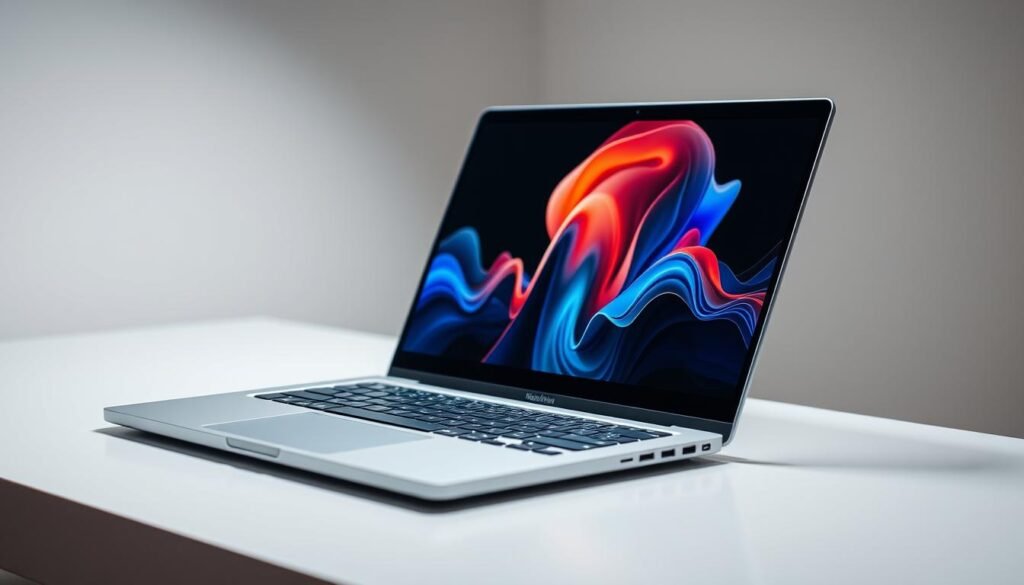
13–14 inch models give top portability and light carry. They suit students and commuters who need a compact design and long battery life.
15–16 inch machines add workspace for timelines, side‑by‑side apps, and larger spreadsheets. Expect a modest weight increase but better multitasking comfort.
OLED perks and high refresh
OLED panels deliver deep blacks, vivid colour, and crisp motion — ideal for creators and gaming. The Lenovo Legion 5i Gen 10’s 2.5K OLED shows how crisp text and fast refresh improve both work and play.
Many thin‑and‑lights now offer 2.8K–3K OLED at 120 Hz. Asus ProArt P16 pushes 4K OLED for creators who need accurate colour, but note the battery trade‑off.
- 2.5K/3K: great clarity on 14–16 inch screens.
- 4K: best for colour work, costs battery life.
- 120 Hz: smoother scrolling and gaming — pair it with a GPU that can keep up.
“Balance resolution and refresh with battery needs and the apps you use daily.”
Ports and connectivity: don’t overlook I/O
The right mix of I/O and Wi‑Fi can turn a thin device into a full desktop replacement. We look for ports that let a small machine handle heavy work without extra clutter.
USB‑C/Thunderbolt/USB4, HDMI, and SD readers
Prioritise USB‑C with Thunderbolt or USB4 for fast data, charging, and single‑cable docking to monitors and external SSDs. That saves desk space and speeds up large content transfers.
HDMI still matters for classrooms and meeting rooms—plugging into a projector should be painless. Creators should also prefer an SD or microSD card reader for quick camera offloads. Models like the Asus ProArt P16 keep these features handy.
Wi‑Fi 6/6E readiness and docking for desks
Reliable Wi‑Fi 6/6E keeps video calls smooth and cloud syncs fast in busy networks. A powered USB‑C dock adds Ethernet, extra displays, and more ports when you sit at a desk.
“Check USB‑C power delivery so a compact GaN charger can top your device on the go, and keep a surge protector in Nigeria to protect chargers and external storage.”
| Port | Best for | Notes |
|---|---|---|
| USB‑C / Thunderbolt / USB4 | Charging, external SSD, single‑cable dock | High speed, PD support recommended |
| HDMI | Projectors, TVs, quick presentation | Saves time in classrooms and meetings |
| SD / microSD card | Photographers, drone creators | Fast offloads; common on creator machines |
| Ethernet (via dock) | Stable calls, large uploads | Useful in shared offices and studios |
- Check port spacing and rear I/O to reduce cable clutter.
- Choose a balanced set of ports to avoid dongles later and extend device life.
Battery life and thermals: what to expect from today’s chips
Today’s chips promise long runtimes, but real endurance depends on design choices. We look at how efficient silicon and good cooling change day‑to‑day use.
ARM efficiency has moved the needle on Windows. Snapdragon X‑based laptops showed standout endurance in tests. Surface Laptop 7 ran close to 20 hours, and the Asus Zenbook A14 exceeded 24 hours in mixed workloads. Those numbers matter for commuters and students who need all‑day power.

Discrete graphics and the endurance trade-off
Adding a discrete GPU improves frame rates and export speed for gaming and content work. It also raises heat, fans, and power draw.
If you edit long videos or play demanding titles, plan to carry a charger. For bursty tasks like email and web, efficient V‑series Intel or Apple M4 machines give balanced performance and cool operation.
“Thermal design, not just the chip, governs sustained speed and noise.”
- ARM Windows — best for long runtimes and travel.
- Discrete GPU — boosts speed, reduces battery.
- Cooling — choose well‑vented models to keep sustained performance high.
- Practical tip — use Eco modes, capped frame rates, and a surge protector where power is unreliable.
Build, keyboard, webcam, and hinges: everyday experience
A device’s feel in daily use often comes down to small details like keys, hinges, and webcams. We focus on the parts you touch and hear because they shape comfort and trust.
Good design and solid build quality make a machine last through daily commutes and crowded bags. Light, rigid materials such as aluminum or newer alloys reduce weight without feeling cheap.
Typing feel, touchpad quality, and haptic vs mechanical
A great keyboard and an accurate touchpad boost productivity more than you expect. Test key travel, feedback, and consistency before you commit.
Haptic touchpads feel uniform and precise across the surface. Mechanical click pads can offer stronger feedback but vary by model. MacBook Air and Surface Laptop lines remain reference points for precise touchpads and comfy keys.
1080p–1440p webcams and soundbars for better calls
Most 2025 models move to 1080p or higher webcams with improved microphones. A clearer webcam and a good mic matter in busy Nigerian environments where background noise is common.
Some premium 2‑in‑1s add rotating soundbars for fuller audio on calls. Fingerprint sensors, IR cameras, and stable hinges also lift the overall user experience.
| Feature | Why it matters | What to test |
|---|---|---|
| Keyboard | Comfort for long typing sessions | Key travel, layout, palm rejection |
| Touchpad | Cursor control and gestures | Click feel, haptic uniformity, multi‑finger gestures |
| Webcam & Mic | Clear calls and online classes | 1080p/1440p resolution, noise suppression |
| Hinges & Chassis | Durability and balance | Hinge tension, minimal flex, weight distribution |
Form factors: clamshells, 2‑in‑1s, and thin‑and‑light laptops
Form factor shapes how a device fits your day — from commute to desk. We look at the main choices so you pick the one that matches your workflow and travel routine.
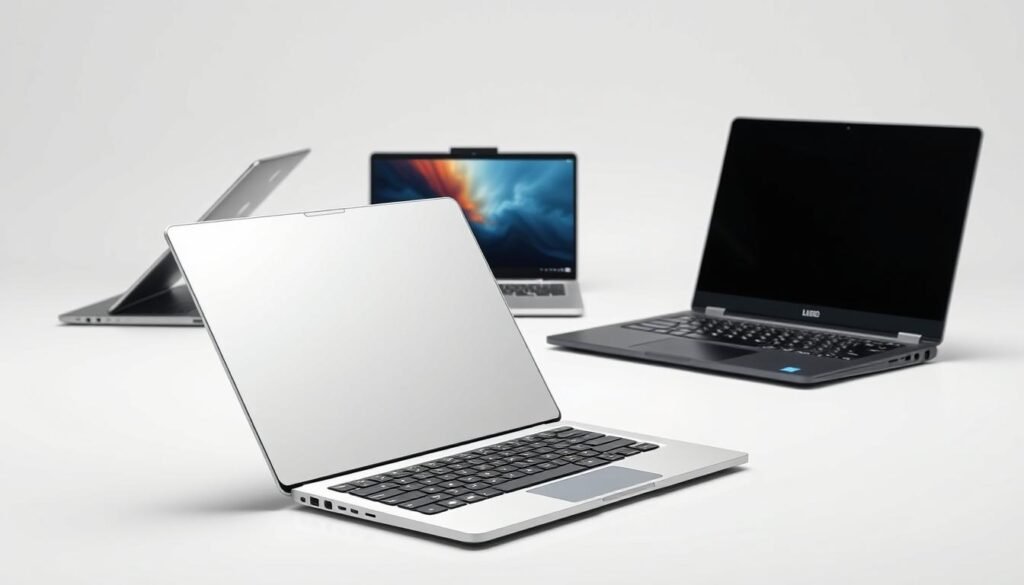
Clamshells prioritise rigidity, long battery life, and fewer moving parts. They suit most students and professionals who want a simple, sturdy machine with reliable battery life.
2‑in‑1s add tablet and tent modes for note‑taking, sketching, and presentations. Models like the Yoga 9i Aura Edition show how a 2.8K OLED and pen support can improve the touch and pen experience.
- Thin‑and‑light machines focus on portability and endurance — think Zenbook A14 weight and >24‑hour runtime. Verify they still meet your performance needs.
- Size matters: 13–14 inch works for mobility; 15–16 inch helps multitasking and timelines.
- Design choices — edge profile, hinge strength, and keyboard layout — shape long‑term comfort more than raw numbers.
- Look for practical features like pen storage, OLED touch, MIL‑STD durability, and spill resistance when you travel a lot.
“Pick the form factor that supports your routine — great specs won’t fix poor fit.”
We recommend testing deck flex, hinge wobble, and lid stability in person. The right size and design make daily experience smoother and extend the life of your purchase.
Laptop buying guide for Nigeria: availability, price, and after‑sales
Availability and service matter as much as specs — the best value is a device you can actually repair nearby. We help you check sellers, power needs, and warranty before checkout.
Where to shop safely: local retailers and marketplaces
Buy from authorised resellers or trusted local stores with clear return policies. Reputable marketplaces can work if the seller has verified reviews and an official warranty card.
Compare price across stores and watch seasonal sales — many laptops drop $100–$300 during promotions.
Power and travel tips: chargers, battery, and surge protection
Prioritise long‑life models like Surface Laptop 7 or Zenbook A14 to reduce charging. Prefer USB‑C charging so one compact GaN charger can serve phone and laptop.
Always use a reliable surge protector or UPS at home to guard your system and external drives from grid spikes.
Warranty, parts, and service centres
Confirm local warranty validity and nearby service centres before you buy. Check parts availability for common repairs and ask if the operating system version is genuine and up to date.
“Buy where repairs are simple — fast service keeps downtime low and saves money.”
| What to check | Why it matters | Action |
|---|---|---|
| Authorized reseller | Protects warranty claims | Ask for invoice and warranty card |
| Price & seasonal deals | Save on same specs | Compare stores, set alerts |
| Power options | Travel convenience | Pick USB‑C PD and buy GaN charger |
| Service centres | Faster repairs | Map nearby authorised centres |
| SD / card reader | Creator workflow | Choose built‑in reader or USB‑C hub |
Examples worth shortlisting today by use case
Below are solid options to shortlist, organised by real-world use cases. We name models that balance battery life, screen quality, and sustained performance for students and pros in Nigeria.
Everyday and students
Apple MacBook Air M4 (13/15) — great design, long battery, and excellent performance at the $999–$1,199 range.
Microsoft Surface Laptop 7 — Snapdragon X versions set near‑20‑hour records, ideal for long campus days.
Portable Windows with endurance
Asus Zenbook A14 is ultra‑light (24 hours of runtime.
Acer Aspire 16 AI gives a roomy screen with surprising portability and solid value.
Creators and editors
Asus ProArt P16 pairs Ryzen AI 9 HX 370 + RTX 5070, 32 GB ram, and 2 TB storage for heavy timelines.
Lenovo Yoga 9i 2‑in‑1 adds a 2.8K OLED screen and flexible modes for editing on the go.
Gaming and hybrid work
Lenovo Legion 5i Gen 10 brings a 2.5K OLED and RTX 50‑series for strong graphics and smooth play.
Asus ROG Zephyrus G16 balances premium design with high sustained performance for mixed work and gaming.
Value picks to watch
Acer Aspire 14 AI Copilot+ and Lenovo Yoga 7 14 Gen 9 offer Copilot+ features and long battery at attractive price points.
“Compare screen size, processor tier, and battery to match the model to your day.”
| Use case | Model | Why pick it |
|---|---|---|
| Students / Everyday | MacBook Air M4 (13/15) | Battery, design, reliable performance |
| Portable endurance | Asus Zenbook A14 | Very light, >24‑hour runtime |
| Creators / Editing | Asus ProArt P16 | Ryzen AI 9 + RTX 5070, 32 GB RAM, 2 TB SSD |
| Gaming / Hybrid | Lenovo Legion 5i Gen 10 | 2.5K OLED, RTX 50‑series graphics |
| Value | Acer Aspire 14 AI / Lenovo Yoga 7 | Copilot+ features, strong battery, good price |
Quick tip: Verify local availability, authorized warranty, and any seasonal price changes before you commit. We recommend matching ram and storage to your workflow — 16 GB/512 GB for students; 32 GB/1–2 TB for creators.
When and where to buy: timing deals and stock
Smart timing turns higher specs into affordable choices. We recommend planning purchases around real needs like school terms or project deadlines. That keeps decisions practical and avoids wasted waiting.
Seasonal promos and global sale events that affect Nigeria pricing
Global sales such as Black Friday and Cyber Week often drop prices by $100–$300. Local promos and market offers can match those cuts, so watch both international and Nigerian retailers.
Set alerts for your shortlist and track price history. Retailers sometimes show inflated list prices; a true discount is the one confirmed by history and stock movement.
New chip cycles: when Intel, AMD, Qualcomm, and Apple refresh matter
New generations — Intel Core Ultra Series 2, AMD Ryzen AI, Snapdragon X, and Apple M4 — raise efficiency and longevity. Buying right after a refresh gives longer relevance but fewer early discounts.
If your budget is tight, older models with similar specs become great value once new silicon lands. Stay flexible: a comparable device with the same processors and features often serves just as well.
- Consider bundles (docks, cases, warranties) if priced fairly.
- Confirm return windows and restocking fees before checkout.
- Prioritise your timetable over chasing tiny future savings.
“Balance timing and needs — buying now can save time and keep you productive.”
Conclusion
Use this closing checklist to balance real needs, performance, and price. Start with your core tasks and set a realistic budget. That way you prioritise the things that matter for daily work and avoid overspending on unused power.
Pick an operating system that runs your apps smoothly. Choose efficient chips (V‑series, Snapdragon X, or M4) for mobility and H/HX class silicon for heavy editing or gaming. Aim for 16 GB RAM and an NVMe SSD as a practical baseline.
Compare ports, screen quality, and service options in Nigeria before you pay. Keep a shortlist, time your purchase for promos, and buy where repairs are reliable. Do this and your new device will serve you well for years while you create great content.
FAQ
What core specs should we prioritize for everyday school and office work?
For web browsing, Office apps, and remote classes we recommend a modern quad‑core or better CPU (Intel Core U/V series or a Snapdragon X), 8–16 GB RAM, and at least 256–512 GB NVMe SSD storage. Prioritize battery life, a comfortable keyboard, and a 13–14‑inch screen if portability matters.
How much CPU and RAM do we need for video editing and content creation?
For smooth 1080p editing pick H‑class Intel or AMD Ryzen H-series with 16 GB RAM as a baseline. For 4K timelines, motion graphics, or heavy multitasking choose 32 GB+, Ryzen AI or Apple M4 Pro/Max, and a discrete GPU like an NVIDIA RTX 40/50‑series to speed exports and effects.
Which operating system is best for our workflow: Windows, macOS, ChromeOS, or Linux?
Choose based on apps and ecosystem. Windows offers the widest hardware and gaming support. macOS on Apple Silicon gives excellent performance and iPhone/iPad integration. ChromeOS works great for browser‑first students and light tasks. Linux suits developers and those who prefer open‑source tools but requires a learning curve.
What do Intel letters (V, U, H, HX) mean and how do they affect performance?
Those letters indicate power and target use. V/U series focus on thin‑and‑light efficiency; H/HX are higher‑power chips for gaming and heavy workloads. HX models often allow more overclocking and sustained performance for creators and gamers.
Are ARM chips like Qualcomm Snapdragon and Apple M4 good for Windows and macOS users?
ARM chips offer great battery life and strong NPU/AI features. Apple M4 delivers top performance on macOS for creatives. Snapdragon X on Windows gives excellent efficiency and long battery life but may face app compatibility limits; check software support before buying.
Do we need a discrete GPU for video editing or gaming?
Light video editing and casual games can run fine on integrated graphics (Apple M4, Intel ARC, or AMD Radeon). For AAA gaming, real‑time 3D work, or high‑resolution video rendering, a discrete GPU like an NVIDIA RTX 40/50‑series or AMD mobile Radeon improves performance significantly.
How much storage should we choose for games, media, and school files?
256 GB works for basic student use; 512 GB is a practical everyday sweet spot. Choose 1 TB or more if you store large game libraries, 4K footage, or lots of RAW photos. Prefer NVMe PCIe SSDs for speed; avoid eMMC if you need performance and longevity.
Is 16 GB RAM really necessary in 2025, and who needs 32 GB+?
Yes — 16 GB is the baseline for smooth multitasking and modern apps. Choose 32 GB+ if you run virtual machines, large photo/ video projects, complex datasets, or heavy developer workloads.
Should we prefer LPDDR5X or DDR5 memory?
LPDDR5X gives higher efficiency and is common in thin‑and‑light and Apple devices; DDR5 often appears in more upgradeable, higher‑performance machines. If upgradability matters, check whether RAM is soldered or uses slots.
What screen specs matter for creators and gamers?
Creators benefit from OLED or high‑quality IPS with wide color gamut, 100% DCI‑P3, and at least 2.5K resolution. Gamers should look for high refresh rates (120 Hz+), low response times, and sufficient brightness. Balance size (13–16″) with portability needs.
Which ports should we look for if we do photography or video work?
Look for multiple USB‑C/Thunderbolt 4 or USB4 ports, a full‑size HDMI, and an SD or microSD card reader. Thunderbolt gives fast external GPU and storage options, useful for editors and creators.
How do thermals and battery life trade off with discrete GPUs?
Discrete GPUs boost performance but increase power draw and heat, which can reduce battery life. Machines with efficient cooling and larger batteries handle sustained loads better; ARM and low‑power Intel/AMD chips offer superior endurance for mobile work.
What should we check for webcams, microphones, and speakers for remote classes?
Aim for at least 1080p webcam and good microphones or dual‑array mics for clear calls. Laptops with quality speakers or soundbars improve meeting audio. Hardware with AI noise reduction or software enhancements is a plus.
Are thin‑and‑light 2‑in‑1s worth it for students?
Yes — 2‑in‑1s like Microsoft Surface models or convertible Yoga systems offer tablet mode for note‑taking and portability for classes. Ensure they have adequate performance and battery life for your typical day.
Where can we shop safely in Nigeria and what should we check?
Buy from authorized resellers, brand stores, or reputable marketplaces with clear return policies. Check warranty terms, local service centers, genuine serial numbers, and whether chargers/adapters match local power needs.
When is the best time to buy to get good deals in Nigeria?
Watch global sale events, brand refresh cycles, and local holiday promos. Prices often dip after new chip launches or during end‑of‑year sales. Compare authorized reseller offers and verify stock before purchase.
Can we upgrade components later, and which ones are commonly upgradeable?
Storage is most commonly upgradeable via M.2 NVMe slots. RAM is upgradeable only on models with accessible SO‑DIMM slots; many thin devices solder RAM. Check the specific model’s service manual before buying if future upgrades matter.