Great news for iPhone owners! Apple just dropped a fresh software release that brings important enhancements to your device. This latest version focuses heavily on protecting your personal information and keeping everything running smoothly.
We’re excited to break down everything you need to know about this release. Whether you’re a student managing classes or a professional handling work tasks, these improvements help maintain your phone’s performance.
Apple specifically recommends this update for all compatible devices. It delivers the same security upgrades found in newer versions, ensuring your iPhone stays protected against potential vulnerabilities.
For detailed security information, you can always visit Apple’s official support page. Stay connected with us on WhatsApp and social media for instant alerts on future releases and helpful tech guides!
Key Takeaways
- Apple has released a crucial security-focused update for iPhone users
- This version brings important protection against potential vulnerabilities
- The update is recommended for all compatible devices running iOS 18
- iPad users receive similar security enhancements through iPadOS 18.7.2
- Detailed security information is available on Apple’s support website
- Keeping your device updated ensures optimal performance and protection
- Follow our channels for immediate news about future releases and tech tips
Apple Releases iOS 18.7.2 With Critical Security Updates
Apple has just deployed a significant security-focused software release for iPhone users. This important package delivers essential protection for your personal information and device performance.
We want to help you understand why this software release matters for your iPhone. The company emphasizes installing it promptly for optimal security.
Update Recommended for All iOS 18 Users
Apple strongly recommends this software update for everyone using compatible devices. The focus remains entirely on security enhancements rather than new features.
This approach ensures a stable experience after installation. Your device maintains protection against potential vulnerabilities.
For users preferring to stay with this operating system version, the update serves as a vital security measure. It bridges the gap between older and newer software versions.
| Software Version | Release Timing | Primary Focus | Recommended For |
|---|---|---|---|
| iOS 18.7.2 | 2 days after iOS 26.1 | Security fixes only | All iOS 18 users |
| iOS 17.7.2 (Last Year) | Similar pattern | Security enhancements | Older device users |
| iOS 26.1 | Recent release | New features + security | Newer compatible devices |
Timing and Context of the Release
The software arrived just two days after Apple’s latest major version deployment. This timing follows established patterns from previous years.
Historical data shows similar release schedules for software updates. The company efficiently backports security fixes to older operating system versions.
This deployment might represent the final major support for certain devices. It ensures continued protection while encouraging migration to newer software where possible.
We encourage following our WhatsApp channel for immediate news about future releases. Stay informed about important software updates that affect your device’s security and performance.
Timely software updates represent the first line of defense against emerging security threats for mobile devices.
The App Store provides easy access to this important software package. Installation takes just minutes but offers long-term protection for your personal content.
Remember to check your device’s compatibility before proceeding. Most recent iPhone models supporting this operating system version will benefit from these security updates.
Security Enhancements in iOS 18.7.2
Your iPhone’s protection just received a major boost with the latest security package from Apple. This comprehensive update delivers over 25 specific fixes that target critical areas of your device’s operation.
We want to help you understand exactly how these improvements keep your personal information safe. Each fix addresses potential vulnerabilities that could compromise your privacy or device performance.
Key Security Areas Addressed
The security enhancements touch multiple aspects of your iPhone experience. Core applications and services receive important protection against emerging threats.
Find My functionality now prevents unauthorized tracking attempts. This gives you peace of mind about your location privacy.
Camera-related exploits that could allow remote access have been completely patched. Your device’s hardware remains secure against potential misuse.
Notes and Mail applications received updates to safeguard sensitive content. These changes help prevent data breaches or malicious attacks on your personal information.
Comprehensive security updates like this one demonstrate Apple’s commitment to user privacy and device protection across all supported models.
Comprehensive Vulnerability Fixes
This release represents one of the most thorough security packages for compatible devices. It covers a wide spectrum of potential issues across various system components.
Audio processing, Safari browsing, and App Store interactions all benefit from enhanced security measures. Each area receives specific attention based on recent threat analysis.
WebKit improvements ensure safer web browsing experiences. These changes work behind the scenes to block potential exploits before they can affect your device.
| Protected Area | Type of Fix | User Benefit | Impact Level |
|---|---|---|---|
| Find My | Location tracking prevention | Enhanced privacy protection | High |
| Camera | Remote access blocking | Hardware security | Critical |
| Notes App | Data encryption enhancement | Personal content safety | Medium |
| Mail App | Attachment security | Communication protection | High |
| Safari Browser | WebKit vulnerability patches | Safer browsing | Medium |
| App Store | Verification processes | Download safety | High |
Apple provides detailed information about each security improvement on their official website. We recommend checking their security notes for complete technical details.
For those handling sensitive tasks on their devices, these enhancements are crucial for maintaining trust in your technology. Regular software maintenance represents your first defense against digital threats.
Follow our Instagram and Facebook pages for more security tips and immediate news about future releases. We share practical advice for maximizing your protection after installing important updates.
How to Install iOS 18.7.2 on Your iPhone
Getting your device protected with the latest security enhancements takes just minutes. We’ll walk you through the simple process to ensure your iPhone receives these important fixes.
Before starting, ensure your device has sufficient battery life or connect to power. A stable internet connection helps the download complete smoothly.
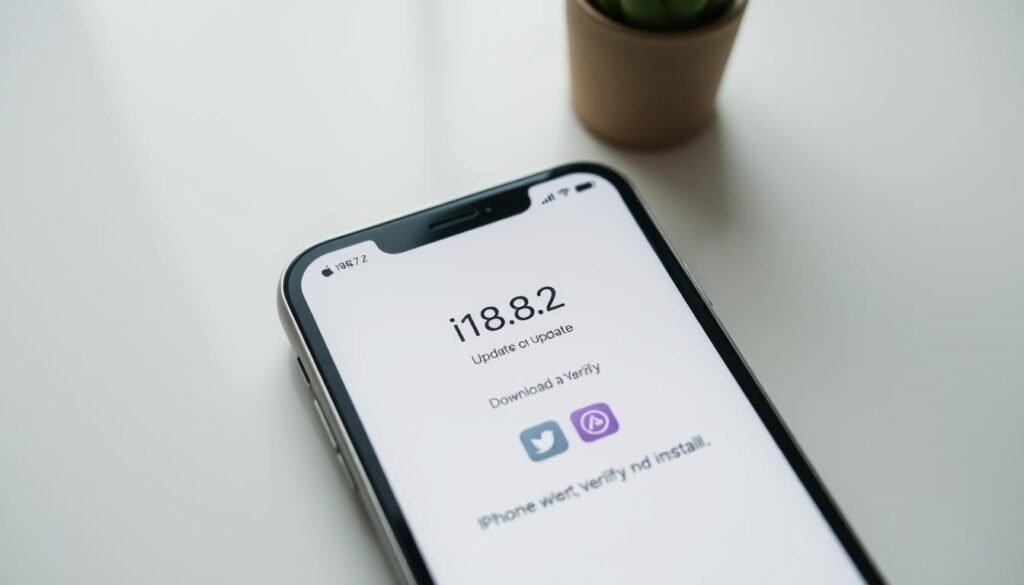
Step-by-Step Update Process
Begin by opening your Settings application. Navigate to the General section and select Software Update.
Your device will check for available updates. When you see the new version listed, tap Download and Install.
The system will handle everything automatically. The file size remains relatively small at approximately 755MB.
This means quick installation even on slower connections. Your phone will restart once the process completes.
Compatible iPhone Models
This software release supports numerous iPhone models spanning several years. Compatible devices include:
- iPhone XS, XS Max, and XR
- iPhone 11 through 17 series
- iPhone Air models
- iPhone SE (2nd and 3rd generation)
iPad users can find similar protection through iPadOS 18.7.2. Compatible tablets include iPad Pro 2nd generation and later, iPad Air 3rd generation and later, and iPad mini 5th generation and later.
Regular software maintenance represents your first defense against emerging digital threats.
Remember that this update appears only for devices running the previous operating system version. If you already upgraded to the newest software, you won’t see this option available.
We always recommend backing up your important content before any software changes. Though this release focuses solely on security enhancements, protecting your personal information remains crucial.
Follow our WhatsApp channel for detailed guides and immediate update alerts. Join our social communities for more helpful tech tips that keep your devices running securely!
Follow all our social media Pages in the footer menu for latest news and updates.
Scroll down to the bottom menu
Conclusion: Should You Update to iOS 18.7.2?
We strongly recommend installing this security-focused software release. It delivers essential protection for your personal information and device performance.
For compatible devices, this update offers critical fixes without any downsides. Older models especially benefit from these security enhancements.
Consider upgrading to newer software versions if your device supports them. This ensures access to the latest features and ongoing support.
Stay connected with us on WhatsApp and social media for instant tech news. We provide timely updates and practical guidance for all your devices.
Keeping your software current remains the simplest way to protect your investment. Enjoy peace of mind with enhanced security!
FAQ
What devices are compatible with iOS 18.7.2?
iOS 18.7.2 is available for all iPhone models that support iOS 18, including iPhone XR and newer devices. You can check compatibility in your Settings under General > Software Update.
How do I install the iOS 18.7.2 update?
To install, go to Settings > General > Software Update on your iPhone. Tap “Download and Install,” and follow the on-screen prompts. We recommend backing up your device first.
Are there any new features in iOS 18.7.2?
This update focuses primarily on security enhancements rather than introducing new features. It addresses several vulnerabilities to keep your device and data protected.
Why is it important to update to iOS 18.7.2?
Updating ensures your iPhone receives critical security patches that protect against potential exploits. Keeping your software current helps safeguard your personal information and device performance.
How long does the iOS 18.7.2 update take to install?
Installation time varies based on your internet speed and device model, but it typically takes between 10-30 minutes. We suggest updating when you have a stable Wi-Fi connection and some free time.