Did you know that over 80% of smartphone users in Nigeria have never checked their device’s hidden identification code? This small string of letters and numbers holds powerful information about your gadget.
Your phone’s unique identifier reveals where it was made, its warranty status, and even which networks it supports best. Many people miss out on important features because they don’t understand this simple code.
This friendly guide will help you unlock your device’s secrets. You’ll learn how to find your specific model number and what those mysterious characters actually mean for your daily use.
We’ll show you how this information affects your repair options, accessory compatibility, and even resale value here in Nigeria. Get ready to become an expert on your own gadget!
Key Takeaways
- Your device’s identification code reveals its origin and capabilities
- These characters affect warranty coverage and service options in Nigeria
- Network compatibility depends on your specific model version
- Understanding your code helps when buying accessories or selling your device
- Regional differences impact your user experience and support options
- This knowledge helps you make smarter decisions about repairs and upgrades
Understanding iPhone Model Numbers and Their Importance
Your iPhone carries a special identifier that reveals its origins and capabilities. This combination of letters and numbers acts like a personal fingerprint for your device.
Knowing this code helps you understand your gadget better. It shows what makes your device unique compared to others.
What Your iPhone’s Model Number Reveals
Apple products use an “A” followed by four digits as their main identifier. The “A” represents Apple, while the numbers show the specific series and variant.
This code tells you about hardware differences between models. It reveals manufacturing details and special features your device might have.
Your model number indicates which cellular networks work best. It also shows regional variations that might affect available functions.
Why These Codes Matter for Nigerian iPhone Users
For Nigerian users, these identifiers ensure proper network compatibility. Different service providers may work better with specific model versions.
Understanding your code helps avoid issues with local carriers. It ensures you get the best performance from Nigerian networks.
This knowledge becomes crucial when seeking repairs or support. It helps technicians identify the right parts and solutions for your specific device.
Knowing your model helps find compatible accessories and software updates. It also affects your resale value when upgrading to newer devices.
How to Find Your iPhone’s Model Number
Discovering your gadget’s unique identifier is simpler than most people realize. You have multiple straightforward methods to access this important information about your device.
Each approach gives you the same crucial details about your specific model. Knowing these techniques prepares you for various situations requiring this information.
Locating the Model Number on Your Device
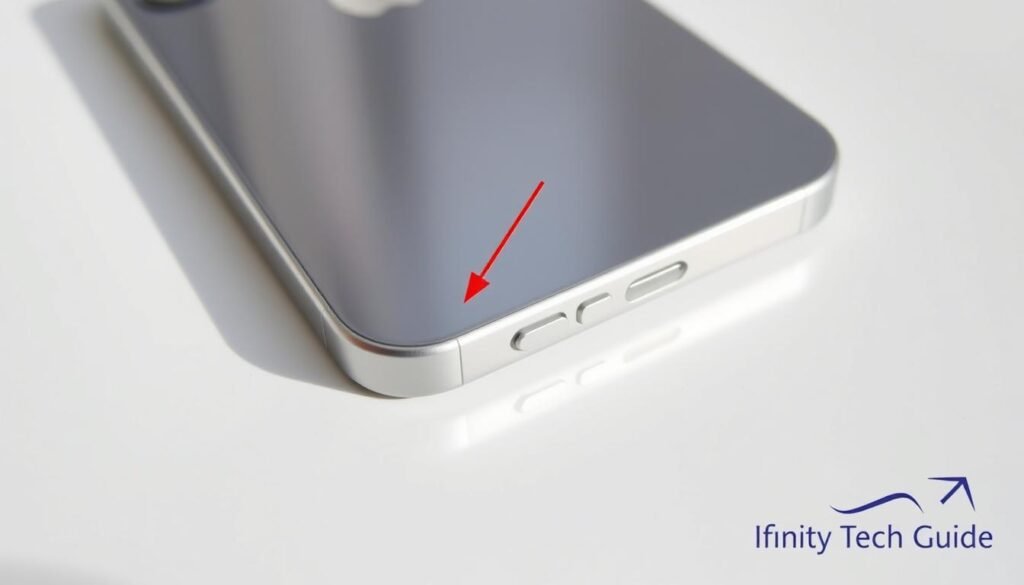
Your phone’s physical body contains the identification code you need. Look at the back casing near the bottom section.
You’ll find fine print showing “Model AXXXX” format. This method works even when your device won’t power on.
Using Your iPhone’s Settings Menu
The most convenient method lives within your device’s settings. Navigate to Settings > General > About to find your model details.
This approach provides instant access to your identification number. It’s particularly helpful when dealing with technical support questions.
Checking the Original Packaging (iBox)
Your original box holds valuable information about your gadget. Look for the barcode label on the packaging.
The sticker near the barcode displays your complete model number. This method helps verify accuracy when comparing multiple sources.
Having this knowledge handy makes you better prepared for repair services or selling situations. You’ll save time and avoid confusion when you need support.
Decoding iPhone Model Numbers: What LL/A, CH/A, and More Really Mean
That combination of letters and numbers on your gadget actually serves as its personal ID card. This unique identifier follows a specific pattern that Apple uses across all their mobile devices.
Learning to read this code gives you powerful insights about your device’s capabilities. You’ll understand what makes your particular model special compared to others.

The Structure of iPhone Model Numbers
Apple’s identification system uses a consistent format across all their mobile products. The pattern always begins with the same prefix followed by specific digits.
These characters work together to tell your device’s complete story. They reveal manufacturing details, hardware specifications, and regional variations.
Understanding this structure helps you make informed decisions about repairs and accessories. It also ensures you get the right support for your specific device.
| Model Identifier | Device Series | Release Year | Key Features |
|---|---|---|---|
| A2487 | iPhone 13 | 2021 | 5G capable, improved cameras |
| A2172 | iPhone 11 | 2019 | Dual camera system, A13 chip |
| A1865 | iPhone 8 Plus | 2017 | Wireless charging, glass back |
| A1633 | iPhone 6s | 2015 | 3D Touch, improved front camera |
Understanding the ‘A’ Number Identifier
The “A” prefix represents Apple’s branding across all their products. This consistent starting point makes identification straightforward for users and technicians.
The four digits that follow provide specific information about your device. They indicate the generation, storage capacity, and hardware variations.
Different number combinations can reveal cellular capabilities and regional differences. This knowledge becomes particularly important for network compatibility in Nigeria.
Your device’s specific code helps technicians identify the right parts during repairs. It also ensures you receive compatible accessories and proper software updates.
This coding system remains consistent across Apple’s product lineup. Once you learn how to read it, you can understand any device’s specifications quickly.
iPhone Country Codes and What They Indicate
Your device’s identification system includes special regional markers that tell a fascinating story. These final characters in your model number reveal where your gadget was originally meant to be sold.
Understanding these markers helps you make smarter choices about your mobile experience. They affect everything from network performance to available support options.
Common Country Codes and Their Regions
Apple uses specific letter combinations to indicate different markets worldwide. Each code represents a particular country or region where the device was intended for sale.
These regional identifiers appear at the end of your complete model number. You can find them on your original packaging or within your settings menu.
| Country Code | Region | Key Characteristics |
|---|---|---|
| LL/A | United States | English language default, specific cellular bands |
| CH/A | China | Dual SIM support, local app integrations |
| B/A | Great Britain/Ireland | European power adapter, UK English settings |
| SO/A | South Africa | African network optimization, regional warranty |
| HN/A | India | Local content support, dual SIM capability |
| X/A | Australia/New Zealand | Oceania-specific features, regional apps |
Country Codes Relevant to African Markets
African users should pay special attention to certain regional identifiers. These codes indicate devices specifically configured for African network conditions and user preferences.
The SO code represents South African market devices. These models often include optimized settings for African service providers.
Some models feature special configurations for other African regions. These adaptations ensure better performance with local networks and services.
Identifying Nigerian iPhones Through Country Codes
Nigerian users benefit greatly from understanding these regional markers. The right code ensures your device works perfectly with local carriers like MTN, Airtel, and Glo.
Devices intended for Nigerian markets may carry specific regional identifiers. These models typically include optimized network settings for best performance.
When purchasing pre-owned devices, always check the country code. This simple step helps avoid compatibility issues with Nigerian networks.
Your device’s regional code affects available language options and default settings. It also influences which cellular frequencies your gadget supports best.
Knowing this information helps you understand warranty coverage in Nigeria. It ensures you get proper support from local service centers.
How Country Codes Affect Your Warranty and Service Options
Many Nigerian users discover their warranty status only when they need repairs. Your device’s regional code directly impacts what support you can access locally.
These codes determine whether Apple stores in Nigeria will honor your warranty. They also affect repair costs and part availability.
Regional differences in warranty policies mean some devices get full coverage while others receive limited support. Understanding this helps you avoid unexpected expenses.
Regional Warranty Limitations in Nigeria
Apple’s warranty policies vary significantly by region. Devices purchased outside Nigeria often face service limitations here.
Your country code shows where your gadget was originally intended for sale. Nigerian Apple stores primarily support devices with local regional codes.
| Country Code | Region | Warranty Status in Nigeria | Service Limitations |
|---|---|---|---|
| SO/A | South Africa | Full coverage | Minor part delays |
| LL/A | United States | Limited support | Possible service fees |
| CH/A | China | No warranty | Full cost repairs |
| B/A | UK/Ireland | Limited support | Longer wait times |
| HN/A | India | Case-by-case | Possible part incompatibility |
Devices with South African codes (SO/A) typically receive the best support in Nigeria. They share similar regional specifications and network requirements.
American and European models often face service challenges. Technicians might need to order special parts, increasing repair times and costs.
Service and Repair Considerations for Imported iPhones
Imported devices require extra attention when seeking repairs in Nigeria. Their different hardware configurations can create compatibility issues.
Always check your country code before purchasing additional coverage. Some extended warranty programs exclude certain regional models.
Local repair shops might offer more flexible service options for imported devices. However, they may use non-genuine parts affecting your device’s performance.
Knowing your gadget’s origin helps you plan for potential service needs. It allows you to budget for possible out-of-warranty repair costs.
This information becomes crucial when considering your device’s resale value. Nigerian buyers often prefer locally supported models with full warranty coverage.
Network Compatibility and Regional Differences
Your mobile experience depends heavily on how well your gadget connects to local networks. Regional variations in manufacturing can create significant connectivity differences you should understand.
These variations affect everything from call quality to internet speed. Knowing your specific configuration helps you avoid frustrating connection problems.
Checking Band Compatibility for Nigerian Networks
Nigerian carriers use specific frequency bands that vary by provider. Your device’s internal configuration determines which networks work best.
MTN, Airtel, and Glo each have unique band requirements. Some imported models might miss crucial frequencies used by these providers.
Always verify band support before purchasing any mobile device. This simple check ensures smooth connectivity across Nigeria.
| Network Provider | Primary Bands | Compatibility Issues | Recommended Models |
|---|---|---|---|
| MTN Nigeria | Bands 3, 7, 20, 28 | US models often miss band 28 | African regional models |
| Airtel Nigeria | Bands 1, 3, 7, 40 | Chinese models may lack band 40 | International versions |
| Glo Mobile | Bands 3, 7, 28 | Some European models weak on band 28 | Local market devices |
| 9Mobile | Bands 1, 3, 7 | Generally good compatibility | Most modern devices |
Feature Variations Based on Region
Manufacturers customize devices for different markets worldwide. These adjustments create noticeable feature differences between regions.
Camera capabilities might vary between regional versions. Some markets get enhanced camera software others don’t receive.
FaceTime quality can differ based on your purchase region. Audio and video performance may change depending on your original market.
Always research regional feature variations before buying. This knowledge helps you choose the perfect device for your needs.
Understanding these differences protects you from unexpected limitations. You’ll enjoy better performance and fewer compatibility issues.
Conclusion: Mastering Your iPhone’s Identity
With this knowledge at your fingertips, you’ve transformed how you interact with your gadget. Understanding your device’s unique model number gives you powerful insights into its capabilities and origins.
This information proves invaluable for Nigerian users. You can now confidently navigate service options, check network compatibility, and avoid potential issues. Your ability to determine accurate resale value protects your investment.
You’re equipped to make smarter decisions about repair needs and accessory choices. This expertise ensures you get the most from your mobile experience in Nigeria.
Your newfound understanding makes you a more informed and confident user. This guide empowers you to fully appreciate your device’s unique identity and capabilities.
FAQ
Where can I find my iPhone’s model number?
You can find it in your device’s Settings under General > About, engraved on the back of older models, or printed on the original packaging (iBox).
What does the country code in my iPhone’s model number mean?
It tells you which region your device was originally intended for. For example, LL/A often indicates a US model, while CH/A is for China. This can affect warranty coverage and network compatibility.
How do I know if my iPhone is compatible with networks in Nigeria?
Check your device’s supported bands in Settings or via the model number. Some imported models might not fully support local carriers, so it’s best to verify before purchasing.
Does the country code affect my warranty in Nigeria?
Yes, Apple’s warranty is often region-specific. If your device has a code from another country, you might face limitations or extra costs for repairs and support locally.
Are there feature differences between iPhones from different regions?
Sometimes! For instance, devices from certain regions may have different camera shutter sounds or FaceTime capabilities due to local regulations.
What should I look for when buying an iPhone in Nigeria to avoid issues?
Check the model number for a compatible country code, verify network bands, and confirm warranty status. Buying from authorized sellers reduces the risk of getting an incompatible or unsupported device.