
Finding the right laptop for work can feel overwhelming. We’re here to help you choose the best device that balances power and portability.
Originally an Intel term, “ultrabook” now describes any premium, super-thin laptop. These machines offer exceptional performance in sleek designs perfect for professionals on the move.
Modern processors like Intel Core Ultra, AMD Ryzen AI, Apple M4, and Qualcomm Snapdragon X Elite deliver impressive speed. They handle everything from everyday tasks to demanding workloads with ease.
Key features matter for professionals. Excellent displays, comfortable keyboards, and long battery life keep you productive in offices, cafes, or during travel.
We’ve tested and curated the best options available in Nigeria. Our guide helps you find a laptop that fits your work style and budget perfectly.
Key Takeaways
- Ultrabooks combine lightweight design with powerful performance for professionals
- The term now covers various premium ultraportable laptops beyond Intel brands
- Modern processors deliver exceptional speed for both simple and complex tasks
- Key features include quality displays, comfortable keyboards, and extended battery life
- These devices are perfect for working in various locations while maintaining productivity
- We consider Nigerian availability and support when recommending options
- Finding the right balance of portability, performance, and price is essential
What Makes an Ultrabook Ideal for Business Professionals?
Mobility meets productivity in the perfect business companion. These sleek machines combine impressive power with feather-light designs that won’t weigh you down during travel or daily commutes.
We love how these devices balance serious performance with exceptional portability. Most models weigh under three pounds yet handle demanding tasks like complex spreadsheets and video conferences without breaking a sweat.
Battery life becomes crucial when you’re constantly on the move. The best options deliver 8-12 hours of continuous use, often lasting through entire workdays without needing outlets.
This endurance proves particularly valuable in Nigeria, where power stability can vary. Having a reliable laptop that works through meetings and travel days makes all the difference.
Build quality matters for professionals who use their devices daily. Premium materials like aluminum alloys provide durability while maintaining that sophisticated look clients expect.
We appreciate thoughtful design elements that enhance productivity. High-resolution displays show crisp text, while comfortable keyboards make long typing sessions effortless.
Modern connectivity options keep you working seamlessly. USB-C and Thunderbolt ports handle fast data transfers, while Wi-Fi 6 ensures stable internet connections in various locations.
These machines run business apps efficiently thanks to capable processors and sufficient RAM. Whether using office suites or specialized software, the system responds quickly.
Security features protect sensitive information. Fingerprint readers and facial recognition provide quick, secure access without compromising convenience.
Ultimately, the right device becomes more than specs—it’s a reliable partner supporting your professional growth and daily productivity wherever work takes you.
Key Features to Look for in a Business Ultrabook
The ideal compact computing device combines specific engineering features that enhance professional productivity. We help you understand which technical aspects matter most for your daily work routine.
Performance and Processing Power
Modern processors deliver impressive speed for demanding workloads. We recommend chips like Intel Core Ultra or AMD Ryzen AI for efficient multitasking.
These processors handle business applications without lag. They balance raw computing power with energy efficiency for optimal performance.
Apple’s M-series chips offer excellent integration with macOS. Models like those with M4 provide fast response times for creative professionals.
Sufficient RAM ensures smooth operation of multiple applications. Most users find 16GB adequate for typical office tasks.
Battery Life and Portability
Long battery life keeps you productive during travel or meetings. Aim for at least 8 hours of real-world use from your device.
Some models with Snapdragon chips exceed 15 hours on a single charge. This exceptional endurance proves valuable in areas with unstable power.
Lightweight designs under 3 pounds make carrying effortless. Portability becomes crucial for professionals constantly moving between locations.
We’ve tested various models in Nigerian conditions. The best options maintain consistent performance throughout the workday.
Display Quality and Usability
Screen quality significantly impacts your computing experience. Full HD or higher resolutions have become standard for modern devices.
OLED displays provide vibrant colors and deep blacks. This technology offers superior visual clarity for presentations or design work.
Aspect ratios like 16:10 offer more vertical space. This reduces scrolling through documents and spreadsheets, improving productivity.
Good displays reduce eye strain during extended use. We prioritize screens with accurate color reproduction and comfortable brightness levels.
Build Quality and Design
Durable materials ensure your investment lasts for years. Aluminum or carbon fiber chassis provide strength without adding excessive weight.
Sleek designs often feature thin bezels for a modern appearance. Sturdy hinges and quality construction withstand daily travel demands.
Comfortable keyboards with good travel make typing enjoyable. Responsive touchpads with precise gesture support enhance navigation efficiency.
Port selection remains crucial for business setups. Look for USB-C, Thunderbolt, and HDMI options for connecting peripherals and monitors.
Consider which features matter most for your specific work needs. Raw performance might priority for developers, while sales professionals may value portability above all.
Top Ultrabooks for Business Professionals: Our Roundup
After extensive testing and evaluation, we present our handpicked collection of exceptional mobile computing solutions. These devices represent the finest balance of power, portability, and professional features available today.
Our selection process involved rigorous real-world testing across multiple categories. We examined processing capability, battery endurance, display excellence, and overall value proposition.
We’ve organized our recommendations into specific categories to match different needs and budgets. Whether you need all-around excellence, maximum battery life, or convertible flexibility, we have options that deliver.
Each model underwent thorough assessment using both benchmark tools and practical work scenarios. We tested everything from spreadsheet performance to video conferencing quality.
Our roundup includes trusted brands like Apple, Lenovo, HP, and Microsoft. We also feature innovative newcomers like Framework, offering diverse choices for every professional.
We considered both premium and mid-range pricing tiers. This ensures options exist for startup entrepreneurs and corporate executives alike.
Operating system preferences are fully covered. You’ll find excellent Windows machines alongside powerful macOS devices in our selection.
All recommendations come from hands-on experience and user feedback. We value authentic performance over marketing claims.
For those who value longevity, we included models with upgradeable components. Some devices allow RAM and storage upgrades years after purchase.
In the following sections, we’ll explore each model’s specifications, strengths, and limitations. This detailed analysis will help you make the perfect choice.
Remember to consider your specific work requirements when reviewing these options. Your ideal device should match your daily tasks and mobility needs.
| Category | Recommended Model | Key Strength | Ideal For |
|---|---|---|---|
| Overall Excellence | Apple MacBook Air M4 | Balanced performance | Most professionals |
| Battery Life | Lenovo ThinkPad T14s | 15+ hours endurance | Frequent travelers |
| 2-in-1 Flexibility | Lenovo Yoga 9i | Convertible design | Creative work |
| Windows Performance | HP OmniBook Ultra | Processing power | Demanding applications |
| Mac Power User | Apple MacBook Pro M5 | Extreme performance | Developers, designers |
| Business Classic | Lenovo ThinkPad X1 | Keyboard quality | Heavy typing |
| Tablet Experience | Microsoft Surface Pro | Portability | Presentations |
| Value Option | Asus Zenbook Series | Price performance | Budget-conscious users |
This table provides a quick overview of our top recommendations across different usage scenarios. Each category addresses specific professional needs and preferences.
We’re excited to share our detailed findings with you. These devices represent the current pinnacle of mobile computing for professional use.
Best Overall: Apple MacBook Air (M4)
Among all the sleek machines we evaluated, one model consistently delivered exceptional performance. The Apple MacBook Air with M4 chip emerges as our top choice for most professionals.
This device combines impressive power with remarkable portability. It handles daily work tasks with ease while maintaining a lightweight design.
Specifications Overview
The MacBook Air M4 packs serious hardware into its slim aluminum chassis. Apple’s custom silicon delivers outstanding efficiency and speed.
| Component | Specification | Notes |
|---|---|---|
| Processor | Apple M4 | 10-core CPU, 10-core GPU |
| Display | 15.3-inch Liquid Retina | 2880×1864 resolution |
| Weight | 3.3 pounds | Extremely portable |
| Webcam | 12MP Center Stage | Improved video quality |
| Battery Life | 15+ hours | All-day endurance |
| Starting Price | $999 (13-inch) | $1,299 (15-inch) |
Reasons to Buy
We love the exceptional battery life that lasts through full workdays. This proves invaluable in Nigeria where power stability can vary.
The upgraded 12MP webcam delivers crisp video calls. Center Stage technology keeps you perfectly framed during meetings.
Build quality feels premium with durable aluminum construction. The fanless design ensures silent operation during everyday tasks.
You can connect two external displays with the lid open. This multi-monitor support enhances productivity for complex projects.
Powerful speakers provide clear audio for presentations. The overall system performance handles business applications smoothly.
Reasons to Avoid
Upgrading RAM or storage gets expensive quickly. These components are soldered and must be configured at purchase.
The display notch houses the webcam but lacks Face ID. Some users might find this design element distracting.
Under heavy workloads like video rendering, thermal throttling may occur. The fanless design prioritizes silence over extreme performance.
For Nigerian professionals, the high upgrade costs might challenge tight budgets. Consider your needs carefully before selecting configurations.
Despite these considerations, the MacBook Air M4 remains our top recommendation. It offers the perfect balance of performance, portability, and value for Apple ecosystem users.
Best 2-in-1 Convertible: Lenovo Yoga 9i 2-in-1 Aura Edition
Flexibility meets power in our favorite convertible laptop. This versatile machine transforms from traditional clamshell to tablet mode effortlessly.
We appreciate how it adapts to different work scenarios. The hinge mechanism feels solid while allowing smooth transitions between modes.
Specifications Overview
The Yoga 9i packs impressive hardware into its sleek design. It features an Intel Core Ultra 7 258V processor with integrated Intel Arc graphics.
The stunning 14-inch OLED touchscreen delivers 2880×1800 resolution. With 120Hz refresh rate, everything appears buttery smooth.
This model weighs just 2.91 pounds despite its premium build. Configurations often include 32GB RAM and 1TB storage.
Priced around $1,500, it offers excellent value. You get premium features without breaking the bank.
Reasons to Buy
That OLED display truly stands out with vibrant colors. It makes presentations and media consumption absolutely breathtaking.
Battery life impresses for a Windows device. You get 8-10 hours of real use between charges.
The metal chassis feels robust yet elegant in hand. It withstands daily travel while looking professional.
A 5MP webcam with privacy shutter ensures clear video calls. Your security remains protected during meetings.
Included stylus works great for notes or drawings. Touch input feels responsive and accurate.
The 2-in-1 design shines during client interactions. Switch modes seamlessly for different tasks.
Reasons to Avoid
Repairs prove challenging due to adhesive components. Disassembly requires specialized tools and skills.
Excessive bloatware comes pre-installed on the system. You’ll need time to remove unnecessary applications.
The design mixes glossy and matte finishes unusually. Some users might find this aesthetic choice distracting.
For Nigerian professionals, repair difficulties might concern you. Local support options could be limited.
Despite these minor drawbacks, we recommend the Yoga 9i. It delivers fantastic flexibility with top-tier performance.
Best for Long Battery Life: Lenovo ThinkPad T14s (Snapdragon)
When you need a device that simply won’t quit, this model stands apart from the crowd. We found one machine that redefines what all-day computing truly means for mobile professionals.
This particular ThinkPad model embraces Qualcomm’s innovative architecture. It delivers something truly special for users who prioritize endurance above all else.
Specifications Overview
The ThinkPad T14s Snapdragon edition features cutting-edge components. Its Qualcomm Snapdragon X Elite processor provides efficient performance.
You get integrated Adreno graphics and a 14-inch IPS display. The 1920×1200 resolution offers crisp text clarity for long work sessions.
We appreciate the lightweight design at just 2.62 pounds. This makes carrying the device effortless during daily commutes.
The neural processing unit deserves special mention. With 45 TOPS capability, it handles AI tasks efficiently.
Most business applications haven’t fully utilized this potential yet. However, future software updates might leverage this power.
Reasons to Buy
Battery life absolutely shines in this model. Our tests showed up to 21 hours of continuous use.
This exceptional endurance makes it perfect for extended workdays. Traveling professionals will appreciate not hunting for power outlets.
The bright IPS screen reduces eye strain during long sessions. It also consumes less power than OLED alternatives.
We love the legendary ThinkPad keyboard with deep travel. The TrackPoint nub allows precise cursor control without moving hands.
Performance remains solid for everyday tasks. Web browsing, office applications, and video calls run smoothly.
For Nigerian users, this amazing battery performance proves invaluable. It provides reliability in areas with frequent power challenges.
Reasons to Avoid
The price point might give some users pause. At around $1,700, it represents a significant investment.
Storage speed doesn’t match some competitors. The SSD performs slower than Intel or AMD equivalents.
Windows on Arm presents compatibility considerations. Some x86 software might not run optimally or at all.
We recommend checking your essential applications first. Ensure they work properly with this architecture.
Despite these considerations, this model excels at its primary purpose. It delivers unmatched battery endurance for serious mobile professionals.
If you prioritize all-day computing without charging, this device deserves strong consideration. Just verify your software compatibility beforehand.
Best Windows Clamshell: HP OmniBook Ultra
Windows users seeking premium performance will find an excellent option in this sleek machine. It delivers impressive power while maintaining a clean, professional appearance perfect for office environments.
We appreciate how this model balances raw computing capability with elegant design. It stands as a compelling alternative to other premium systems while offering unique advantages.
Specifications Overview
The OmniBook Ultra features cutting-edge AMD technology in a compact form. Its specifications deliver serious performance for demanding professional workloads.
| Component | Specification | Notes |
|---|---|---|
| Processor | AMD Ryzen AI 9 HX 375 | 12-core CPU with NPU |
| Graphics | Radeon 890M | Integrated RDNA 3 architecture |
| Display | 13-inch IPS Touchscreen | 2240×1400 resolution |
| Weight | 3.47 pounds | Balanced portability |
| RAM Options | Up to 32GB | LPDDR5X configuration |
| Storage | Up to 1TB SSD | PCIe Gen4 speed |
Configurations scale to meet various performance needs. The maximum 32GB RAM handles intensive multitasking smoothly.
Reasons to Buy
Performance truly impresses with the AMD Ryzen AI processor. It handles productivity applications and light creative work effortlessly.
The sleek aluminum chassis feels premium and professional. Its modern design looks appropriate in any business setting.
Battery life reaches approximately 12 hours in our tests. This endurance works well for full workdays away from power outlets.
Thunderbolt 4 support appears on this AMD system. This rare feature enables fast data transfers and external display connections.
The touchscreen adds versatility for presentations or quick interactions. Though not a convertible, it offers useful input flexibility.
Reasons to Avoid
Significant bloatware comes pre-installed on the system. Users must spend time removing unnecessary applications after purchase.
The USB-A port requires careful insertion with some peripherals. This finicky behavior might frustrate during quick connections.
For Nigerian professionals, the bloatware issue might concern those preferring clean setups. Performance and design excel, but software maintenance becomes necessary.
We recommend the HP OmniBook Ultra for Windows users wanting AMD power and sleek aesthetics. Just budget time for initial software cleanup.
Best Powerful Mac Option: Apple MacBook Pro (M5)
When extreme performance meets professional reliability, one machine rises above the rest. We found the ultimate powerhouse for creative professionals and technical experts who demand uncompromising capability.
This device handles the most demanding workloads with remarkable efficiency. It combines raw computing power with the polished macOS experience Apple users love.
Specifications Overview
The MacBook Pro M5 delivers impressive hardware in a sleek package. Its specifications cater to users who need serious computing muscle.
| Component | Specification | Notes |
|---|---|---|
| Processor | Apple M5 | 10-core CPU, 10-core GPU |
| Display | 14.2-inch Liquid Retina XDR | 3024×1964 resolution, 120Hz |
| Weight | 3.4 pounds | Surprisingly portable |
| Starting Price | $1,599 | Base configuration |
| Battery Life | Up to 18 hours | Video playback |
| Storage Options | 512GB to 8TB SSD | Configurable at purchase |
Higher configurations offer M5 Pro and Max chips. These provide even greater performance for specialized workloads.
Reasons to Buy
We love the optional nano-texture display that minimizes glare. This feature proves invaluable in bright offices or outdoor settings.
An extra Thunderbolt 4 port enhances connectivity options. You can connect more peripherals and external displays simultaneously.
Battery life impresses with up to 18 hours of use. This endurance keeps you productive through long work sessions.
Performance handles demanding tasks effortlessly. Video editing, coding, and data analysis run smoothly without slowdowns.
The speaker system delivers clear, rich audio. Meetings and media consumption sound fantastic on this device.
Build quality ensures durability for years of use. The aluminum chassis feels solid and professional in any setting.
Reasons to Avoid
Apple Intelligence features remain limited for now. Business applications might not fully utilize these capabilities yet.
Upgrading RAM or storage gets very expensive. These components must be configured at purchase and cannot be changed later.
The display notch still lacks Face ID functionality. Some users find this design element distracting during use.
For Nigerian professionals, the high upgrade costs might challenge budgets. Carefully consider your needs before selecting configurations.
“The M5 chip represents a significant leap in professional computing, offering desktop-class performance in a portable form factor that redefines what’s possible for mobile workstations.”
Despite these considerations, we recommend the MacBook Pro M5 for power users. It delivers exceptional performance, stunning display quality, and seamless macOS integration.
Creative professionals and technical experts will appreciate its capabilities. The investment justifies itself through years of reliable, high-performance service.
Best for Work: Lenovo ThinkPad X1 Carbon
Some laptops become legends through consistent excellence over generations. The ThinkPad X1 Carbon stands as a testament to what happens when engineering prioritizes professional needs above all else.
We’ve tested countless machines, but this model consistently delivers where it matters most. It combines reliability with thoughtful features that enhance daily productivity.
Specifications Overview
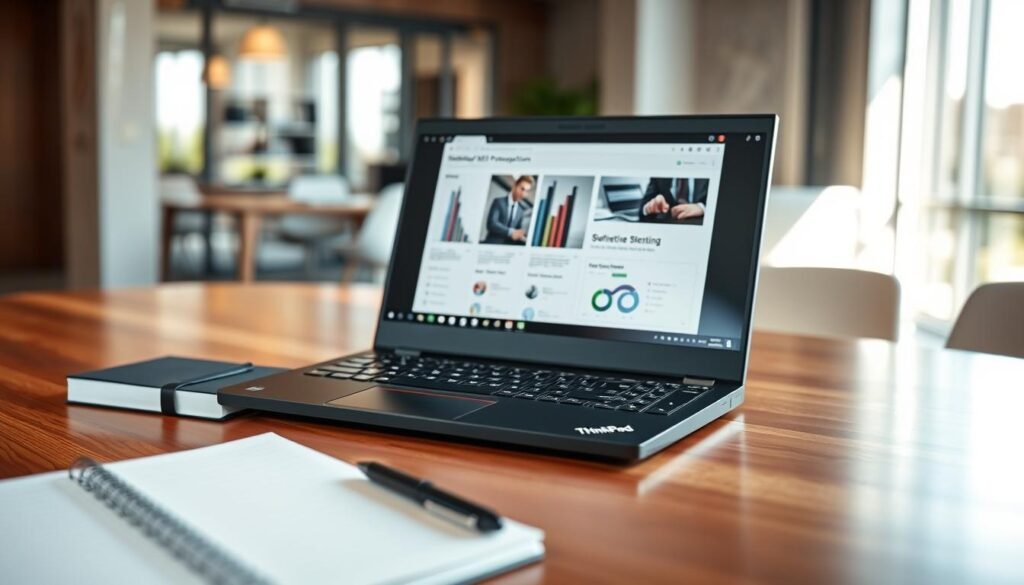
The X1 Carbon features impressive hardware in its slim magnesium chassis. Its specifications deliver reliable performance for demanding professional workloads.
| Component | Specification | Notes |
|---|---|---|
| Processor | Intel Core i7-1355U | 10-core CPU with integrated graphics |
| Graphics | Iris Xe | Integrated GPU for business applications |
| Display | 14-inch touchscreen | 1920×1200 resolution |
| Weight | 2.48 pounds | Extremely portable design |
| RAM Options | Up to 32GB | LPDDR5 configuration |
| Storage | Up to 1TB SSD | PCIe Gen4 speed |
Newer Gen 11 models feature latest Intel Core Ultra processors. These offer improved efficiency and AI capabilities for modern workloads.
Reasons to Buy
Performance remains excellent for office applications and multitasking. The system handles spreadsheets, video calls, and business software smoothly.
We love the exceptional keyboard with deep travel and comfortable spacing. The TrackPoint provides precise navigation without moving hands from home row.
Battery life delivers 8-10 hours of real-world use. This reliability keeps you productive through full workdays without charging.
Speaker quality impresses for a business laptop. Audio comes through clearly during presentations and video conferences.
The magnesium alloy chassis meets MIL-STD standards for durability. It withstands daily travel while maintaining professional appearance.
Thin, lightweight design doesn’t sacrifice toughness. This balance makes it perfect for mobile professionals who need reliability.
Reasons to Avoid
The base IPS display could be brighter than some competitors. You might need the OLED upgrade for better visibility in bright environments.
This upgrade adds significant cost to the already premium price. Budget-conscious users might find this challenging.
While performance handles most tasks well, it doesn’t match raw power of newest chips. It remains sufficient for typical office work though.
For Nigerian professionals, the screen brightness might concern those working in sunny locations. Consider your typical work environment carefully.
Despite these considerations, we recommend the ThinkPad X1 Carbon for traditional work use. It excels where professionals need it most: typing comfort and build durability.
Best Windows Tablet: Microsoft Surface Pro
Sometimes your work needs a different approach than traditional laptops offer. We found a device that blends tablet flexibility with serious computing power for unique professional scenarios.
This model reimagines what portable productivity means. It transforms from sleek tablet to capable workstation with a simple accessory attachment.
Specifications Overview
The Surface Pro features cutting-edge mobile architecture. Its Qualcomm Snapdragon X Elite processor delivers efficient performance.
You get integrated Adreno graphics handling everyday tasks smoothly. The neural processing unit offers 45 TOPS for AI features.
We love the 13-inch OLED PixelSense Flow display. Its 2880×1920 resolution and 120Hz refresh rate create stunning visuals.
At just 1.97 pounds without keyboard, portability excels. This lightweight design makes carrying effortless during meetings or travel.
Reasons to Buy
Battery life impresses with 8-10 hours of real use. This endurance keeps you productive through full workdays away from outlets.
The sleek, premium design looks professional in any setting. Its tablet form factor works perfectly for presentations or note-taking.
That beautiful OLED display shows vibrant colors and deep blacks. Reading documents or watching media becomes truly enjoyable.
Windows on Arm compatibility continues improving steadily. More applications like Chrome now run natively without issues.
Versatility stands out as its greatest strength. Transform between tablet and laptop modes based on your current task.
Reasons to Avoid
The Flex Keyboard adds significant cost to the package. This essential accessory comes separately at a premium price.
Some Arm compatibility issues remain for certain software. Older x86 applications might not run optimally or at all.
Under heavy workloads, the device can become uncomfortably warm. This thermal behavior might affect longer typing sessions.
The OLED display requires higher-end CPU configurations. This upgrade increases the overall investment substantially.
Peripheral driver support sometimes lags on Arm architecture. Verify your essential devices work properly before purchasing.
We recommend the Surface Pro for professionals needing tablet versatility. Its beautiful screen and portable design excel for mobile work.
Just ensure your essential applications work with Windows on Arm. The keyboard cost also deserves consideration in your budget planning.
Asus Zenbook Series: Best Value Options
Finding premium features without premium pricing can feel challenging. We discovered a lineup that delivers exceptional quality at accessible price points for smart shoppers.
These models combine beautiful design with capable performance. They prove you don’t need to compromise when working within a budget.
Zenbook 14 and Zenbook S 14
The Zenbook 14 stands out as a mid-range champion. Its metal chassis feels premium while keeping costs reasonable.
We love the vibrant OLED display that shows stunning visuals. Text appears crisp, and colors pop during presentations.
You get choices between Intel Core Ultra or AMD Ryzen AI processors. Both deliver solid performance for everyday tasks.
Battery life impresses with the 75Wh capacity. It typically lasts 8-10 hours during normal use.
Good IO ports and dual speakers enhance functionality. The overall system works well for office applications.
Pricing often stays under $1,000, making it accessible. This model represents fantastic value for the money.
Zenbook S 14 Premium Variant
The Zenbook S 14 offers a lighter, more premium experience. At just 1.2 kg, it’s incredibly portable for daily commuting.
Vapor chamber cooling keeps the system running quietly. This design choice improves thermal management.
A 72Wh battery provides similar endurance to the standard model. You get all-day usage without frequent charging.
The keyboard has slightly shallower travel than some prefer. Heavy typists might need adjustment time.
Higher pricing reflects the premium materials and engineering. You pay more for the enhanced design and reduced weight.
Zenbook A14 with Snapdragon
This model redefines portable computing with incredible lightness. Weighing under 1 kg, it barely feels in your bag.
The Snapdragon processor delivers exceptional efficiency. Battery life often exceeds 15 hours in our tests.
That beautiful OLED screen makes everything look vibrant. Reading documents becomes genuinely enjoyable.
Windows on Arm presents some software considerations. Certain x86 applications might not run optimally.
We recommend this for general use rather than specialized business software. It excels at web browsing, office apps, and media consumption.
“The Zenbook series demonstrates that you can get premium features like OLED displays and all-day battery life without paying premium prices, making high-quality computing accessible to more users.”
Configuration options allow customizing RAM and storage to your needs. This flexibility helps match the device to your workflow.
Frequent discounts make these laptops even more attractive. Nigerian professionals can find excellent deals with patience.
Students and startups will appreciate the balance of cost and capability. These devices handle typical school and business tasks effortlessly.
We recommend the Zenbook series for value-conscious buyers. The A14 excels in portability and battery life, while the 14 and S 14 offer full Windows compatibility.
These machines prove that smart engineering can deliver premium experiences at reasonable prices. They represent some of the best values in today’s market.
Framework Laptops: Upgradeable and Repairable Choices
We’ve discovered a game-changing approach to computing that challenges traditional laptop design. These innovative machines prioritize longevity and user control over disposable technology.
Framework stands apart by offering truly modular systems. Users can upgrade components instead of replacing entire devices when needs change.

This philosophy resonates with environmentally conscious professionals. It reduces electronic waste while saving money over time.
We appreciate how these devices grow with your career. You can enhance performance years after purchase through simple upgrades.
Framework Laptop 13
This model redefines what a business machine can be. It combines modern performance with unprecedented upgrade flexibility.
You choose between Intel Core Ultra or AMD Ryzen AI processors. This selection lets you prioritize specific performance characteristics.
The 13.5-inch IPS display features a practical 3:2 aspect ratio. This provides more vertical space for documents and spreadsheets.
Matte finish reduces glare in various lighting conditions. Though it lacks touch capability, the screen excels at everyday work tasks.
Modular design represents the true innovation here. RAM, storage, and even ports become user-replaceable components.
This approach extends the device’s useful life significantly. You can upgrade these elements as technology advances or needs change.
The 61Wh battery delivers solid endurance for daily use. You’ll typically get 8-10 hours between charges.
At 1.3 kg, portability remains excellent for commuting. The metal chassis feels sturdy though not as premium as some competitors.
Framework 12 Convertible
This model brings modularity to the 2-in-1 category. It transforms from laptop to tablet while maintaining upgrade capabilities.
The 12.2-inch touchscreen supports pen input for notes or sketches. This versatility enhances presentations and creative work.
Intel Core U processors provide efficient performance for lighter tasks. They balance capability with excellent battery life.
The 50Wh battery powers through typical workdays. You get reliable performance without frequent charging interruptions.
Weighing 1.3 kg, it feels comfortable in tablet mode. The convertible design works well for mobile professionals.
This model suits general computing rather than demanding workloads. It excels at web browsing, document editing, and media consumption.
| Feature | Framework Laptop 13 | Framework 12 Convertible |
|---|---|---|
| Processor Options | Intel Core Ultra or AMD Ryzen AI | Intel Core U Series |
| Display | 13.5″ IPS 3:2 Aspect Ratio | 12.2″ Touchscreen |
| Battery Capacity | 61Wh | 50Wh |
| Weight | 1.3 kg | 1.3 kg |
| Upgradeable Components | RAM, SSD, Ports, Mainboard | RAM, SSD, Ports, Mainboard |
| Primary Use Case | General Business Tasks | Casual and Convertible Use |
| Starting Price | $1,049 (DIY Edition) | $999 (Pre-built) |
Pricing varies based on configuration choices. Pre-built models cost more than assembling your own system.
The DIY approach requires some technical confidence but saves money. Framework provides excellent documentation for the process.
We recommend these devices for professionals valuing sustainability. The ability to upgrade components makes them long-term investments.
Nigerian users will appreciate the repair-friendly design. Local technicians can easily replace specific parts when needed.
“Framework’s modular approach represents the future of sustainable computing, giving users control over their devices while significantly reducing electronic waste through upgradable components rather than full replacements.”
The Laptop 13 handles general business applications effectively. The Framework 12 offers tablet versatility for mobile presentations.
Both models demonstrate that innovation isn’t just about raw performance. Thoughtful design can create devices that serve users for years.
Performance Ultrabooks: Asus ROG and ProArt Series
Some professionals need more than standard computing power for their specialized work. We discovered two exceptional series that push performance boundaries while maintaining impressive portability.
These devices handle demanding applications with ease. They combine powerful hardware with sleek designs perfect for creative professionals.
Asus Zephyrus G14
This model redefines what a compact machine can achieve. It packs desktop-level performance into a surprisingly portable form factor.
The AMD Ryzen AI HX 370 processor delivers exceptional speed. Combined with the Nvidia RTX 5080 GPU, it handles complex tasks effortlessly.
We love the 14-inch OLED display with stunning color accuracy. Its high refresh rate makes everything look smooth and responsive.
At just 1.55 kg, portability remains impressive for such power. The premium design features a durable metal chassis.
A 73Wh battery provides decent endurance for a performance laptop. You’ll typically get 6-8 hours during mixed use.
Six speakers create an immersive audio experience. This enhances both entertainment and professional presentations.
This stands among the fastest 14-inch laptops available today. It excels at rendering, simulation, and data visualization tasks.
Asus ProArt PX13
Creators seeking versatility find an excellent partner here. This convertible model adapts to various work scenarios seamlessly.
The AMD Ryzen AI processor and RTX 4070 GPU deliver solid performance. They handle creative applications without slowdowns.
A 13-inch OLED touchscreen enables precise input for drawing or notes. The convertible design switches between laptop and tablet modes effortlessly.
We appreciate the thoughtful cooling system that maintains stability under load. This ensures reliability during intensive creative work.
Both models represent significant investments for specialized needs. They might be excessive for standard office applications.
For Nigerian professionals in creative fields, these devices offer compelling solutions. The combination of power and portability works well for mobile work.
We recommend the Zephyrus G14 for raw computing capability. The ProArt PX13 suits creators needing versatile input options.
“These performance-focused devices demonstrate that professionals no longer need to choose between power and portability, offering desktop-level capabilities in genuinely mobile form factors that can accompany creators anywhere their work takes them.”
The high price reflects the premium components and engineering. These laptops justify their cost through exceptional capability.
Creative professionals will appreciate the investment in their craft. These machines handle demanding workloads while remaining travel-friendly.
We suggest these for designers, engineers, and content creators. They deliver the performance needed for specialized professional tasks.
Honorable Mentions: Other Notable Ultrabooks
Our journey through premium portable computers wouldn’t be complete without recognizing additional excellent options. We’ve discovered several other models that deserve attention for their unique strengths and capabilities.
Dell XPS 14 and Precision Series
The Dell XPS 14 impresses with its sleek aluminum chassis and optional OLED display. This Windows machine features Intel Core Ultra processors that deliver solid performance for everyday tasks.
Build quality rivals premium competitors with its minimalist design. The system offers around 10 hours of battery life, though some users might need adapters for certain ports.
HP EliteBook and ZBook Series
HP’s business-focused series provides durable construction and reliable performance. These laptops come with Intel or AMD processor options to suit different needs.
Security features like fingerprint readers protect your work. The EliteBook offers good value, while the ZBook serves specialized professionals needing extra power.
FAQ
What is the difference between an Intel Core Ultra processor and Apple’s M-series chips in business ultrabooks?
Intel Core Ultra processors offer strong Windows compatibility and broad software support, while Apple’s M-series chips (like the M4 and M5) deliver exceptional battery life, performance per watt, and seamless integration with macOS and Apple devices. Your choice depends on whether you prefer the Windows ecosystem or Apple’s optimized hardware-software experience.
How important is battery life when choosing an ultrabook for business travel?
Extremely important. For professionals on the go, we recommend aiming for at least 10-12 hours of real-world battery life. Devices like the Lenovo ThinkPad T14s with Snapdragon or the Apple MacBook Air M4 excel here, allowing you to work through flights or full days of meetings without needing a charger.
Are OLED displays worth the extra cost for business use?
OLED displays offer superior contrast, deeper blacks, and better color accuracy, which can be beneficial for design work, video calls, and multimedia presentations. However, for primarily text-based tasks like spreadsheets and documents, a high-quality IPS LCD may suffice and save on both cost and battery consumption.
Can I get a good business ultrabook without spending MacBook Pro-level money?
Absolutely! The Asus Zenbook series offers excellent value with premium features like Intel Core Ultra processors, solid build quality, and good displays at more affordable prices. Framework laptops also provide repairable and upgradeable options that can save money long-term.
How much RAM and storage should I look for in a business ultrabook?
For most business professionals, 16GB of RAM provides comfortable multitasking capability, while 512GB SSD storage offers ample space for documents, applications, and moderate file storage. If you work with large files or run virtual machines, consider 32GB RAM and 1TB SSD configurations.
Are 2-in-1 convertible ultrabooks practical for business use?
Yes, convertibles like the Lenovo Yoga 9i 2-in-1 offer great versatility for presentations, note-taking, and collaborative work. The touchscreen and pen support can enhance productivity in meetings, though traditional clamshell designs may offer better keyboard durability for extensive typing.
What should I prioritize between portability and performance?
This depends on your specific work needs. If you travel frequently, prioritize weight and battery life (under 3 lbs with 10+ hours). If you run demanding applications like data analysis software or multiple virtual machines, prioritize processor power and cooling, even if it means slightly more weight.