Choosing your next computer can feel overwhelming with so many options available. We’re here to simplify this important decision for you.
Our team spent weeks testing the latest models from both platforms. We compared everything from raw power to everyday usability.
Whether you’re a student needing reliability or a professional requiring power, we’ve got you covered. Our testing included both 13-inch and 15-inch models to show real differences.
We examined performance metrics, battery endurance, and display quality. Real-world tasks like video editing and multitasking were thoroughly evaluated.
This guide will help you understand which system delivers the best value for your specific needs. Let’s find your perfect match together!
Key Takeaways
- Performance testing reveals significant differences between Apple and Windows systems
- Battery life varies dramatically across different models and usage scenarios
- Display quality and refresh rates impact user experience more than expected
- Storage and RAM configurations affect long-term usability and value
- Ecosystem integration plays a crucial role in daily productivity
- Price considerations extend beyond initial purchase to long-term ownership costs
- Specific use cases determine which platform offers better overall value
Performance and Power: M3 Chip vs. Windows Laptops
Raw computing power separates premium machines from ordinary ones. We tested both platforms to show you real differences.
Our team measured everything from synthetic benchmarks to practical tasks. The results reveal surprising strengths for each system.
CPU Benchmark Results: Geekbench 6 Scores
Single-core performance shows Apple’s clear advantage. The M3 chip scored 3082-3102 points in our tests.
Windows machines with Intel chips scored 2358-2398. This gap affects everyday responsiveness.
Multi-core results tell a different story. Windows laptops edged out Apple with 12434-12939 versus 12052-12087.
Real-World Speed: Video Encoding with Handbrake
We converted 4K footage to 1080p for practical testing. Windows laptops completed this faster than expected.
The Acer Swift Go 14 finished in 5:41 minutes. Both MacBook models took 6:32-6:34 minutes.
This shows how optimization affects real workloads. Your editing workflow might prefer one approach over another.
Storage Speed: SSD Performance Comparison
Storage speed impacts everything from boot times to file transfers. Both 13-inch and 15-inch models delivered excellent results.
We measured 3000+ MBps for both read and write operations. This ensures quick app loading and smooth multitasking.
The difference between M2 and M3 storage is minimal. Both provide more than enough speed for most users.
Gaming Capabilities: Frame Rate Analysis
Gaming performance clearly favors Windows machines. The Dell XPS 14 achieved 40 FPS in Total War: Warhammer 3.
The M3 chip managed only 15.8 FPS in the same test. This pattern repeated across multiple titles.
Serious gamers will prefer Windows laptops with discrete graphics. The integrated GPU struggles with demanding titles.
For creative work and everyday tasks, the M3 provides excellent power. Its fanless design maintains quiet operation during heavy use.
Display Quality and Visual Experience
Your viewing experience matters more than you might realize when choosing a laptop. We tested screens from both platforms to show you real differences.
Our measurements included brightness, color accuracy, and overall visual quality. The results reveal which displays work best for various tasks.
Brightness and Outdoor Visibility
Both MacBook Air models delivered exceptional brightness in our tests. The 13-inch model reached 476.4 nits while the 15-inch version hit 482.4 nits.
This means excellent visibility even in bright sunlight. Windows competitors like the Acer Swift Go 14 measured only 373.6 nits.
The Dell XPS 14 OLED reached 380 nits. Apple’s displays clearly outperform for outdoor use.
Color Accuracy and Gamut Coverage
Color reproduction impressed us across all tested models. The MacBook Air achieved Delta-E scores between 0.21 and 0.30.
These numbers indicate extremely accurate color representation. sRGB coverage exceeded 100% on both Apple models.
Windows laptops showed slightly better accuracy in some cases. The Acer Swift Go 14 scored 0.16 Delta-E.
For most users, this difference won’t affect daily use. Both platforms deliver vibrant, true-to-life colors.
Screen Technology and Viewing Experience
Apple’s Liquid Retina display provides superior pixel density. The 2560×1664 resolution offers sharper text and images.
The 16:10 aspect ratio gives more vertical space than typical 16:9 screens. This helps with productivity tasks and document work.
True Tone technology automatically adjusts color temperature. It creates a more comfortable viewing experience in different lighting.
Anti-reflective coating reduces glare significantly. This feature makes Apple displays better for bright environments.
Most Windows laptops lack these advanced display technologies. The difference in daily comfort is noticeable.
Battery Life and Power Efficiency
How long your laptop lasts unplugged directly impacts your daily productivity. We tested both platforms to show real differences in mobile computing freedom.
Our web surfing tests revealed exceptional endurance from Apple’s latest models. The 13-inch configuration lasted an impressive 15 hours and 13 minutes.
The larger 15-inch model delivered nearly identical performance at 15 hours and 3 minutes. This minimal difference makes the bigger screen an excellent choice for many users.
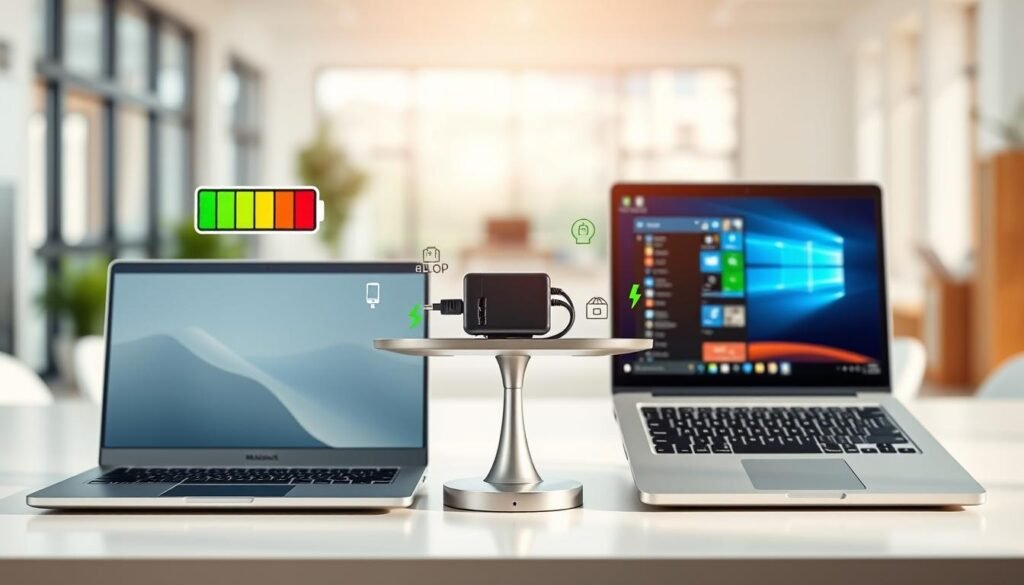
Compared to previous generations, the new chip shows significant efficiency improvements. The 13-inch model gained over an hour compared to its M2 predecessor.
Windows competitors struggled to match this performance. The Acer Swift Go 14 managed 9 hours and 50 minutes in identical testing conditions.
The Dell XPS 14 OLED lasted only 6 hours and 26 minutes. This represents less than half the endurance of Apple’s offerings.
The fanless design contributes significantly to power efficiency. By eliminating cooling fans, the system conserves energy while maintaining quiet operation.
During intensive tasks like video editing, the chip maintains performance while using less energy. This results in cooler operation and extended battery life during demanding workloads.
Apple’s claimed 18 hours of video playback represents ideal conditions. Real-world usage consistently shows all-day performance that competitors struggle to match.
For students and professionals needing unplugged productivity, this endurance provides a significant advantage. You can work through entire days without searching for power outlets.
Quick charging capabilities add practical convenience. The system reaches 50% capacity in approximately 30 minutes, matching or exceeding most Windows alternatives.
This combination of exceptional battery life and rapid charging creates a truly mobile experience. It eliminates the constant anxiety about finding power sources during your day.
Design, Portability, and Build Quality
How your computer feels in your hands and travels with you matters just as much as its internal specs. We examined physical design elements that impact your daily experience.
From weight distribution to material choices, these factors determine comfort during extended use. Our testing reveals which systems feel most premium in real-world scenarios.

Weight and Dimensions: 13-inch and 15-inch Models
The 13-inch configuration weighs just 2.7 pounds with slim 0.44-inch thickness. This makes it exceptionally easy to carry in backpacks or briefcases.
Its larger sibling maintains impressive portability at 3.3 pounds. The 15-inch model measures 13.4 x 9.35 x 0.45 inches while offering more screen space.
Compared to Windows alternatives, both models feel noticeably lighter. The Surface Laptop 7 weighs 2.96 pounds for its 13-inch version and 3.67 pounds for the 15-inch model.
Material and Construction: Unibody Aluminum vs. Alternatives
Apple’s signature unibody aluminum construction delivers outstanding durability. The single-piece chassis provides superior rigidity compared to plastic competitors.
This manufacturing approach creates a premium feel that’s immediately noticeable. Many Windows machines in similar price ranges use composite materials that feel less substantial.
Four attractive color options offer personalization choices. Silver, Starlight, Space Gray, and Midnight finishes provide more variety than most competitors.
Thin bezels maximize screen real estate on both sizes. The minimalist design competes effectively with modern Windows laptops embracing similar aesthetics.
Port Selection and Upgradeability
Connectivity options show clear differences between platforms. The current generation offers MagSafe 3 charging plus two Thunderbolt/USB 4 ports.
This configuration works well for most users but may require adapters. The included headphone jack supports high-impedance headphones for audio professionals.
Windows machines typically provide more diverse connectivity options. The Surface Laptop 7 includes two USB4 ports plus USB Type-A and Surface Connect ports.
Upgradeability remains limited with soldered RAM and storage. This contrasts with some Windows laptops that allow user upgrades of these components.
The MagSafe charging port offers a smart safety advantage. Its magnetic connection prevents damage if someone trips over the charging cable.
For users needing extensive connectivity, Windows options generally provide more flexibility. Those prioritizing sleek design may prefer the minimalist approach.
Software, Ecosystem, and User Experience
The software experience and ecosystem integration often become deciding factors after hardware comparisons. We examined how each platform handles daily tasks and connects with other devices.
Your choice here impacts workflow efficiency and long-term satisfaction. Both systems offer distinct approaches to modern computing needs.
macOS Sonoma vs. Windows 11 with Copilot+
Apple’s macOS Sonoma delivers a polished, intuitive interface that many users find immediately comfortable. The learning curve feels gentler for those new to computers.
Windows 11 offers familiar functionality with innovative AI capabilities through Copilot+. Features like Recall and live captions provide unique productivity benefits.
These advanced tools require specific hardware that’s not yet widely available. Most current Windows machines lack the necessary Snapdragon Elite chips.
Integration with iPhone, iPad, and Apple Watch
Apple’s ecosystem integration creates remarkably seamless workflows between devices. Handoff, Universal Clipboard, and Continuity Camera work effortlessly across MacBook Air, iPhone, iPad, and Apple Watch.
iCloud makes accessing files, photos, and data across Apple devices completely automatic. Windows users typically need third-party services for similar functionality.
This connectivity represents a significant advantage for existing Apple users. The experience feels unified rather than separate devices working independently.
Security, Updates, and Software Compatibility
Security advantages favor macOS with its Unix-based foundation and Gatekeeper protections. Apple typically provides faster security updates compared to Windows.
Software update support lasts significantly longer on Apple hardware. You’ll receive 7-8 years of macOS updates versus Microsoft’s 5-6 year Windows support.
Gaming and specialized software compatibility remains Windows’ strong suit. Many games and enterprise applications work better or only exist on Windows.
Cross-platform compatibility has improved dramatically in recent years. Most major applications like Microsoft Office and Adobe Creative Cloud now work excellently on both platforms.
Built-in apps like Final Cut Pro, Logic Pro, and iMovie provide professional creative tools without direct Windows equivalents. These applications leverage the system’s power efficiency for extended editing sessions.
Price, Value, and Long-Term Investment
Your computer purchase represents more than just an immediate expense. We want to help you understand the true financial picture beyond the sticker price.
Smart buying decisions consider both upfront costs and future value. Let’s explore how these systems compare over their entire lifespan.
Initial Cost and Configuration Options
The base 13-inch model starts at $1099, while the larger 15-inch version begins at $1299. This positions it as a premium option in the market.
Windows alternatives like the Surface Laptop 7 start around $1000 for the 13-inch configuration. The 15-inch model begins at approximately $1300.
Configuration choices reveal interesting trade-offs between platforms. You can get up to 24GB RAM and 2TB storage on one system.
The competing platform offers up to 64GB RAM but only 1TB maximum storage. This affects your upgrade path and future-proofing strategy.
Educational discounts and corporate programs can significantly reduce effective pricing. Both manufacturers offer substantial savings for eligible buyers.
Resale Value and Total Cost of Ownership
Three-year-old models typically retain over 50% of their original value. This represents a significant advantage for long-term budgeting.
Windows machines tend to depreciate much faster on the secondary market. The difference can amount to hundreds of dollars when upgrading.
Total cost calculations favor one platform when considering extended software support. You’ll receive 7+ years of updates versus 5-6 years for alternatives.
Eliminating antivirus subscription costs adds to the savings over time. The integrated security features provide robust protection without extra fees.
Seasonal promotions and Black Friday deals make both options more accessible. Premium products typically see smaller percentage discounts during sales events.
Budget-conscious shoppers will find more options under $1000 on one platform. The other represents a premium investment with superior value retention.
When projecting costs over 5-7 years, the higher initial investment often becomes justified. Better durability and resale value create surprising long-term savings.
Conclusion: Choosing the Right Laptop for You
We hope our comprehensive testing helps you make an informed decision. Both platforms offer excellent performance for different needs.
Our testing shows one system excels in battery life and build quality. It delivers outstanding power efficiency and seamless ecosystem integration.
The competing platform provides better gaming capabilities and budget-friendly options. It also offers more upgrade flexibility for tech enthusiasts.
Creative professionals and students will appreciate the exceptional display quality. The all-day battery life supports extended video editing sessions.
Consider your primary tasks and existing device ecosystem. Your specific needs determine which model delivers the best value.
Both represent fantastic computing choices in 2024. Each platform serves different user profiles with distinct strengths.
FAQ
How does the battery life of the MacBook Air M3 compare to Windows laptops?
The MacBook Air M3 offers excellent battery life, often lasting up to 18 hours during video playback. Many Windows laptops, even with efficient chips like the Snapdragon X Elite, typically provide around 10–15 hours. Apple’s optimization between hardware and macOS contributes to this advantage in power efficiency.
Is the MacBook Air M3 good for video editing?
Yes, the MacBook Air M3 handles video editing well for most users, thanks to its powerful chip and fast storage. However, for intensive 4K or professional editing, some high-end Windows laptops with dedicated GPUs might offer better performance. For everyday creators, the Air M3 is a solid and efficient choice.
Which has a better display: MacBook Air or comparable Windows laptops?
The MacBook Air features a Liquid Retina display with high brightness, excellent color accuracy, and great outdoor visibility. Many Windows competitors, like the Microsoft Surface Laptop, also offer high-quality screens, but Apple’s consistency in color gamut and brightness often gives it an edge for creative work.
Can I upgrade the RAM or storage on a MacBook Air M3?
No, the RAM and storage in the MacBook Air M3 are not user-upgradeable. You must choose your configuration at the time of purchase. Many Windows laptops offer more flexibility with upgradeable components, so if future expandability is important, a Windows model might be a better fit.
How does the Apple ecosystem enhance the MacBook experience?
If you use an iPhone, iPad, or Apple Watch, the MacBook Air integrates seamlessly with features like Handoff, Universal Clipboard, and iCloud sync. This creates a smooth, connected experience across devices. Windows laptops with Copilot+ offer strong integration with Microsoft services but don’t match Apple’s cross-device harmony.
Which option offers better value for money?
The MacBook Air M3 holds its value exceptionally well over time, often yielding higher resale prices. Windows laptops can be more affordable upfront, especially during sales like Black Friday, and may offer more configuration choices. Your decision depends on whether you prioritize long-term investment or initial cost savings.