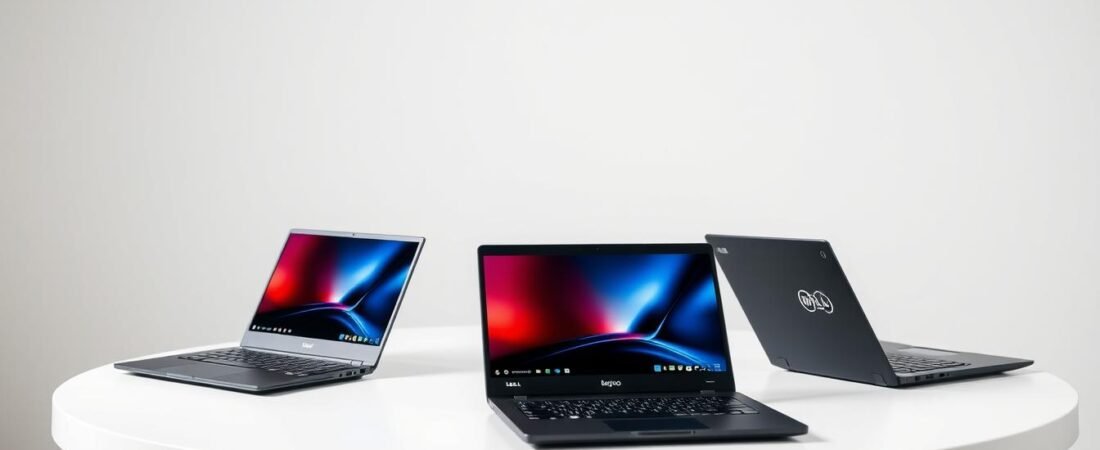
Finding the perfect computer for school can feel overwhelming. We’re here to simplify that choice for you. Today, we begin a detailed look at three top names in the education space.
Each brings something special to your desk. Some are known for their comfortable typing experience. Others shine with sleek designs or trusted performance.
Our focus is on what matters most for your academic journey. We consider your budget, daily tasks, and campus lifestyle. This isn’t just about specs; it’s about finding the right tool for your success.
We promise clear, practical advice to guide your decision. Let’s dive in and discover which machine might be your ideal study partner.
Key Takeaways
- This guide compares three leading computer makers popular with students.
- We break down the unique strengths of each company’s products.
- Our evaluation focuses on academic needs and financial considerations.
- We provide transparent methods for how we assess each model.
- This introduction prepares you for an in-depth, brand-by-brand analysis.
- Our goal is to make technical details easy to understand and apply.
- Choosing the right device is a big decision, and we’re here to help.
Laptop Brands Compared: Lenovo vs HP vs Dell (Student Edition)
The educational technology market presents a fascinating landscape where three major players consistently rise to the top. These manufacturers have earned their spots through years of refining their offerings to meet academic demands.
Understanding the Student Laptop Landscape
Today’s academic environment requires versatile computing solutions. Different majors demand unique capabilities from their machines.
Engineering students might need robust processing power for complex simulations. Design majors often require excellent displays and graphics capabilities. Liberal arts students typically prioritize portability and battery longevity.
Lenovo has built its reputation on business-grade reliability. Their machines feature exceptional keyboards perfect for extended typing sessions. This makes them popular among productivity-focused users.
HP stands out with stylish designs and competitive pricing. They offer models that balance performance with affordability. This approach appeals to style-conscious scholars on a budget.
Dell distinguishes itself through robust construction and consistent performance. Their enterprise-grade features often benefit students as well. Durability remains a hallmark of their product lines.
How We Conducted This Comparison
Our evaluation process involved multiple criteria to ensure comprehensive analysis. We considered both technical specifications and real-world usage scenarios.
Key evaluation factors included:
- Performance capabilities for various academic tasks
- Battery longevity for all-day campus use
- Construction quality and durability
- Typing experience for extended writing sessions
- Value proposition at different price points
We tested these machines against real student use cases. This included everything from note-taking to running demanding software applications.
Price sensitivity played a crucial role in our assessment. We recognize most scholars operate within constrained budgets.
Portability factors received significant attention. We evaluated weight, dimensions, and battery performance for campus mobility.
Our approach combines technical metrics with practical academic experiences. This provides balanced, real-world recommendations for your educational journey.
What to Look for in a Student Laptop
Choosing the right academic companion requires understanding your specific needs. We’ll guide you through the most important factors to consider before making your purchase.
Your ideal machine should balance performance, affordability, and portability. These elements work together to support your educational journey.
Performance Needs: Studying, Multitasking, and Entertainment
Academic tasks vary greatly depending on your field of study. Basic web browsing and document editing represent the minimum requirements for most scholars.
Multitasking capability becomes crucial during intense study sessions. You might need research browsers, word processors, and music streaming running simultaneously.
For these scenarios, we recommend:
- 8GB RAM minimum for smooth multitasking
- Modern processors that handle multiple applications
- SSD storage for faster file access and boot times
Entertainment needs deserve consideration too. Many users enjoy gaming or video streaming during downtime.
Some models handle casual gaming well. Others specialize in media consumption with excellent displays and sound systems.
The Budget Equation: Getting the Best Value
Financial considerations play a major role in your selection process. Understanding price tiers helps maximize your investment.
Budget-friendly options typically range from $300-$600. These machines handle basic academic tasks efficiently.
Mid-range models ($600-$900) offer better performance and additional features. Premium devices exceed $900 with top-tier hardware.
Value extends beyond initial cost. Consider long-term durability, upgrade potential, and resale value after graduation.
Some products maintain their worth better than others. This becomes important when upgrading later.
Portability and Battery Life: Surviving the School Day
Campus life demands easy transportation between classes. Weight becomes a critical factor for daily carrying.
We recommend machines under 4 pounds for maximum comfort. This weight range reduces shoulder strain during long days.
Excellent battery life ensures uninterrupted productivity. Look for devices that promise at least 8 hours of real-world use.
This duration typically covers a full school day without outlet hunting. Some models offer even longer endurance.
Build quality matters for surviving backpack transportation and dorm life. Sturdy construction prevents damage from daily academic use.
These criteria will guide our evaluation of specific models in subsequent sections. Each brand approaches these requirements differently.
Lenovo Deep Dive: Built for Productivity and Durability
When it comes to reliable computing partners for academic success, one manufacturer stands out for its commitment to quality engineering. Their products consistently deliver where it matters most for scholarly work.
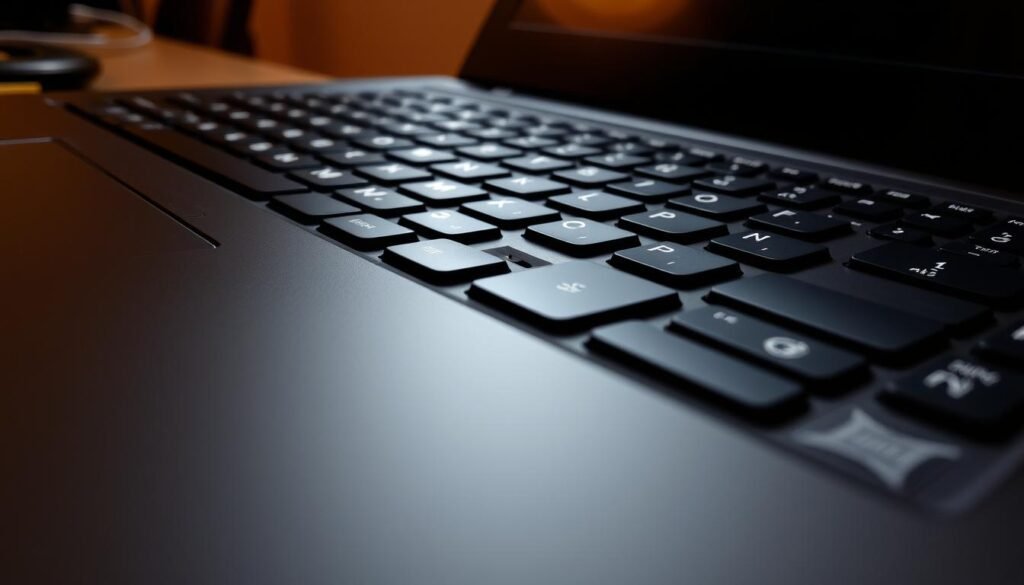
ThinkPad: The Legendary Keyboard and Business-Grade Build
The ThinkPad series represents the gold standard for serious productivity. These machines feature keyboards with 1.5mm key travel that make extended typing sessions remarkably comfortable.
This attention to detail proves invaluable for essay writing and research papers. The keys offer quick return and splash resistance for added peace of mind.
Beyond the typing experience, these products undergo rigorous testing. They meet military-grade standards for shock, temperature, and humidity resistance.
High-strength materials like magnesium alloy and carbon fiber ensure survival through backpack transportation. The robust hinges and spill-resistant design handle campus life challenges.
IdeaPad: Style and Affordability for Everyday Use
For those seeking attractive designs without breaking the bank, the IdeaPad line delivers excellent value. These models balance contemporary aesthetics with practical performance.
They handle everyday academic tasks with ease while maintaining budget-friendly pricing. Entertainment features provide enjoyable downtime between study sessions.
The series offers something for various financial situations. Entry-level options start under $200 while maintaining core functionality.
Legion Series: When Study Time Turns into Game Time
The Legion lineup caters to users who demand high-performance capabilities. These powerful machines handle both demanding academic software and recreational gaming.
Advanced cooling systems maintain stability during extended use sessions. The hardware configuration supports both creative applications and entertainment needs.
This versatility makes them ideal for multimedia projects and relaxation alike. Engineering and design students particularly appreciate this dual-purpose approach.
Lenovo’s Key Strengths and Considerations for Students
The manufacturer’s commitment to durability remains their standout feature. Their products consistently demonstrate exceptional build quality that withstands academic use.
Battery performance varies across different series but generally meets all-day needs. Most models deliver 8-10 hours of real-world usage between charges.
One important consideration involves upgrade limitations. Some units feature soldered RAM that prevents memory expansion after purchase.
This could affect long-term usability and potentially increase repair costs. Prospective buyers should verify specifications before committing.
Price ranges span from very affordable to premium investment levels. The ThinkPad series commands higher prices reflecting its business-grade construction.
Here’s a quick overview of which series suits different academic needs:
- ThinkPad: Ideal for writing-intensive majors and durability-focused users
- IdeaPad: Perfect for general studies and budget-conscious scholars
- Legion: Best for technical majors and gaming enthusiasts
- Yoga: Excellent for mobile users needing convertible flexibility
Each product line brings distinct advantages to the academic experience. The right choice depends on your specific requirements and financial parameters.
HP Deep Dive: Style, Value, and All-Day Battery Life
For those seeking both aesthetic appeal and practical performance, HP’s offerings present compelling options. The brand understands that scholars want machines that look good while delivering reliable academic support.
We find their approach particularly thoughtful for campus life. They balance visual design with functional features that matter most during studies.
Pavilion: The High-Value Mainstream Choice
The Pavilion series represents the sweet spot for most academic users. These machines offer balanced performance and features at accessible price points.
They handle everyday tasks like online classes and homework with ease. Web browsing and basic entertainment work smoothly on these models.
Many Pavilion units weigh around 3 pounds, making them easy to carry between classes. Their portability strengths include slim designs that fit comfortably in backpacks.
ENVY & Spectre: Premium Design on a Student Budget
The ENVY and Spectre lines bring premium elements to tighter budgets. These products feature metal casings and high-quality screens that impress.
Ultra-narrow bezels create immersive viewing experiences for studies and media. Multiple color options appeal to style-conscious scholars across campuses.
Despite their premium appearance, these models remain surprisingly affordable. They demonstrate that good design doesn’t always command top-tier pricing.
HP’s Key Strengths and Considerations for Students
Battery performance stands out as a defining feature across their lineup. Many models deliver 10-12 hours of real academic use between charges.
This excellent battery life ensures full school day coverage without outlet hunting. Some units even surpass these estimates under typical usage patterns.
Keyboard and audio quality receive positive marks from users. These elements enhance both study sessions and entertainment time.
Build quality varies across different price segments. Entry-level options may use thinner materials that feel less robust.
Some budget models show susceptibility to loose casings and screen hinges over time. This consideration becomes important for long-term academic use.
Price ranges span from $161 Chromebooks to $2000 gaming machines. The mid-range segment offers particularly strong value for most scholars.
Here’s how we match different series to specific academic needs:
- Pavilion series: Ideal for general studies and balanced daily use
- ENVY/Spectre lines: Perfect for design-focused majors and style-conscious users
- Chromebook models: Excellent for cloud-based learning and basic tasks
- Gaming options: Best for technical majors needing powerful hardware
Each product line brings distinct advantages to the academic experience. The right choice depends on your specific requirements and financial parameters.
Dell Deep Dive: Reliability, Performance, and Upgradeability
Among computing solutions for academic pursuits, one manufacturer stands apart for its engineering excellence and long-term thinking. Their approach focuses on creating tools that grow with your educational journey rather than simply meeting immediate needs.
Inspiron: The Reliable All-Rounder
The Inspiron series serves as the workhorse for countless scholars. These machines deliver consistent performance across various academic tasks without breaking the bank.
They handle everything from research papers to multimedia projects with ease. The balanced approach makes them suitable for most majors and study requirements.
Many models in this line feature expandable memory and storage options. This allows you to enhance capabilities as your coursework demands increase.
XPS: Sleek Design and Top-Tier Performance
The XPS line represents the pinnacle of engineering and design excellence. These products feature all-metal construction and ultra-thin bezels that create immersive viewing experiences.
Powerful processors and discrete graphics handle demanding software for technical majors. Engineering and design students particularly appreciate this level of hardware performance.
Despite their premium positioning, these machines offer competitive pricing within their category. The investment often justifies itself through years of reliable service.
Dell’s Key Strengths and Considerations for Students
Reliability remains the cornerstone of this brand’s identity. Their products undergo rigorous testing to ensure they withstand academic life’s demands.
Robust construction features metal bodies and sturdy hinges that survive backpack transportation. This durability means your investment lasts through your college years and beyond.
Upgradeability provides exceptional long-term value. Many models support swappable RAM and SSD expansions as your needs evolve.
Performance capabilities include configurations with powerful processors and dedicated graphics. These options handle everything from coding environments to design software effortlessly.
The aesthetic approach leans toward functional rather than flashy design. Some users find the visual presentation more conservative compared to other options.
Battery performance varies by model but generally meets all-day academic needs. Most units deliver 7-9 hours of real-world use between charges.
Price-to-performance ratios show strong value across different budget levels. The brand offers something for various financial situations while maintaining quality standards.
Head-to-Head on Price: Which Brand Offers the Best Value?
Smart shopping means looking beyond the initial price tag. True value combines upfront cost with long-term performance and durability.
Each manufacturer approaches pricing differently. Some focus on entry-level affordability while others prioritize premium features.
Budget-Friendly Options Compared
Entry-level models provide essential functionality without breaking the bank. These machines handle basic academic tasks efficiently.
Lenovo leads with remarkably affordable products starting under $200. Their entry-level units deliver solid performance for everyday schoolwork.
HP offers the widest range of budget choices. Their Chromebook options begin at just $161 while maintaining decent quality.
Dell provides competitive pricing across their budget lineup. Their entry-level machines often include better upgrade options than competitors.
Here’s what you get at different price points:
- Under $300: Basic Chromebooks and entry-level Windows machines
- $300-$500: Improved performance and better construction
- $500-$700: Solid mid-range features and good battery life
Custom configurations usually cost more but offer personalized specifications. Standard models provide the best value for most users.
Mid-Range Showdown: Getting the Most Features
The $600-$900 range delivers the sweet spot for academic needs. Here you find balanced performance and premium features.
At identical price points, each brand delivers different advantages. Some prioritize processing power while others focus on design.
HP typically offers the most features in this category. Their mid-range models include excellent displays and strong battery performance.
Dell provides exceptional upgrade potential in this price bracket. Many models support memory and storage expansions as needs change.
Lenovo’s mid-range options feature their legendary keyboard experience. The typing comfort remains unmatched in this category.
Discount opportunities vary by brand and season. Back-to-school sales often provide significant savings across all lines.
Long-term value extends beyond the purchase price. Consider these factors when evaluating cost:
- Warranty terms and support services
- Upgrade costs for future enhancements
- Potential resale value after graduation
- Repair expenses and part availability
- Included software and subscription services
Each brand’s pricing strategy aligns with different academic requirements. Engineering students might prioritize different features than liberal arts majors.
We recommend specific models based on your budget and needs. The right choice balances immediate cost with long-term academic support.
Head-to-Head on Performance and Hardware
Raw computing power separates adequate machines from exceptional academic partners. We examine how each manufacturer handles demanding coursework and future expansion needs.
Different majors require unique hardware capabilities. Engineering students need processing muscle for simulations. Design majors demand excellent graphics performance.
General studies focus on multitasking and battery longevity. We tested each brand against these real academic scenarios.
Processing Power for Coding and Design Software
Modern processors handle everything from basic research to complex computations. We evaluated how each brand’s chips perform under academic pressure.
Multitasking scenarios reveal true capabilities. Running coding environments alongside research browsers tests system limits.
Graphic design software demands both CPU and GPU resources. Rendering projects and video editing require sustained performance.
Thermal management becomes crucial during long sessions. Effective cooling maintains speed without throttling.
Here’s how each brand handles intensive applications:
- Lenovo: Stable performance under extended workloads with efficient cooling
- HP: Balanced processing with good thermal management in most models
- Dell: Strong sustained performance with excellent heat dissipation
RAM and Storage: Future-Proofing Your Investment
Memory configuration affects multitasking capability and future usability. We recommend 8GB as the minimum for current academic needs.
Engineering and design students should consider 16GB or more. This handles demanding software and multiple applications simultaneously.
Storage speed impacts everyday productivity. Solid-state drives offer faster boot times and application loading.
Upgrade options provide long-term value. Some models allow memory and storage expansion as needs grow.
Here’s the upgrade potential across brands:
| Brand | Maximum RAM | Storage Options | Upgrade Flexibility |
|---|---|---|---|
| Lenovo | Up to 64GB | Dual SSD support | Limited on some models |
| HP | Up to 32GB | Flexible configurations | Moderate expansion options |
| Dell | Up to 64GB | Swappable drives | Excellent upgrade path |
Specialized software performance varies by configuration. Engineering applications benefit from more memory and faster processors.
Creative suites need both RAM and capable graphics. Gaming performance depends on dedicated GPUs in higher-end models.
Starting with basic configurations works for many students. Upgradeable machines allow enhancements later as coursework demands increase.
Real-world testing shows how each brand handles academic applications. We measured performance in actual student usage scenarios rather than synthetic benchmarks.
This approach provides practical guidance for matching hardware to specific academic requirements across all three manufacturers.
Head-to-Head on Battery Life and Portability
The true test of any academic companion happens when you’re rushing between classes with a backpack full of books. We put these machines through real campus scenarios to see how they perform where it matters most.
Mobility and endurance make the difference between frustration and seamless productivity. Our testing focused on actual student usage patterns rather than laboratory conditions.
Which Brand Lasts the Longest on a Single Charge?
We measured battery performance during typical academic activities. This included note-taking, research browsing, and multimedia consumption between classes.
Testing revealed significant differences between manufacturer claims and real-world results. Some products exceeded expectations while others fell short.
HP models consistently delivered the strongest endurance. Many units achieved 10-12 hours of actual use on a single charge.
One engineering student shared their experience:
“My HP machine gets me through back-to-back lectures and library sessions without hunting for outlets. The battery life is genuinely impressive for all-day work.”
Dell’s XPS line offers extended battery life with their efficient power management. The thin aluminum construction doesn’t compromise their endurance capabilities.
Lenovo provides good battery performance across their product range. Their business-oriented design prioritizes consistent power delivery.
Performance modes significantly impact runtime. We recommend these settings for maximum battery life:
- Power saver mode for lecture note-taking and reading
- Balanced mode for research and multimedia tasks
- Performance mode only for demanding software applications
Charging convenience varies across brands. USB-C charging availability makes power replenishment easier between classes.
Fast-charging capabilities help when you have limited time between sessions. Some models reach 50% charge in just 30 minutes.
Weight and Design: Carrying Your Laptop Across Campus
Daily transportation comfort depends on both weight and physical dimensions. We evaluated how each brand approaches portability.
HP leads in lightweight design with some models weighing around 2.6 pounds. Their slim profiles fit easily in crowded backpacks.
Dell’s XPS series combines premium materials with thoughtful dimensions. The thin bezels reduce overall size without sacrificing screen space.
Lenovo focuses on durability rather than ultra-light construction. Their products feel substantial but remain manageable for daily carrying.
Here’s how weight compares across popular models:
| Brand Series | Average Weight | Campus Comfort Rating |
|---|---|---|
| HP Premium Models | 2.6-3.1 lbs | Excellent |
| Dell XPS Line | 2.7-3.3 lbs | Very Good |
| Lenovo Mainstream | 3.0-3.8 lbs | Good |
Design elements affecting portability include thickness, bezel size, and overall footprint. Smaller bezels mean more screen in less space.
Different majors prioritize portability differently. Humanities students often value lightness above all else. Engineering majors might accept more weight for better performance.
One design student noted:
“The slim bezels on my Dell make it feel much smaller than it actually is. It fits perfectly in my portfolio case without adding bulk.”
We recommend these models for the best balance of performance and all-day battery life:
- HP Envy series for exceptional endurance and lightweight design
- Dell XPS 13 for premium portability with strong performance
- Lenovo Yoga series for versatile use with good battery performance
Your campus power access should influence your decision. Limited outlet availability makes battery life the top priority. abundant charging options might let you prioritize other features.
Head-to-Head on Build Quality and Keyboard Experience
How your computer feels and functions through years of academic use matters deeply. We examine which machines stand up to campus life’s demands while providing comfortable typing sessions.
Durability and input experience separate temporary gadgets from long-term partners. These factors influence both daily satisfaction and long-term ownership costs.
Durability: Which Laptop Can Survive a Backpack?
Academic life involves constant movement between classes, libraries, and dorm rooms. Your device needs to withstand this mobile lifestyle without failing.
We evaluated construction methods and materials across all three manufacturers. Testing included stress points like hinges, corners, and screen durability.
One engineering major shared their experience:
“My ThinkPad has survived three semesters of backpack travel without any issues. The magnesium alloy casing shows no flex even when packed with textbooks.”
Metal bodies and reinforced hinges typically outperform plastic constructions. These features prevent common failure points during daily academic use.
Port durability matters for peripheral connections. Repeated plugging and unplugging can loosen cheaper connectors over time.
Higher-end models generally feature more robust input/output systems. This becomes important for external displays and storage devices.
Repair accessibility affects long-term ownership costs. Some designs allow easier component replacement than others.
The Typing Test: Keyboards for Essays and Code
Your keyboard becomes your primary interface with academic work. Comfort and reliability during extended typing sessions prove invaluable.
We measured key travel, feedback, and overall typing comfort across various models. Testing included both essay writing and programming scenarios.
Key features like backlighting and spill resistance received special attention. These elements enhance usability in different academic environments.
Different majors prioritize various keyboard aspects. Writing-intensive students value comfort and key spacing. Programming majors often prefer specific key layouts.
Here’s how each manufacturer approaches the typing experience:
- ThinkPad keyboards feature 1.5mm travel with excellent feedback and spill resistance
- Dell’s premium models offer comfortable typing with good key stability
- HP’s mainstream options provide decent travel with responsive action
Special function keys enhance productivity for specific tasks. These include microphone mute buttons and screen brightness controls.
One computer science student noted:
“The keyboard on my Dell makes coding sessions much more comfortable. The keys have just the right amount of resistance without feeling stiff.”
Budget constraints sometimes affect keyboard quality. Entry-level models may offer shallower travel and less precise action.
We recommend these models for the best typing experience at different price points:
- Premium range: ThinkPad series for unmatched comfort and durability
- Mid-range: Dell XPS line with excellent key stability
- Budget-friendly: HP Envy series offering good value and comfort
Your typing needs should guide this aspect of your decision. Extensive writers might prioritize keyboard quality over other features.
The Student’s Buying Guide: Making Your Final Choice
Making the right selection for your academic journey involves matching your specific needs with the perfect device. We’re here to help you navigate this important decision with confidence.
Your major plays a huge role in determining which features matter most. Different fields of study require unique capabilities from your machine.
Finding great deals can significantly impact your budget. We’ll show you where to look for the best offers.
Matching Your Major to the Right Brand and Model
STEM students need powerful hardware for demanding applications. Engineering and computer science programs often require robust processing capabilities.
We recommend models with upgrade options for future needs. These machines should handle coding environments and complex simulations.
Humanities and social science majors prioritize different features. Excellent battery life and comfortable typing experiences top their list.
Portability becomes crucial for moving between classes and libraries. Lightweight designs make daily campus life easier.
Art and design students need exceptional displays and color accuracy. Graphics performance matters for creative software and projects.
Business majors benefit from professional-looking devices. Reliability and presentation capabilities support their academic work.
| Academic Major | Recommended Brand Series | Key Features Needed |
|---|---|---|
| Engineering/Computer Science | Dell XPS, Lenovo ThinkPad | Powerful processors, upgradeable RAM |
| Humanities/Social Sciences | HP Envy, Dell Inspiron | Long battery life, lightweight design |
| Art/Design | HP Spectre, Dell XPS | Color-accurate display, graphics performance |
| Business | Lenovo ThinkPad, Dell Latitude | Professional build, reliability |
| General Studies | HP Pavilion, Lenovo IdeaPad | Balanced performance, value pricing |
Where to Find the Best Deals and Student Discounts
Educational pricing programs offer significant savings for scholars. Most manufacturers provide special pricing for verified students.
Back-to-school seasons typically feature the best promotions. August through September brings numerous discounts and bundle offers.
Holiday sales events also present excellent opportunities. Black Friday and Cyber Monday often feature record-low prices.
One satisfied customer shared their experience:
“I saved over $200 using my student discount on Dell’s website. The verification process was quick and easy through my university email.”
Here are the top strategies for finding great deals:
- Check manufacturer education stores for exclusive pricing
- Verify your student status through university email or ID.me
- Time your purchase around major sales events
- Consider refurbished models from certified programs
- Look for bundle deals that include software or accessories
Custom configurations versus pre-built models present different value propositions. Pre-configured options often offer better immediate savings.
Custom builds allow precise specification matching but may cost more. Consider your specific needs before choosing between these options.
Retailer-specific programs provide additional discount opportunities. Both online and physical stores offer educational pricing through various programs.
Always compare prices across multiple channels before purchasing. Sometimes third-party retailers beat manufacturer direct pricing.
Use this final checklist before making your purchase decision:
- Verify your academic software requirements
- Check upgrade options for future needs
- Compare student discount pricing across channels
- Review return policies and warranty terms
- Consider long-term durability and repair costs
Conclusion: Choosing Your Academic Partner
Your academic journey deserves a computing partner that perfectly matches your needs and aspirations. We’ve explored three outstanding options, each with unique strengths for different types of users.
The ThinkPad series excels for those prioritizing exceptional keyboard experience and business-grade durability. These machines offer unmatched productivity for writing-intensive work.
If you value style and excellent battery performance, certain models deliver impressive endurance with attractive designs. They provide great value across various price points.
For reliability and upgrade flexibility, some products stand out with robust construction and future-proof hardware options. Their performance handles demanding academic applications.
Remember that the “best” choice depends entirely on your individual requirements, budget, and field of study. Consider your entire college career when making this important decision.
All three manufacturers offer excellent options with different specializations. Use our comparison as your starting point, then explore specific models that fit your needs.
We’re here to help with any questions about your technology decisions. Your perfect academic companion awaits!
FAQ
Which brand offers the best battery life for students?
HP often leads in battery performance, especially in its Pavilion and ENVY series, which are designed for all-day use. Dell’s XPS line also offers strong battery life, while Lenovo’s ThinkPad models are reliable for long study sessions.
Are gaming laptops from these brands suitable for students?
Yes, Lenovo’s Legion series, Dell’s G-series, and HP’s Omen line are great for gaming and productivity. They offer powerful hardware but may be heavier and have shorter battery life than ultraportable options.
How important is build quality for a student laptop?
A>Very important! Lenovo’s ThinkPad series is known for its durability, while Dell’s XPS and HP’s Spectre lines offer premium builds. A sturdy machine can handle daily backpack trips and last through your college years.
Which brand provides the best student discounts?
Dell and Lenovo often have dedicated education stores with exclusive discounts. HP also offers student deals, so it’s worth checking each brand’s official website for the latest promotions.
Can I get a good laptop on a tight budget?
Absolutely! HP’s Pavilion, Dell’s Inspiron, and Lenovo’s IdeaPad series offer excellent value with solid performance, good battery life, and essential features at affordable prices.
Which keyboard is best for typing essays and coding?
Lenovo’s ThinkPad keyboards are widely praised for their comfort and responsiveness. Dell’s XPS and HP’s premium models also offer great typing experiences, important for long writing or coding sessions.