That moment when your screen dims to 10% right when you need it most—we’ve all been there. You’re trying to call a ride home, check an important message, or simply capture a perfect moment, and suddenly your device betrays you.
It feels personal, doesn’t it? Like your smartphone has its own moods and preferences. But what if you could understand exactly what makes your battery tick—and separate fact from fiction?
Modern lithium-ion batteries have specific needs that differ greatly from older technologies. Many common beliefs about charging practices actually harm your battery health rather than help it.
This guide will show you the real science behind your phone’s power source. You’ll learn practical strategies that actually work to preserve capacity and extend your device’s lifespan.
Key Takeaways
- Lithium-ion batteries require different care than older battery types
- Many common charging myths can actually reduce your battery health
- Understanding battery chemistry helps you make better charging decisions
- Small daily habits significantly impact your phone’s long-term performance
- Fast charging isn’t necessarily harmful when used correctly
- Your battery percentage display isn’t always perfectly accurate
- Environmental factors like heat dramatically affect battery lifespan
Why Your Phone’s Battery Life Matters
Your smartphone’s power capacity determines more than just how long you can scroll through social media. It influences your daily decisions, productivity, and even your peace of mind. When you’re constantly watching that percentage drop, you change how you interact with your device.
The Real Cost of a Short-Lived Battery
A struggling power source creates hidden expenses that add up quickly. Frequent replacements cost money—sometimes significant amounts depending on your phone model. These costs repeat every few years as capacity diminishes.
There’s also an environmental impact. Manufacturing new batteries consumes resources and creates waste. Each replacement contributes to electronic waste problems that affect our planet.
Your time becomes another casualty. Hunting for outlets or carrying external power banks eats into your day. These interruptions break your focus and reduce efficiency.
How Battery Health Impacts Your Daily Phone Use
Your device’s energy health directly controls your freedom to use its features. When capacity fades, you start avoiding activities that drain power quickly. Streaming videos, playing games, or using navigation become luxury items you ration carefully.
You develop new habits—dimming screens, closing apps, disabling features—not for optimization but for survival. These compromises mean you’re not enjoying your phone’s full potential.
Productivity suffers when you’re constantly managing power instead of focusing on tasks. The anxiety of finding your next charge opportunity distracts from what matters most.
A healthy power source eliminates these limitations. You gain the freedom to use your device however you want, whenever you want. This confidence transforms your relationship with technology.
Understanding this importance is your first step toward better charging habits and longer device satisfaction.
Understanding Your Phone’s Lithium-Ion Battery
Ever wonder what’s actually happening inside your device when that battery percentage changes? The technology powering your smartphone is more fascinating than you might think.
Modern devices use advanced lithium-ion batteries that function through precise chemical reactions. These power sources have two main layers: lithium cobalt oxide and graphite.
Energy releases when lithium ions move from the graphite layer to the lithium cobalt oxide layer. Charging simply shifts these ions back to their original positions.
Manufacturers design these batteries with built-in protection systems. They intentionally limit the available charge to preserve the internal structure.
This means your battery never truly reaches 100% or 0% capacity. The displayed percentages are carefully managed estimates that protect your device’s longevity.
How Battery Charge Cycles Actually Work
A complete charge cycle doesn’t mean charging from empty to full. It represents using 100% of your battery’s capacity, which can happen over multiple charging sessions.
For example, using 50% one day and 50% the next completes one full cycle. This understanding changes how you view your charging habits.
Your battery’s capacity naturally decreases over 300-500 complete cycles. This typically translates to 2-3 years of normal use before noticeable degradation occurs.
| Charge Pattern | Cycle Count Impact | Long-Term Effect |
|---|---|---|
| Partial charges (30-80%) | Slower cycle completion | Extended battery lifespan |
| Frequent full discharges | Rapid cycle completion | Accelerated capacity loss |
| Mixed usage patterns | Moderate cycle completion | Average lifespan |
Why Extreme Battery Levels Are a Problem
Both very high and very low charge levels stress your battery’s components. When too many lithium ions are removed from the lithium cobalt oxide layer, the structure can actually collapse.
This damage accumulates over time and reduces overall capacity. Deep discharges particularly accelerate degradation as your battery ages.
The sweet spot for battery health is around 50% charge. At this level, stress on the battery is minimized while maintaining practical usability.
Your digital percentage display is an estimate that can become less accurate over time. The actual chemical state of your battery matters more than the number on your screen.
Understanding these mechanics helps you make informed decisions about your charging routine. Small adjustments can significantly impact your device’s long-term performance.
Proven Tips to Extend Your Phone Battery Life
Implementing practical strategies makes a remarkable difference in how long your device lasts between charges. These simple adjustments become second nature once you understand their impact.
Your daily habits directly influence your phone’s energy efficiency. Small changes accumulate into significant improvements over time.
Optimize Your Screen and Display Settings
Your display consumes more energy than any other component. Reducing screen brightness to the lowest comfortable level offers immediate power savings.
Set a shorter timeout period so your screen doesn’t stay active unnecessarily. This prevents wasted energy when you’re not actively using your device.
Dark mode themes and wallpapers can further reduce power consumption on modern smartphones. These visual adjustments help your battery last longer throughout the day.
Manage Your Connectivity and Background Apps
Network connectivity significantly impacts your device’s energy use. Wi-Fi connections consume less power than mobile data networks.
Background applications quietly drain resources even when you’re not using them. Regularly closing unused apps reduces unnecessary CPU and memory usage.
Location services and constant synchronization settings contribute to power drain. Disable vibration alerts and haptic feedback for additional energy conservation.
Adopt Smarter Charging Habits
Modern lithium-ion batteries prefer partial charges over full cycles. Maintaining your charge between 20-80% reduces stress on the battery.
Avoid leaving your device at 100% charge for extended periods. Partial top-ups throughout the day prove healthier than waiting for complete discharge.
Regular software updates often include energy optimization improvements. Monitoring your battery usage helps identify which apps consume the most power.
These practical adjustments help maintain your device’s long-term performance. Consistent implementation ensures your smartphone remains reliable when you need it most.
How to Extend Your Phone Battery Life: Charging Myths vs. Reality
You’ve probably heard many charging tips from friends and family. Some advice sounds logical but might actually harm your device’s power source. Let’s separate fact from fiction about keeping your smartphone energized.
Modern technology has changed how we should care for our devices. Understanding these updates helps you avoid practices that reduce your battery health.
Myth: You Need to Drain Your Battery to 0%
This belief comes from older nickel-based batteries that needed full discharges. Today’s lithium-ion batteries actually suffer when drained completely.
Emptying your battery causes significant stress on its internal components. The chemical structure becomes unstable when pushed to extreme levels.
You only need a full discharge when your percentage readings become inaccurate. This calibration process helps your device display more precise charge levels.
Myth: Overnight Charging Is a Battery Killer
Modern smartphones include smart charging systems that prevent overcharging. Once your device reaches full capacity, it switches to trickle charging.
Leaving your phone plugged in overnight isn’t ideal but isn’t catastrophic either. The system maintains your charge without continuously pumping energy into the battery.
Staying at 100% for extended periods does create some stress. For optimal health, unplug your device once it reaches a full charge.
Myth: Off-Brand Chargers Are Always Bad
Official chargers undergo rigorous testing to ensure safety and compatibility. Some third-party options from reputable brands also meet these standards.
Poor quality chargers may deliver inconsistent current or lack proper safety cutoffs. These can potentially damage your device over time.
Look for chargers with safety certifications and positive reviews. Reputable off-brand options can work well while saving you money.
| Charging Practice | Myth Status | Reality Check | Recommended Action |
|---|---|---|---|
| Full discharge to 0% | Myth | Harmful to modern batteries | Keep between 20-80% charge |
| Overnight charging | Partly myth | Not ideal but not extremely harmful | Unplug when fully charged |
| Using off-brand chargers | Partly myth | Some are safe, some are dangerous | Choose certified third-party options |
Understanding these myths helps you develop better charging habits. Your device will thank you with longer lifespan and better performance.
The Truth About Fast Charging and Battery Health
That quick boost of energy feels magical when you’re running late. But what’s really happening inside your device during those rapid charging sessions?
Fast charging technology delivers higher electrical current to your power source. This accelerated energy transfer creates convenience at a potential cost.
How Fast Charging Generates Damaging Heat
Increased current flow naturally produces more thermal energy. Your battery experiences significant temperature spikes during rapid charging cycles.
Excessive heat ranks among the worst enemies of lithium-ion technology. High temperatures accelerate chemical degradation within your power cell.
Manufacturers install thermal management systems to combat this issue. These safety features monitor temperature and adjust charging speed accordingly.
Balancing Speed and Long-Term Battery Lifespan
Standard charging puts less strain on your device’s internal components. The slower energy transfer allows for gentler lithium ion movement.
Think of fast charging as a strategic tool rather than daily routine. Reserve rapid charging for those moments when you truly need quick power.
Simple adjustments can help manage thermal buildup during quick charges. Removing your phone case improves heat dissipation around your device.
Modern fast charging technologies continue to improve safety features. However, heat management remains crucial for preserving your battery health over time.
- Rapid charging works by pushing higher current through your power source
- Thermal buildup during fast charging accelerates chemical wear
- Manufacturer safety systems help mitigate temperature-related damage
- Slower charging maintains better long-term battery health
- Strategic fast charging preserves your device’s lifespan
Finding the right balance ensures you enjoy convenience without sacrificing longevity. Your charging habits directly impact how long your device remains reliable.
How Your Environment Affects Your Battery
Where you keep your device matters more than you might realize. Your surroundings directly influence your battery’s performance and long-term health.
Temperature plays the most crucial role in this relationship. Both hot and cold conditions create different challenges for your power source.
Understanding these environmental factors helps you protect your investment. Simple awareness can significantly extend your device’s lifespan.
Why Heat Is Your Battery’s Worst Enemy
High temperatures accelerate chemical reactions inside your power cell. This increased activity leads to permanent capacity loss over time.
Your battery’s liquid electrolytes break down more quickly under thermal stress. This degradation reduces overall performance and lifespan.
Leaving your phone in direct sunlight creates dangerous heat buildup. The situation worsens significantly if you’re charging simultaneously.
Your car’s interior becomes particularly hazardous in sunny weather. Temperatures can soar to levels that seriously damage your device.
Using intensive apps in hot environments compounds the problem. The combined heat from processing and environment pushes your battery beyond safe limits.
The Real Impact of Cold Temperatures
Cold conditions slow down lithium ion movement within your power source. This temporary reduction affects available energy without causing permanent damage.
Your phone might display unexpected shutdowns in extreme cold. The slowed chemical reactions trick your device into thinking the battery is empty.
These performance issues usually resolve when temperatures normalize. Unlike heat damage, cold effects are typically temporary and reversible.
Room temperature around 20-25°C (68-77°F) proves ideal for battery health. This range maintains optimal performance while minimizing stress.
Being mindful of your phone’s environment pays long-term dividends. Your battery will thank you with better performance and extended lifespan.
Identifying and Stopping Battery Drain Culprits
Ever notice your power mysteriously vanishing even when you’re not actively using your device? Background processes and hidden settings often work against your energy conservation efforts.
Many features designed for convenience quietly consume resources throughout the day. Learning to identify these silent energy thieves helps you regain control.
Simple adjustments to your settings can dramatically improve how long your device lasts. You’ll be surprised how much extra time you can gain.
How Location Services Quietly Sap Your Power
Your location tracking uses multiple technologies simultaneously to pinpoint your position. GPS, Bluetooth, cell towers, and Wi-Fi signals all work together constantly.
This continuous background activity consumes significant energy even when you’re not using maps or navigation apps. The system maintains readiness at all times.
Many applications request location access for features you might never use. Social media platforms often track your position for targeted content.
Review which apps truly need your location data regularly. Disable access for applications that don’t require it for core functionality.
Switch to battery-saving location mode when precise tracking isn’t necessary. This setting uses less energy while still providing adequate positioning.
Other Hidden Settings That Drain Your Battery
Several background processes operate without your direct knowledge. These features gradually reduce your available power throughout the day.
Poor cellular signal forces your device to work harder maintaining connection. This dramatically increases energy consumption in areas with weak coverage.
Background app refresh and push notifications keep your processor active when it should be resting. Each alert wakes multiple components briefly.
Dynamic wallpapers and motion effects use more GPU power than static images. These visual enhancements come with an energy cost.
Bluetooth and Wi-Fi scanning constantly searches for available networks and devices. This occurs even when you’re not actively connecting to anything.
Automatic email fetching and cloud syncing can occur more frequently than necessary. Each synchronization event requires processor activity and network usage.
| Energy Drain Source | Impact Level | Quick Fix | Long-Term Solution |
|---|---|---|---|
| Location Services | High | Disable for unused apps | Use battery-saving mode |
| Poor Cellular Signal | Very High | Enable airplane mode | Use Wi-Fi calling |
| Background App Refresh | Medium | Disable for non-essential apps | Manual refresh when needed |
| Screen Brightness | Highest | Reduce brightness level | Auto-brightness with lower limit |
| Constant Scanning | Medium | Turn off unused radios | Enable only when needed |
Regularly checking your battery usage statistics reveals which apps consume the most energy. Most smartphones provide detailed breakdowns of power consumption.
Make it a habit to review these statistics weekly. You’ll quickly identify patterns and make informed decisions about which features to disable.
Managing these hidden drains can add hours to your daily usage time. Your device will thank you with longer reliability between charges.
When to Consider Replacing Your Battery
Eventually, even the best-maintained power source reaches its natural limit. Your device’s energy cell has a finite lifespan that depends on usage patterns and care.
Most modern smartphones maintain peak performance for about 2-3 years. After approximately 300-500 complete charge cycles, you’ll notice diminished capacity.
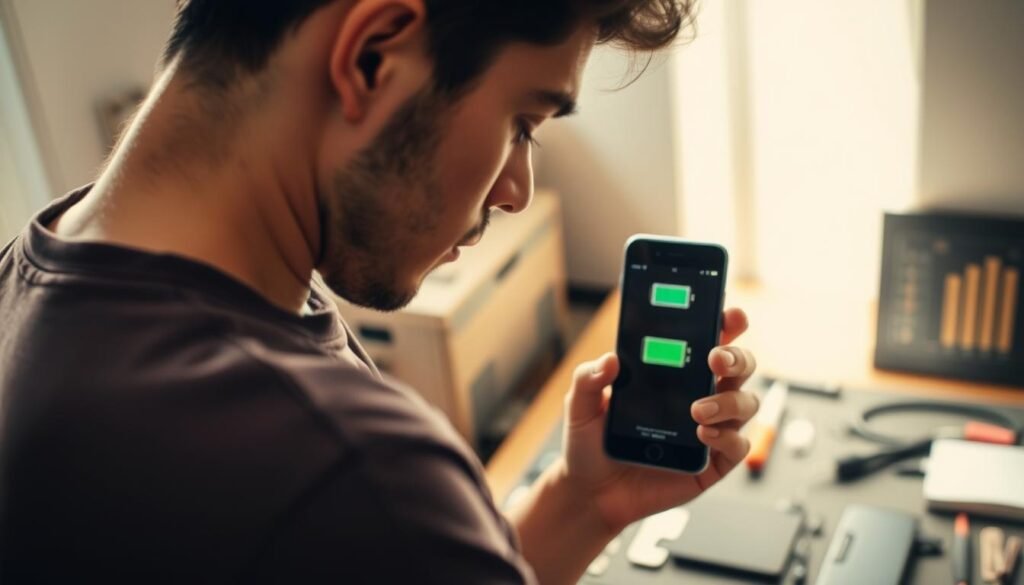
Replacement becomes necessary when your daily experience suffers significantly. The right timing saves money and restores your device’s functionality.
Recognizing the Signs of a Failing Battery
Watch for unexpected shutdowns when your display shows adequate charge. These sudden power losses indicate your battery can no longer deliver stable voltage.
Rapid percentage drops signal serious capacity issues. Your phone might show 40% one moment and 10% shortly after.
Extended charging times suggest internal resistance has increased. Your device takes much longer to reach full capacity than it used to.
Check your battery health indicator in settings if available. Many smartphones now show maximum capacity percentage directly.
If optimized settings don’t help your device last through normal use, replacement might be your best solution.
How a New Battery Gives Your Phone a New Lease on Life
A fresh power source eliminates performance throttling caused by aging cells. Your device stops slowing down to preserve failing capacity.
You regain full-day usage without constantly worrying about finding outlets. Your smartphone becomes reliable again for important tasks.
Replacement often costs less than upgrading to a new device. This proves especially true for recent models still meeting your needs.
Manufacturer services typically maintain water resistance and warranty coverage. Professional installation ensures proper calibration and safety.
DIY replacement has become challenging with modern sealed designs. Many current phones require specialized tools and expertise.
Regular maintenance extends time between replacements. Proper charging habits preserve your new battery’s health for years.
Conclusion: Mastering Your Phone’s Battery Life
You now have the knowledge to keep your device running longer. Understanding lithium-ion technology helps you make smart choices every day.
Follow the 20-80% charging rule. Avoid extreme heat and cold. Manage background apps and screen brightness.
These small habits add up over time. They preserve your battery health and extend its lifespan.
Your phone is a powerful tool. With these tips, you can enjoy more energy and less stress.
FAQ
Should I let my phone battery drain completely before charging?
No, this is a common myth. Lithium-ion batteries last longer when you keep them between 20% and 80%. A full discharge actually puts more stress on your battery over time.
Is it bad to leave my phone charging overnight?
Modern smartphones are smart enough to stop charging when they hit 100%, so overnight charging isn’t the battery killer it used to be. However, keeping your phone at 100% for extended periods can still cause slight long-term wear.
Do off-brand chargers damage my battery?
Not all off-brand chargers are bad, but low-quality, uncertified ones can be risky. They may not regulate voltage properly, which can lead to excess heat and potential damage. It’s safest to use chargers certified by your phone’s manufacturer.
Does fast charging ruin my battery health?
Fast charging generates more heat, which can accelerate battery aging over many months. It’s fine for quick top-ups, but for overnight charging, using a standard, slower charger is gentler on your battery’s long-term health.
How does heat affect my phone’s battery?
Heat is one of the biggest enemies of lithium-ion batteries. High temperatures, like leaving your phone in a hot car or in direct sunlight, can permanently reduce your battery’s capacity and shorten its overall lifespan.
What settings drain my battery the most?
Your screen brightness is usually the biggest power drain. Other common culprits include location services, push email, and apps refreshing in the background. Adjusting these settings can make a big difference in your daily battery life.
When should I consider replacing my phone’s battery?
If your phone shuts down unexpectedly at 20-30% charge, your battery health is significantly degraded (often below 80% capacity), or it no longer holds a charge like it used to, it’s probably time for a replacement.