Steve Jobs once said, “Technology is nothing. What’s important is that you have a faith in people, that they’re basically good and smart, and if you give them tools, they’ll do wonderful things with them.” This wisdom perfectly captures why choosing the right laptop matters for your education.
Finding a machine that balances performance, battery life, and affordability can make all the difference in your academic journey. We’ve tested numerous options to bring you reliable recommendations that work for Nigerian students.
Our top pick, the MacBook Air 13-inch with M3 chip, offers exceptional value and is currently available at discounted prices. Each recommendation considers local availability and practical purchasing tips for Nigeria.
Whether you need power for complex tasks or a light option for portability, we’ve got you covered. Let’s explore the perfect laptop to help you achieve wonderful things!
Key Takeaways
- Choosing the right laptop significantly impacts your academic performance and daily workflow
- Balance between processing power, battery duration, and cost is crucial for student needs
- The MacBook Air 13-inch (M3) currently offers exceptional value with its discount pricing
- All recommendations consider Nigerian market availability and purchasing considerations
- Key factors include operating system preference, RAM capacity, and storage options
- Build quality and design affect both durability and portability for student life
- Expert testing ensures each suggestion meets real-world academic requirements
Finding Your Perfect Student Laptop in 2025
Your academic success depends on having the right tools. A great laptop becomes your partner in learning. It helps you research, write papers, and collaborate on projects.
Choosing the wrong machine can lead to frustration. Slow performance and short battery life disrupt your focus. A reliable device keeps you productive all day.
Why Choosing the Right Laptop Matters for Your Studies
Your laptop handles everything from simple notes to complex software. A good one runs multiple programs at once without slowing down. This multitasking power is vital for efficient studying.
Long battery life means you can work anywhere. You won’t need to hunt for power outlets between classes. This freedom supports a flexible and mobile study routine.
Software compatibility is another key factor. Some courses require specific programs that only work on certain operating systems. Picking a compatible device saves you time and money.
Durability matters for student life. A sturdy chassis can handle being carried in a backpack every day. Good build quality ensures your investment lasts for years.
How We Tested and Selected These Laptops
Our recommendations come from rigorous testing. We draw on years of experience, including insights from experts at TechRadar who have reviewed over 1,300 laptops.
Each device undergoes real-world use tests. We check how it handles everyday student tasks like web browsing, video streaming, and document editing.
Performance benchmarks are crucial. We test processors like the Intel Core Ultra and Apple’s M-series chips. This tells us how well a machine can handle demanding work.
Battery tests are a top priority. We measure how long a laptop lasts on a single charge under normal use. For example, the MacBook Air 13-inch (M3) achieved an impressive 14-hour battery life in reviews.
We also evaluate the display quality, RAM, and storage options. These features impact your daily experience and overall value.
| Testing Category | What We Measure | Why It Matters for You |
|---|---|---|
| Battery Life | Hours of continuous use | All-day productivity without charging |
| Performance | Speed with multitasking and apps | Smooth operation for all your tasks |
| Build Quality | Durability of materials and design | Long-term reliability for student use |
| Display & Screen | Clarity, brightness, and color accuracy | Comfort during long study sessions |
| Value for Money | Features relative to price | Getting the most for your budget |
Our process ensures every recommendation meets real student needs. We focus on devices that offer the best combination of power, portability, and price. You can trust our list to help you find a laptop that truly supports your education.
What to Look for in a Student Laptop
Making the right choice for your academic companion requires understanding what truly matters in a device. The perfect balance of features can transform your learning experience and support your educational journey effectively.
Your needs will vary based on your field of study and daily routine. A thoughtful approach ensures you invest in technology that grows with you throughout your college years.
Balancing Performance, Battery Life, and Your Budget
Finding the sweet spot between these three elements is crucial for student success. You shouldn’t sacrifice one completely for the others.
Your course requirements dictate performance needs. IT majors often need robust processing power for coding and virtualization. Humanities students might prioritize longer battery life for library sessions.
Aim for at least 6-8 hours of battery life. This covers a full school day without hunting for outlets. The MacBook Air sets a strong example here with its impressive endurance.
Set a realistic budget first. Then allocate funds to components that matter most. Prioritize RAM and storage over premium designs if money is tight.
Key Features That Make a Difference: CPU, RAM, and Storage
The heart of your machine lies in its processing capabilities. Multi-core processors like Intel Core i5 or Apple’s M-series handle demanding software smoothly.
These chips manage multiple applications simultaneously. They ensure your workflow remains uninterrupted during intensive study sessions.
Memory plays a critical role in daily performance. 8GB RAM serves as a minimum, but 16GB provides future-proofing for complex tasks. Virtual machines and large applications run noticeably smoother with additional memory.
Storage type significantly impacts your experience. SSDs offer faster boot times and quick file access. They’re more durable than traditional HDDs for students constantly on the move.
Operating systems affect resource allocation too. ChromeOS demands less from hardware, making budget options like the Acer Chromebook with Intel Core 100U CPU surprisingly capable.
| Component | Minimum Recommendation | Ideal Specification | Impact on Student Work |
|---|---|---|---|
| Processor (CPU) | Intel Core i5 / AMD Ryzen 5 | Intel Core Ultra / Apple M3 | Handles multitasking and demanding software |
| Memory (RAM) | 8GB | 16GB | Enables smooth operation of multiple applications |
| Storage | 256GB SSD | 512GB SSD or larger | Faster boot times and adequate space for files |
| Battery Life | 6 hours | 8+ hours | Full-day productivity without charging |
These components work together to create a harmonious computing experience. Understanding their relationships helps you make informed decisions based on academic needs and financial constraints.
The right combination ensures your device remains relevant throughout your studies. It becomes a reliable partner rather than a source of frustration.
The Top 10 Best Laptops for Students in 2025: Budget to Premium Picks
After extensive evaluation across multiple categories, one machine consistently rises above the rest. The Apple MacBook Air 13-inch with M3 chip earns our highest recommendation for academic use.
Our Overall Champion: MacBook Air 13-inch (M3)
This device represents the perfect balance of power and practicality. It handles everything from note-taking to complex computational tasks with ease.
The fan-less design ensures silent operation during lectures. You won’t disturb classmates while working on intensive projects.
Specifications at a Glance
Underneath its sleek chassis lies impressive hardware. The M3 chip delivers remarkable efficiency for student workloads.
| Component | Base Model | Maximum Configuration | Student Benefit |
|---|---|---|---|
| Processor | Apple M3 8-core CPU | Apple M3 8-core CPU | Handles multitasking smoothly |
| Graphics | 10-core GPU | 10-core GPU | Supports creative applications |
| Memory | 8GB unified | 24GB unified | Future-proof for complex tasks |
| Storage | 256GB SSD | 2TB SSD | Fast file access and ample space |
| Display | 13.6-inch Liquid Retina (2560×1664) | Sharp text for reading and research | |
| Battery Life | Up to 14 hours | All-day productivity on campus | |
| Weight | 1.24kg (2.7 pounds) | Easy portability between classes | |
Reasons You’ll Love It
The performance exceeds expectations for academic work. It runs multiple applications simultaneously without slowdowns.
Battery life consistently achieves 14 hours of real use. This means full-day coverage without searching for power outlets.
Current pricing makes it more accessible than ever. The release of M4 models has created attractive discounts.
Things to Consider
The base configuration offers limited RAM and storage. Consider upgrading if your coursework demands more resources.
External monitor support has some limitations. This might affect students who prefer multi-screen setups.
macOS differs from Windows in software availability. Verify your required applications work on Apple’s platform.
Is This the Right Laptop for You?
Choose this machine if you value exceptional performance and portability. The lightweight design makes campus navigation effortless.
It’s perfect for students who need reliability for diverse academic tasks. From writing papers to running specialized software, it delivers consistent results.
Consider alternatives if you have a very tight budget or prefer Windows. The initial investment might be higher than some Windows options.
TechRadar’s five-star review highlights its AI capabilities and gaming performance. These features add unexpected value beyond academic use.
Current deals like the $699 Best Buy sale offer significant savings. Timing your purchase right maximizes value for your money.
For most students, this represents the ideal academic companion. It combines cutting-edge technology with practical student-friendly features.
Best Budget Laptop: Acer Chromebook Plus 514
Smart spending means finding a device that delivers where it counts. The Acer Chromebook Plus 514 proves you don’t need to break the bank for a reliable academic partner.
It handles your daily workflow with surprising efficiency. This machine focuses on core functionality over flashy extras.
Affordable Power for Everyday Tasks
ChromeOS streamlines the computing experience beautifully. It requires less hardware power to deliver smooth performance.
The Intel Core 3 100U processor handles web browsing and document editing effortlessly. You’ll enjoy responsive operation for typical student work.
Multitasking feels surprisingly fluid thanks to 8GB LPDDR5 RAM. This memory capacity keeps multiple tabs and applications running smoothly.
Key Specifications
Under its practical exterior lies well-chosen components. They work together to create a balanced user experience.
| Component | Specification | Student Benefit |
|---|---|---|
| Processor | Intel Core 3 100U | Efficient power for daily tasks |
| Graphics | Integrated Intel UHD | Handles basic media needs |
| Memory | 8GB LPDDR5 RAM | Smooth multitasking capability |
| Storage | 128GB UFS | Adequate space for files and apps |
| Display | 14-inch 1920×1200 IPS | Clear text and comfortable viewing |
Where It Excels
This Chromebook delivers exceptional value for money. The display quality surpasses expectations at this price point.
Connectivity options include practical ports for peripherals. You can easily connect external drives or displays when needed.
Battery life consistently lasts through a full day of classes. You won’t need to carry a charger around campus.
Its Limitations
The keyboard lacks premium feel compared to more expensive models. Typing experience remains functional but not exceptional.
Missing SD card slot might inconvenience photography students. You’ll need adapters for certain memory cards.
Fan noise becomes noticeable during demanding use. This might distract you in quiet study environments.
Ideal For Students Who Need
Choose this machine if you prioritize simplicity and affordability. It’s perfect for humanities and social science majors.
The lightweight design and solid chassis support campus portability. You’ll appreciate carrying it between lectures.
Avoid this option if you need specialized Windows software. ChromeOS works best with web-based applications.
It handles everyday workloads beautifully but struggles with intensive tasks. Video editing or 3D rendering require more powerful hardware.
For budget-conscious students seeking reliability, this Chromebook represents outstanding value. It proves that smart choices beat expensive specs every time.
Best Chromebook Overall: HP Chromebook Plus 15.6-inch
Chromebooks have evolved beyond simple web browsers into capable machines. The HP Chromebook Plus 15.6-inch stands out as the complete package in this category. It delivers a polished experience that feels more premium than its price suggests.
This device combines smart design with reliable performance. It handles your academic workload with impressive efficiency. You get quality features without the usual compromises.
A Premium ChromeOS Experience
ChromeOS offers a streamlined approach to computing. The interface remains clean and intuitive for daily use. Everything works together seamlessly for your academic tasks.
Google’s ecosystem integration makes collaboration effortless. Your documents sync automatically across devices. Group projects become simpler with shared access to files.
The operating system demands less from hardware resources. This means smoother operation even with modest specifications. You enjoy responsive performance without high-end components.
Inside the Machine: Specs Overview
Well-chosen components power this Chromebook effectively. The Intel Core i3-N305 processor handles everyday workloads beautifully. It provides enough power for research and writing tasks.
Memory configuration supports comfortable multitasking. With 8GB LPDDR5 RAM, you can keep multiple applications open. Switching between tabs feels quick and responsive.
Storage meets basic needs for academic work. The 128GB UFS drive offers adequate space for your files. Cloud integration expands your available storage significantly.
| Component | Specification | Student Benefit |
|---|---|---|
| Processor | Intel Core i3-N305 | Efficient power for daily tasks |
| Graphics | Integrated Intel UHD | Handles media and basic visuals |
| Memory | 8GB LPDDR5 RAM | Smooth multitasking capability |
| Storage | 128GB UFS | Adequate space for academic files |
| Display | 15.6-inch FHD 144Hz | Smooth scrolling and clear text |
Standout Strengths
The display quality immediately impresses users. The 144Hz refresh rate makes scrolling through documents incredibly smooth. Text appears sharp and readable during long study sessions.
Build quality exceeds expectations for this category. The chassis feels solid and well-constructed. It can handle the demands of campus life without issues.
Battery performance stands out as particularly strong. Testing shows over 11 hours of continuous use. This means full-day coverage without charging anxiety.
Reviewers consistently praise its premium feel. It operates smoothly and looks more expensive than it actually is. The overall package delivers exceptional value for money.
Potential Drawbacks
The lid opening angle feels somewhat limited. You might need to adjust your viewing position more frequently. This could affect ergonomics during extended use.
Keyboard layout includes a numeric keypad. This makes the main typing area feel somewhat cramped. Your hands might feel crowded during long writing sessions.
The design lacks convertible functionality. You cannot flip the screen into tablet mode for note-taking. This limits flexibility for certain learning styles.
ChromeOS cannot run demanding specialized software. Applications like video editors or CAD programs won’t work properly. Verify your course requirements before choosing this option.
This Chromebook suits students who primarily use web-based tools. It’s perfect for business and humanities majors. The reliable performance handles typical academic work beautifully.
Consider alternatives if you need specialized Windows applications. The operating system limitations might affect your coursework. Always check software compatibility with your department.
For cloud-focused students, this represents outstanding value. It delivers quality typically found in more expensive machines. Your investment brings both performance and practicality.
Best Lightweight laptop: Microsoft Surface Laptop 13-inch
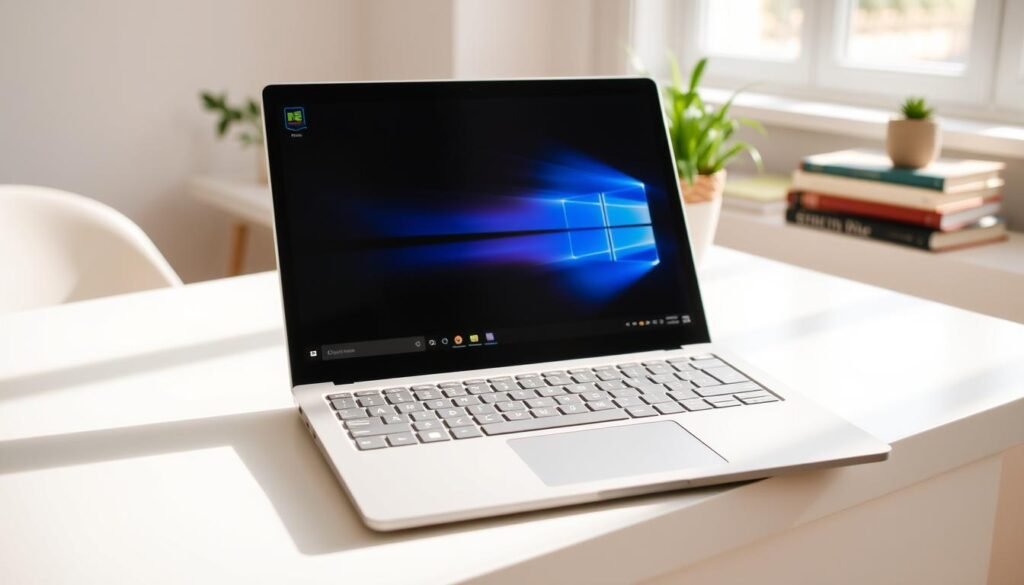
When your campus requires constant movement between classes, every gram matters. The Microsoft Surface Laptop 13-inch emerges as the perfect travel companion for mobile scholars.
This device redefines what Windows portability can achieve. It combines elegant design with practical performance for academic life.
Ultra-Portable Windows Power
The Qualcomm Snapdragon X Plus processor delivers impressive efficiency. This 8-core CPU handles your daily academic workload smoothly.
Windows 11 runs beautifully on this architecture. You get full access to Microsoft’s ecosystem and Copilot+ AI features.
Weighing just 1.22kg, it disappears into your backpack. The slim profile makes campus navigation effortless between lectures.
Technical Breakdown
Under its premium exterior lies thoughtful hardware selection. The components work together for balanced academic performance.
| Component | Specification | Student Advantage |
|---|---|---|
| Processor | Qualcomm Snapdragon X Plus | Efficient 8-core performance |
| Graphics | Qualcomm Adreno X1-45 GPU | Handles multimedia tasks |
| Memory | 16GB LPDDR5X RAM | Smooth multitasking capability |
| Storage | 256GB SSD | Fast access to files and apps |
| Display | 13-inch 1920×1280 touch | Clear text for reading |
Top Benefits
Battery life stands out as truly exceptional. Testing shows over 17 hours of continuous use on a single charge.
This means you can attend full days of classes without your charger. The freedom from power outlets enhances your campus experience.
The keyboard and trackpad receive universal praise from reviewers. Typing feels comfortable during long writing sessions.
Build quality rivals more expensive premium laptops. The aluminum chassis feels solid and durable for student use.
Considerations Before You Buy
The MacBook Air M4 offers better raw performance at similar pricing. Consider this if maximum processing power is your priority.
Port selection remains limited to USB-C connections. You might need adapters for certain peripherals or memory cards.
While adequate, the display doesn’t match premium competitors. Color accuracy and brightness are functional but not exceptional.
This laptop suits students who prioritize Windows compatibility and portability. It’s perfect for business and humanities majors.
Avoid this option if you have a very tight budget or prefer macOS. More affordable Windows alternatives exist for cost-conscious buyers.
Reviewers praise its seamless integration with Microsoft’s ecosystem. The hardware and software work together beautifully.
While not the best performance-per-dollar option, it excels in build quality and battery endurance. These features make it reliable for daily academic use.
For students valuing sleek design and all-day operation, this represents an excellent choice. It delivers premium experience in a lightweight package.
Best for Creative Students: MacBook Air 15-inch (M4)
Creative work demands more from your machine than typical academic tasks. You need serious power for design projects, video editing, and complex visual work. The MacBook Air 15-inch with M4 chip delivers exactly that capability in a portable package.
This device handles intensive creative software with impressive ease. It brings professional-grade performance to student budgets without compromise.
Power for Design, Video, and More
The M4 chip transforms what’s possible in a thin, light laptop. It handles Adobe Creative Suite applications smoothly. You can work on complex projects without slowdowns or crashes.
Video editing becomes surprisingly efficient on this machine. Rendering times decrease significantly compared to previous models. This means faster project completion for tight deadlines.
Graphic design work benefits from the vibrant display. Colors appear accurate and true to life. Your creative vision translates perfectly to the screen.
Specifications for Demanding Workloads
Under its sleek aluminum chassis lies impressive hardware. The components work together to handle creative workloads beautifully.
| Component | Base Configuration | Maximum Upgrade | Creative Advantage |
|---|---|---|---|
| Processor | Apple M4 10-core CPU | Apple M4 10-core CPU | Handles complex software smoothly |
| Graphics | 10-core GPU | 10-core GPU | Accelerates rendering and previews |
| Memory | 8GB unified | 32GB unified | Supports large files and multitasking |
| Storage | 256GB SSD | 2TB SSD | Fast access to project files |
| Display | 15.3-inch 2880×1864 Liquid Retina | Accurate colors for creative work | |
| Battery Life | Extended runtime | Long creative sessions without charging | |
Why Creators Choose This
The larger display provides essential workspace for creative projects. You can see more of your timeline or design canvas. This improves workflow efficiency significantly.
Silent operation ensures focus during intensive work sessions. The fan-less design means no distracting noise. You can concentrate fully on your creative process.
Build quality matches professional standards despite the student-friendly price. The aluminum chassis feels premium and durable. It can handle daily campus use without issues.
Battery life benefits from the larger physical size. The 15-inch chassis accommodates a bigger battery. You get extended runtime for marathon creative sessions.
Who Might Want to Look Elsewhere
Budget-conscious students might find the price challenging. The 15-inch model costs more than the 13-inch version. Consider your financial constraints carefully.
If you only need basic note-taking and web browsing, this represents overkill. Simpler tasks don’t require this level of performance. You could save money with a less powerful option.
The absence of Wi-Fi 7 might matter for some users. While not critical for most creative work, it’s worth noting. Current Wi-Fi 6 performance remains excellent for academic needs.
Existing M3 owners might not need this upgrade. The performance difference, while noticeable, isn’t revolutionary. Consider sticking with your current machine if it meets your needs.
This laptop serves creative students who need reliable power. It handles demanding software without requiring a MacBook Pro. The balance of performance and price makes it exceptional for visual arts majors.
For serious creatives, it represents outstanding value. You get professional capabilities in a student-friendly package. Your investment supports both current projects and future career development.
Best 2-in-1 Chromebook: Samsung Galaxy Chromebook 2 360
Sometimes you need a device that transforms with your learning style. This machine offers incredible flexibility without breaking your budget.
It works as both a traditional laptop and a tablet for note-taking. This dual functionality makes it perfect for dynamic academic environments.
Versatility on a Budget
The 360-degree hinge enables multiple usage modes. You can flip the screen completely around for presentations or reading.
Tablet mode works wonderfully with digital pens for annotations. This feature helps during lectures or when reviewing study materials.
Starting around $429, it represents outstanding value for money. Frequent discounts make it even more affordable for Nigerian students.
What’s Under the Hood
This Chromebook uses efficient components for everyday tasks. The Intel Celeron N4500 processor handles basic applications smoothly.
Integrated Intel UHD Graphics manage multimedia content adequately. You can stream lectures and videos without performance issues.
Memory configuration supports light multitasking needs. With 4GB LPDDR4x RAM, it runs web apps and documents concurrently.
Storage meets essential academic requirements. The 64GB eMMC drive provides space for your current projects and files.
| Component | Specification | Academic Benefit |
|---|---|---|
| Processor | Intel Celeron N4500 | Handles basic student workloads |
| Graphics | Integrated Intel UHD | Supports video streaming |
| Memory | 4GB LPDDR4x RAM | Manages light multitasking |
| Storage | 64GB eMMC | Stores essential academic files |
| Display | 12.4-inch 2560×1600 LED | Crisp text for reading |
Its Biggest Advantages
The display quality surpasses expectations at this price point. The high-resolution screen shows text and images with remarkable clarity.
Build quality feels premium despite the affordable price. The chassis exhibits solid construction that withstands campus use.
Compact dimensions enhance portability between classes. The small form factor fits easily in your backpack without adding weight.
Touchscreen functionality works flawlessly for interactive tasks. You can navigate intuitively using gestures and taps.
Understanding the Compromises
Processing power limits more demanding academic work. The CPU struggles with complex applications or multiple tabs.
Memory constraints affect heavier multitasking. You might experience slowdowns with too many applications open.
Battery life falls short of all-day usage expectations. You’ll need to carry your charger for longer study sessions.
The design feels heavier than similar-sized alternatives. This affects comfort during extended tablet use.
Choose this option if you value flexibility and aesthetics. It excels as a secondary device for light coursework and presentations.
Avoid it if you need serious computing power or larger screen real estate. Performance limitations make it unsuitable for engineering or design work.
For basic academic tasks, it delivers remarkable value. The combination of versatility and quality makes it a smart choice for budget-conscious learners.
Best 2-in-1 Windows Laptop: Dell 14 Plus 2-in-1
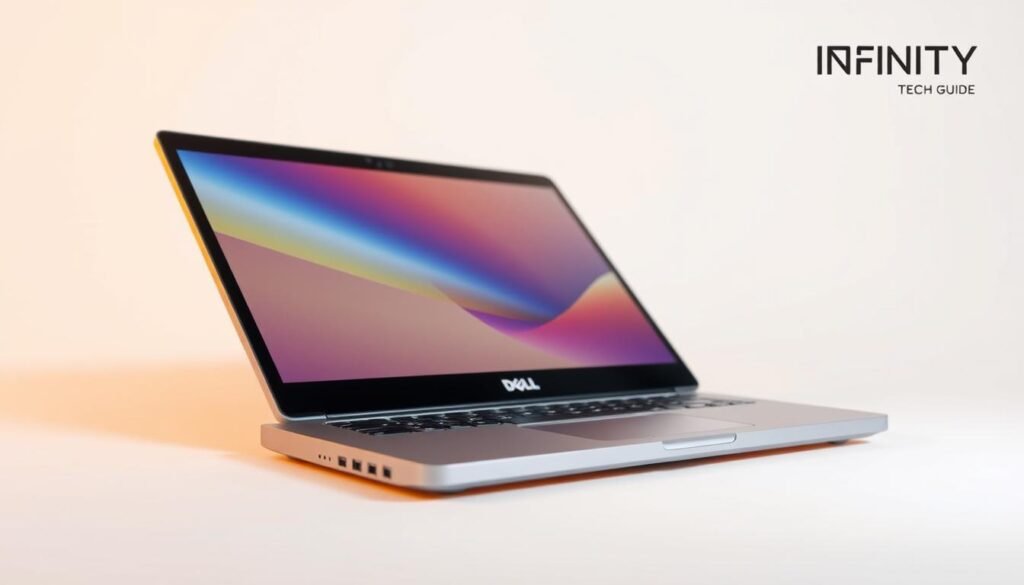
Imagine a device that adapts to your changing study needs throughout the day. The Dell 14 Plus 2-in-1 delivers this flexibility while keeping your finances in check.
It transforms from a traditional clamshell to a tablet for note-taking. This versatility supports different learning styles and academic situations.
Flexibility Meets Value
This machine understands student life requires adaptability. The 360-degree hinge enables multiple usage modes for various tasks.
You can use it as a standard laptop for typing papers. Flip it to tent mode for group presentations or media consumption.
Tablet mode works with active pens for handwritten notes. This feature helps during lectures or when reviewing complex material.
Specification Details
Configurable components let you balance performance and price. The Intel Core Ultra series processors handle everyday academic workloads efficiently.
Memory options support comfortable multitasking needs. With up to 32GB LPDDR5X RAM, it manages multiple applications smoothly.
Storage capacity meets most student requirements. The available 1TB SSD provides ample space for projects and files.
| Component | Base Configuration | Maximum Upgrade | Student Advantage |
|---|---|---|---|
| Processor | Intel Core Ultra 5 | Intel Core Ultra 9 288V | Efficient power for daily tasks |
| Graphics | Integrated Intel Arc | Intel Arc Xe2 GPU | Handles basic visual workloads |
| Memory | 8GB LPDDR5X | 32GB LPDDR5X | Smooth multitasking capability |
| Storage | 256GB SSD | 1TB SSD | Ample space for academic files |
| Display | 14-inch FHD+ touchscreen | Interactive functionality | |
What Makes It Shine
Battery life stands out as exceptionally impressive. Testing shows over 15 hours of continuous use on a single charge.
This means all-day productivity without hunting for outlets. You can attend back-to-back classes without power anxiety.
The lightweight design enhances campus portability. Carrying it between lectures feels comfortable and effortless.
Build quality exceeds expectations for the price point. The chassis feels solid and well-constructed for student use.
Starting around $649, it offers remarkable value for money. You get versatile functionality without premium pricing.
Areas Where It Falls Short
The display quality doesn’t match more expensive alternatives. Color accuracy and brightness remain merely adequate.
This limitation affects tasks requiring precise visual representation. Creative work might suffer from less accurate colors.
Processing power has clear boundaries for demanding applications. It struggles with video editing, gaming, or complex simulations.
The design prioritizes affordability over premium materials. Some competitors offer more luxurious construction at higher prices.
Choose this option if you value versatility and longevity. It’s perfect for students who need tablet functionality occasionally.
Avoid it if you require top-tier display quality or serious computing power. More specialized machines exist for those needs.
For everyday academic use, it delivers reliable performance. The combination of features makes it a practical choice for budget-conscious learners.
Best Premium Ultrabook: Dell XPS 13 (2025)
For students seeking uncompromised Windows excellence, one machine stands above the rest. The Dell XPS 13 represents the pinnacle of premium computing for academic success.
This device combines cutting-edge technology with elegant design. It delivers exceptional performance for demanding coursework and creative projects.
The Pinnacle of Windows Design
Dell has crafted something truly special with this iteration. The chassis showcases premium materials and flawless construction.
Every detail reflects thoughtful engineering for student life. The lightweight design enhances portability across campus.
Windows 11 runs beautifully on this hardware. You get seamless integration with Microsoft’s ecosystem and Copilot+ features.
High-End Specifications
Under its sleek exterior lies impressive technical capabilities. The components work together for outstanding academic performance.
Configuration options let you tailor the machine to your needs. Choose between various memory and storage capacities.
| Component | Base Specification | Maximum Upgrade | Academic Advantage |
|---|---|---|---|
| Processor | Intel Core Ultra 5 | 2nd-gen Intel Core Ultra 9 | Handles complex software and multitasking |
| Graphics | Integrated Intel Arc | Integrated Intel Arc | Supports visual projects and media |
| Memory | 16GB LPDDR5X RAM | 32GB LPDDR5X RAM | Smooth operation with multiple applications |
| Storage | 512GB SSD | 2TB SSD | Ample space for projects and files |
| Display | 13.4-inch 3K OLED touch | Vibrant visuals for research and creativity | |
Unmatched Strengths
Battery life achieves nearly 24 hours on a single charge. This eliminates power anxiety during long study sessions.
The 3K OLED display delivers stunning visual quality. Colors appear vibrant and text remains crisp during extended reading.
Performance handles demanding academic tasks with ease. The Intel Core Ultra processors manage complex software smoothly.
Build quality ensures durability throughout your college years. The premium materials withstand daily campus use.
Important Factors to Weigh
Port selection remains limited to only two USB-C connections. You might need adapters for certain peripherals or memory cards.
The touchpad and touch bar design could affect accessibility. Some users might find these features less intuitive.
Pricing positions this as a premium investment. Higher configurations significantly increase the overall cost.
Consider your actual academic needs before choosing this option. Not all coursework requires this level of performance.
This machine suits students who value exceptional quality and longevity. It’s perfect for those with demanding technical requirements.
Avoid it if you have budget constraints or need multiple built-in ports. More affordable options exist for basic academic tasks.
The XPS 13 remains Dell’s flagship ultraportable despite branding changes. It continues delivering premium experiences for discerning users.
For Nigerian students investing in quality, this represents outstanding value. The combination of power and elegance supports academic excellence.
Best for IT and Engineering Students: Refurbished Powerhouses
Your technical coursework demands serious computing muscle without draining your finances. Refurbished business laptops deliver exactly that combination of power and affordability. These machines handle complex coding, virtualization, and engineering software with impressive capability.
Former corporate devices undergo rigorous testing and refurbishment. They emerge with clean installations and often carry warranties. This approach gives you premium performance at student-friendly pricing.
Why Refurbished is a Smart Choice for Your Budget
Savings represent the most compelling advantage of this option. You can acquire devices with better specifications for half the price of new equivalents. This stretches your educational budget significantly.
Business-grade laptops boast exceptional durability. Their chassis withstand daily campus use beautifully. You get robust construction that lasts through your entire degree program.
Environmental benefits come from reducing electronic waste. Choosing refurbished supports sustainable technology practices. Your purchase makes a positive ecological impact.
These machines arrive ready for academic work. Technicians install fresh operating systems and perform thorough testing. You receive a device that performs like new without the premium cost.
Top Refurbished Picks: HP EliteBook and Dell Latitude
Two models stand out for technical students seeking reliable performance. Both offer the processing power needed for demanding coursework.
The HP EliteBook 850 G8 brings impressive specifications to your projects. Its 15.6-inch display provides ample screen real estate for coding and design work. The Intel Core i7 processor handles multiple virtual machines smoothly.
Memory configuration supports intensive multitasking. With 16GB RAM, you can run development environments alongside databases and browsers. The 512GB SSD ensures quick file access and adequate storage space.
Dell Latitude 5440 offers compact power in a portable package. The 14-inch screen makes it easy to carry between classes and labs. Despite its smaller size, it packs capable hardware for engineering applications.
Its Core i7 CPU manages computational tasks efficiently. The 8GB RAM handles most programming workloads comfortably. You can upgrade this memory later if your needs increase.
Both models include professional security features from their business heritage. These protections keep your academic work safe from threats.
| Model | Display | Processor | Memory | Storage | Student Advantage |
|---|---|---|---|---|---|
| HP EliteBook 850 G8 | 15.6-inch | Intel Core i7 | 16GB RAM | 512GB SSD | Large screen for multitasking |
| Dell Latitude 5440 | 14-inch | Intel Core i7 | 8GB RAM | 256GB SSD | Highly portable for campus use |
These laptops excel at running integrated development environments and simulation software. Their processors handle compiling code and rendering models efficiently. You won’t experience frustrating slowdowns during critical work sessions.
Upgradeability adds long-term value to your investment. Both models allow memory and storage expansions as your needs evolve. This flexibility supports your growing technical skills throughout your education.
While not the newest models, they provide exceptional capability for academic tasks. Their performance meets university recommendations for computer science and engineering programs. You get reliable power without the premium price tag.
Consider refurbished options when maximizing your technology budget. They deliver outstanding value for resource-intensive studies. Your investment brings both immediate performance and future-proof flexibility.
Choosing Your Operating System: macOS vs. Windows vs. ChromeOS
Your operating system choice shapes your entire academic experience. It determines which software you can run and how efficiently you complete your work.
Each platform offers unique strengths for different learning styles. Understanding these differences helps you make an informed decision.
Which OS Best Fits Your Coursework and Preferences?
macOS excels in creative environments and development work. Its Unix-based foundation benefits programming students tremendously.
The ecosystem offers seamless integration between Apple devices. This creates a smooth workflow for design projects and coding tasks.
Build quality remains consistently excellent across MacBook models. The aluminum chassis provides durability for campus life.
Windows serves as the safest choice for technical majors. It supports specialized software required for engineering and IT courses.
Versatility stands out as its greatest advantage. You’ll find devices at various price points to match your budget.
Performance scales beautifully with hardware specifications. Intel Core Ultra processors deliver impressive power for demanding applications.
ChromeOS maximizes efficiency for budget-conscious learners. It runs smoothly on affordable hardware without compromising basic functionality.
This platform excels at web-based tasks and cloud applications. It’s perfect for students who primarily use online resources.
Limitations appear with intensive software requirements. Video editing and specialized programs might not function properly.
Always verify your course requirements before deciding. Some departments mandate specific operating systems for compatibility.
Creative majors often prefer macOS for its robust toolset. IT students typically choose Windows for software access.
Those with limited funds might select ChromeOS for essential tasks. Each option supports different academic needs effectively.
Consider long-term usability beyond your studies. Your investment should serve you well after graduation.
User familiarity plays a crucial role in daily productivity. Choose a system that feels intuitive for your workflow.
Ecosystem integration enhances your overall experience. Seamless connectivity between devices saves time and reduces frustration.
Cost varies significantly between these platforms. macOS devices generally command premium pricing.
Windows offers a broader range of affordable options. ChromeOS provides the most budget-friendly entry point.
Value depends on matching features to your actual needs. Don’t overpay for capabilities you won’t use.
Your perfect operating system depends on multiple factors. Academic requirements, personal preferences, and financial constraints all matter.
Choose wisely to ensure your laptop becomes a true partner in learning. The right decision supports your success throughout your education.
Key Student Laptop Features Deep Dive
Understanding the core elements of your academic machine helps you make smarter choices. These features determine how well your device supports your daily learning activities.
Each component plays a specific role in your overall experience. Knowing what matters most ensures you invest wisely in technology that truly serves your needs.
Battery Life: Getting Through Your School Day
Your academic freedom depends on reliable power throughout your classes. Aim for at least 6-8 hours of continuous battery life for full-day coverage.
Top models like the MacBook Air deliver impressive 14+ hour endurance. This means uninterrupted productivity from morning lectures to evening study sessions.
Screen brightness and software choices affect your actual runtime. Lowering display settings extends your available working hours significantly.
Efficient processors like Apple’s M-series or Intel Core Ultra optimize power consumption. They provide strong performance while conserving energy for longer use.
Performance: Handling Multitasking and Software
Your coursework demands smooth operation across multiple applications. Multi-core processors handle this work efficiently without slowdowns.
Choose chips like Intel Core i5 or Apple M3 for demanding tasks. These provide the necessary power for coding environments and creative suites.
Memory configuration directly impacts your multitasking capability. 8GB RAM serves as a practical minimum for most students.
Consider 16GB if you run virtual machines or large applications. This extra capacity ensures smooth operation during intensive use.
Storage type affects your overall experience too. SSDs offer faster boot times and quick file access compared to traditional drives.
Portability: Weight and Design for Life on Campus
Moving between classes requires a machine that won’t weigh you down. Lightweight designs under 1.5kg make campus navigation effortless.
The Microsoft Surface Laptop demonstrates excellent portability at just 1.22kg. Its slim profile fits easily in your backpack without adding bulk.
Build quality matters for daily campus wear and tear. A robust chassis withstands the demands of student life beautifully.
Compact sizes enhance convenience for life on the go. Smaller screens around 13-14 inches offer the best balance of usability and transportability.
Thin profiles and durable materials create practical design solutions. These features ensure your device remains both functional and portable.
| Feature Category | Minimum Recommendation | Ideal Specification | Real-World Example |
|---|---|---|---|
| Battery Life | 6-8 hours | 14+ hours | MacBook Air M3 |
| Processor | Intel Core i5 | Intel Core Ultra 7 | Dell XPS 13 |
| Memory | 8GB RAM | 16GB RAM | HP EliteBook |
| Weight | Under 1.8kg | Under 1.5kg | Surface Laptop |
| Storage | 256GB SSD | 512GB SSD | Acer Chromebook |
Your academic major influences which features matter most. IT students often prioritize additional RAM for virtualization needs.
Creative majors might value powerful GPUs for design work. Always match specifications to your actual coursework requirements.
Balancing these elements with your budget creates the perfect student laptop. Sometimes refurbished models offer better specs for less money.
Consider your daily routine when prioritizing features. Constant movement makes portability and battery life more important than raw performance.
These interconnected features define your machine’s suitability. Choose a device that meets both your academic and lifestyle needs effectively.
Where to Buy and Finding the Best Deals in Nigeria
Finding your perfect academic companion requires smart shopping strategies. Knowing where to look and how to spot genuine deals saves you money and ensures quality.
Nigerian students face unique challenges when purchasing technology. Local availability, import costs, and warranty support all affect your final decision.
Tips for Getting the Most Value for Your Money
Start by setting a clear budget based on your academic needs. Determine which features matter most for your coursework. This prevents overspending on unnecessary specifications.
Compare prices across multiple reputable platforms. Check Jumia, Konga, and official brand websites for the same model. You might find significant price variations between sellers.
Always verify seller credibility before making any purchase. Look for customer reviews and ratings on their platforms. Established retailers with physical stores often provide better after-sales support.
Consider timing your purchase around major sales events. Black Friday, Prime Day, and local promotions offer substantial discounts. New model releases often mean price drops on previous generations.
Student discounts provide excellent savings opportunities. Many manufacturers offer educational pricing through verified programs. Always ask about student rates before finalizing your purchase.
Refurbished models deserve serious consideration for budget-conscious buyers. These devices offer better specifications at lower prices. They undergo rigorous testing and often include warranties.
Watch for bundle deals that include useful accessories. Some retailers offer free bags, mice, or extended warranties. These extras add value without increasing your overall cost.
Negotiation can sometimes yield better prices, especially with local retailers. Don’t hesitate to ask for a student discount or price match. Polite negotiation often results in pleasant surprises.
Always prioritize genuine products over suspiciously cheap alternatives. Counterfeit devices cause endless frustration and academic disruption. Your investment should support your education reliably.
| Retailer Type | Key Advantages | Considerations | Best For |
|---|---|---|---|
| Official Brand Stores | Genuine products, full warranty | Often higher prices | Premium models and peace of mind |
| Major Online Platforms | Competitive pricing, variety | Verify seller ratings carefully | Price comparisons and convenience |
| Local Computer Markets | Potential for negotiation | Higher risk of counterfeits | Budget options with caution |
| Refurbished Specialists | Better specs for less money | Check warranty terms | Maximum value seekers |
Factor in additional costs like import duties and shipping fees. Some deals appear attractive until these extras are calculated. Local availability often proves more economical than international orders.
Warranty support matters tremendously for student devices. Choose sellers who offer reliable after-sales service. This protection becomes invaluable if issues arise during your studies.
Your perfect academic partner awaits with careful shopping. Smart strategies ensure you get quality features within your budget. The right purchase supports your education without financial stress.
Conclusion
Your perfect academic companion depends on balancing needs with budget. Whether you choose the MacBook Air for its power or a budget-friendly option, focus on what supports your studies best.
Consider refurbished laptops for serious work without breaking your bank. They offer excellent value for demanding tasks like coding and engineering projects.
Remember key features like RAM, storage, and portability. A light chassis with good build quality lasts through your academic journey.
Use our insights to make a smart choice. Your ideal laptop should handle daily use while fitting your price range. We wish you success in finding the right machine!
FAQ
How much should I spend on a laptop for school?
You can find excellent options starting around ₦150,000. For a machine that will last through your entire degree, consider investing between ₦300,000 and ₦500,000. It’s all about balancing your immediate budget with the long-term value.
Is a MacBook or a Windows laptop better for a student?
It depends on your needs! MacBooks, like the MacBook Air with an M3 chip, offer incredible battery life and a sleek design. Windows laptops provide more variety in price and features. Think about the software your courses require before deciding.
How important is battery life for a student laptop?
A> It’s crucial! You need a laptop that can last through a full day of classes, library sessions, and study groups without hunting for an outlet. Aim for a model that offers at least 8-10 hours of real-world use.
Can a Chromebook handle all my schoolwork?
For many students, absolutely! Modern Chromebooks, like the HP Chromebook Plus, are powerful. They excel at web-based tasks, writing papers, and streaming. Just double-check that any specialized software for your major runs on ChromeOS or has a web alternative.
What does "refurbished" mean, and is it a safe option?
A refurbished laptop is a pre-owned device that has been professionally tested, repaired if needed, and restored to working order. Buying from a certified refurbisher can be a very safe and smart way to get more power for your money, like a Dell Latitude for engineering software.
How much RAM and storage do I really need?
For smooth multitasking between apps, browsers, and documents, 8GB of RAM is a good starting point. 16GB is even better for future-proofing. For storage, a 256GB SSD is the minimum we recommend; it’s much faster than a hard drive and gives you plenty of space for your files.
Are 2-in-1 laptops with touchscreens worth it?
If you love taking notes by hand, sketching ideas, or reading digital textbooks, a 2-in-1 like the Samsung Galaxy Chromebook 2 360 can be incredibly useful. They offer great versatility, though they might cost a bit more than a standard clamshell laptop.